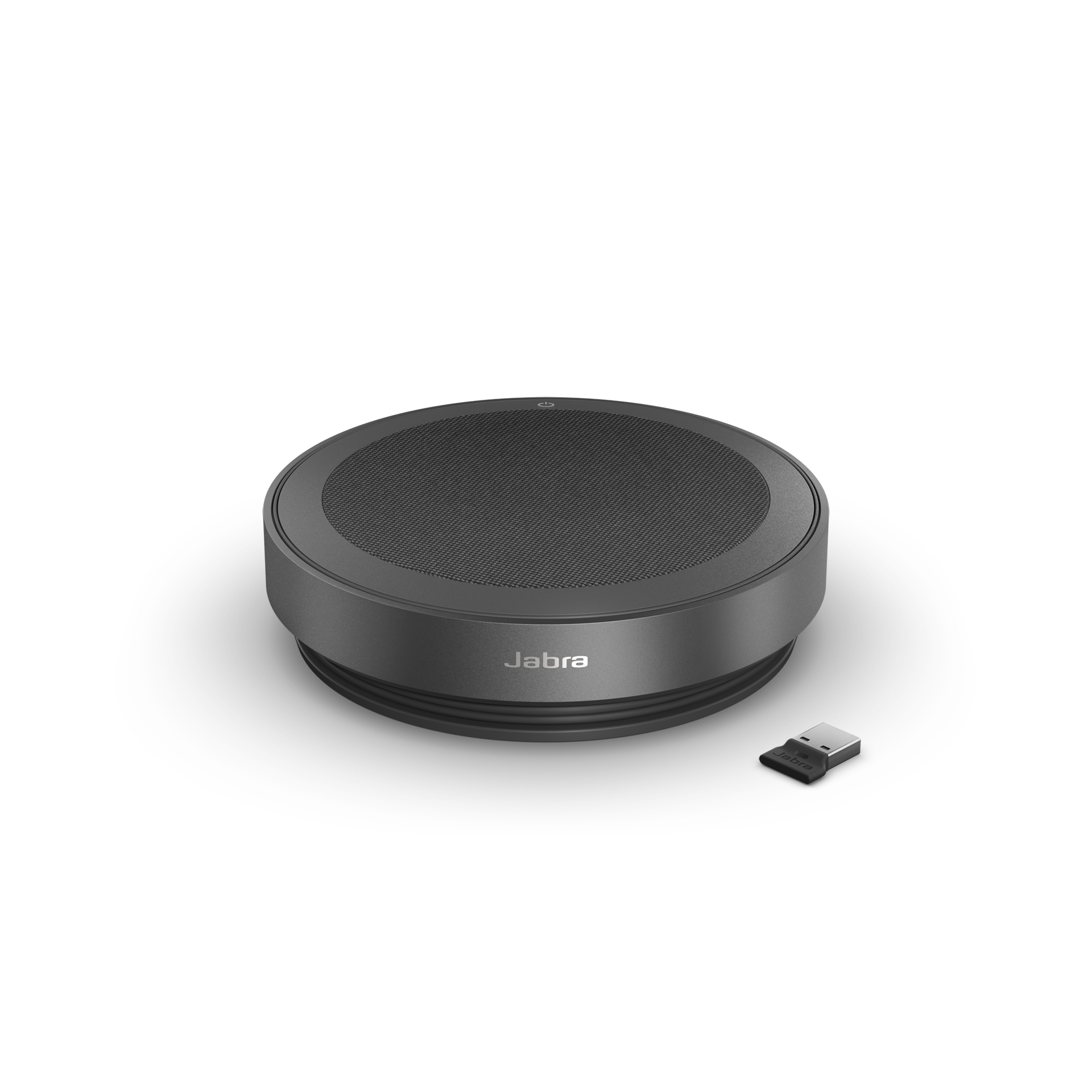
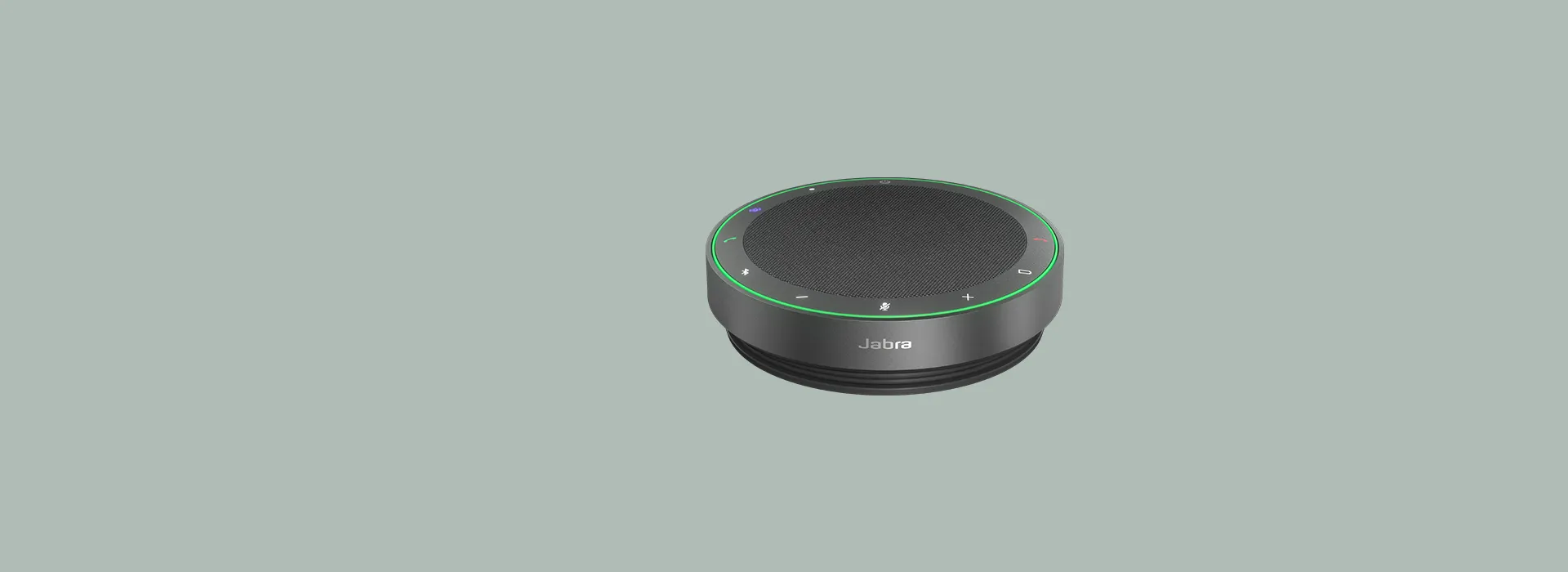
Jabra Speak2 75 SE (Second Edition) Wireless Bluetooth Speakerphone, Grey | 4 Noise-Cancelling Microphones, 65mm Full-Range Speaker, Linking Feature, USB-A and USB-C, Works with Zoom and Google Meet
The SE editorial description favors personal and small-team use. Buyers should choose their computer connection and confirm the actual supplied adapter before purchase: the family sheet makes certification connection and variant dependent. Linking offers a documented expansion path, but it requires compatible firmware and does not prove coverage in a particular boardroom.
Updated 2026-10-08

We may earn a commission from qualifying purchases.
Prices and sellers
No price information yet
Conditions and limitations
Two-unit linking prerequisites
- Capability
- Link audio between two Speak2 75 speakerphones.
- Limitations
- Linking replaces the most recently connected Bluetooth device when two are connected.
- The assigned SE hardware and SKU mapping remain unverified.
- Requirements
- The official FAQ specifies firmware 2.46.0.
- Initially place units within 50cm and press both Smart buttons.
Compatibility
Manufacturer categories and certification restrictions were checked; no exact-SE host and firmware test case was verified.
Where sources differ
Official firmware history documents family linking, so SE editorial wording does not establish exclusive hardware; exact package mapping remains unresolved.
Reported issues and fixes
Firmware notes document low-battery behavior and historical macOS fixes; no exact-SE defect prevalence or current failure rate was established.
Care and support
Documented battery replacement procedure
- Details
- Jabra publishes a family battery repair guide requiring parts and careful housing and connector disassembly. Exact SE component compatibility and local parts supply need confirmation.
Ownership costs
Service requirements are described without prices; parts stock, labor costs and a total ownership calculation are unknown.
Who it suits
Confirm the package for a small-team workspace
- Check before buying
- Confirm the actual adapter, certification and installed firmware.
- Test far-end audibility in the intended room.
- Constraints
- Certification depends on variant and connection.
- Exact SE measurements and manufacturer SKU mapping are unverified.
- Needs
- Shared audio for personal calls and small-team meetings.
- Reason
- The small-team role is supported, but the supplied connection and real-room performance should be confirmed before purchase.
- Tradeoffs
- Linking requires preparation and adequate charge on both units.
- Assessment
- conditional
Jabra · Layer3 Labs · Jabra · Jabra
Reviewer consensus
Consensus rows require at least two distinct sources for the topic.
| Topic | Positive | Negative | Mixed | Reading | Evidence |
|---|---|---|---|---|---|
| Build quality | 0 | 0 | 2 | Mixed · 2/2 | [3], [6] |
| Buyer fit | 1 | 0 | 2 | Mixed · 2/3 | [6], [8], [5] |
| Comfort & usability | 0 | 0 | 4 | Mixed · 4/4 | [4], [6], [2], [8] |
| Sound / experience quality | 1 | 0 | 2 | Mixed · 2/3 | [6], [1], [7] |
| Limitations | 0 | 2 | 0 | Weak point · 2/2 | [5], [7] |
“Voices recorded in our test had nice timbre and sounded natural”
The review
Jabra Speak2 75 SE review: portable meeting audio for small teams
Who it is for
The Jabra Speak2 75 SE is described by Layer3 as a speakerphone for personal use and small teams. That makes a shared desk or a compact meeting space a more defensible starting point than assuming one unit will cover a boardroom. The editorial setup description says a few minutes, but it does not present a timed installation test. Treat that as an expectation to check with your own laptop and meeting application. This article keeps the SE listing identity intact while separating its editorial description from Jabra's broader Speak2 75 documentation. The distinction matters when choosing a package: certification depends on the variant and connection, and the linking instructions depend on firmware. Confirm those details before deciding that two listings with similar names provide the same controls and accessories. A buyer who needs shared conversation rather than a private headset can evaluate this small-team role, then test it in the intended room. [8], [6], [4]
Voice quality
DXOMARK's independent Speak2 75 evaluation found natural voice timbre and reported two useful cautions: monophonic recording made speaker locations harder to distinguish, and processing was less effective in reverberant surroundings. The lab used a Windows Lenovo ThinkPad X1 Gen 10, combining laboratory work with simulated and real settings. Its report does not identify this SE ASIN, the exact hardware revision, or the firmware used. These are contextual findings from the named sample rather than proof of identical performance from every later package. For a buyer, the useful question is whether remote participants can follow people speaking from different positions in the actual room. A quiet desk demonstration cannot answer the reverberation question for an echoing meeting space. Listen to the far end during a trial call and assess both ordinary turn taking and overlapping voices. Clear tone and clear spatial identification are separate priorities, so consider which matters most for your meetings. [7]
Battery and protection
Jabra rates family talk time at up to 32 hours. This is a manufacturer maximum, not a continuous runtime result measured for the assigned SE listing. The Gadgeteer's April 2023 hands-on review reported a week before recharging under mixed meeting and music use, but its sample included a Link 380 adapter and did not identify this ASIN. A week of intermittent use is also a different quantity from hours of continuous talk. Keep both the sample and workload differences in mind when planning travel or a day of meetings. The documented IP64 rating supports the original article's discussion of dust and water protection, with an important restriction: Jabra warns not to charge or power the unit when the USB cable or adapter plug is wet or moist. The rating should therefore not become an unrestricted claim about wet charging. Build a charging routine around your own usage and check the connectors before applying power. [6], [1]
Choose the connection before choosing the package
The family technical sheet documents USB-A or USB-C operation and describes standard Bluetooth for smartphones and tablets. It lists an integrated cable of approximately 75cm and packages with different adapter arrangements. That gives buyers several connection routes, but the available route is not the same as certified operation. The technical sheet restricts its certification statement to USB or Jabra Link 380 adapter connections and explicitly excludes standard Bluetooth. It also marks Teams certification as variant dependent. Because this refresh does not establish the assigned ASIN's exact manufacturer SKU or adapter generation, check the supplied package against the intended host rather than assume every USB dongle is interchangeable. Jabra's support page distinguishes compatible softphones and mobile or tablet devices from unsupported deskphones. A deskphone requirement needs separate confirmation instead of an inference from computer compatibility. For an office rollout, verify the actual connection, application controls and package contents together before ordering several units. [6], [5]
Low battery changes how a meeting should be prepared
Jabra's firmware 2.54.0 notes describe operation at very low battery with limited maximum volume. When two units are linked and one battery is very low, the limit applies to both units. The practical consequence is that a second speakerphone does not remove the need to check charge levels before a shared call. If listeners need more volume, check the battery condition before treating the problem as an application setting or a faulty speaker. The same release notes describe deep sleep for new units arriving with this firmware and USB connection for first activation. That is a setup condition to consider when a newly unpacked device appears inactive. Earlier firmware 2.46.0 fixed Teams mute synchronization and On Hold behavior on macOS. Those are documented historical fixes, not a claim that current devices still suffer those faults. Record the installed firmware during troubleshooting so operational observations can be compared with the relevant release notes rather than with a different software state. [2], [5]
The decision rests on fit and confirmed conditions
The evidence supports considering this SE listing for personal calls and small-team meetings, while checking the exact supplied variant and connection. Jabra's family specifications describe four microphones, a 65mm speaker, full duplex, up to 2.5m pickup and an app-enabled Microphone Quality Indicator. These are specifications, not measured guarantees in your room. The independent hands-on and laboratory reports provide useful context for the Speak2 75 name, but do not verify this SE ASIN or establish an exact-SE physical benchmark. Layer3 supplies SE editorial positioning and a quick-setup description, rather than a documented measurement program. Before purchase, prioritize the supported host, the certification you require, the firmware needed for linking and an actual far-end listening trial. If spatially distinct recording, a large reflective room or a specific dongle generation is essential, obtain those confirmations first. This approach preserves the useful small-team recommendation while leaving unanswered variant and measurement questions visible instead of turning them into promises. [8], [7], [6], [4], [1]
Linking depends on firmware and deliberate setup
Jabra's official linking FAQ requires Speak2 75 firmware version 2.46.0. Place the two speakerphones within 50cm initially so the Smart buttons become visible, then press the Smart button on both devices to link their audio. The link remains until it is removed or the speakerphones are reset. Holding one Smart button for 8 seconds unlinks them. The same FAQ warns that, with two Bluetooth devices already connected, the most recently connected device is replaced by the temporary link. These conditions are useful when switching from an individual desk call to a shared meeting: prepare the units before participants join, and check which host remains connected. Jabra's firmware history dates the added linking support to January 23, 2025. That makes linking a documented software capability in the Speak2 75 family rather than evidence that an SE label alone identifies exclusive new hardware. The initial proximity instruction also does not establish a measured maximum room size. [4], [2]
Battery service has a documented procedure
Jabra publishes a battery repair guide for the Speak2 75. It identifies replacement components and calls for a T8H screwdriver and a spudger, with electrostatic-discharge-safe tweezers shown as optional equipment. The procedure requires opening the housing and carefully handling flex connectors and attached cables. This is more involved than replacing an externally accessible battery. The guide says to obtain replacement parts before beginning disassembly and warns that damaging attached cables or pulling connectors too hard can harm the speakerphone. For a buyer planning to keep the unit for several years, the documentation establishes a service path worth checking with a suitable service provider. It does not establish local part stock, service turnaround, warranty coverage for a particular repair, or its cost. Confirm those separately before relying on repairability as a reason to buy. The existence of instructions should also not be taken as confirmation that every SE hardware revision uses identical components; match the device to the guide first. [3]
Buyer questions
Before you buy
Setup
Is setup measured to take only a few minutes?
Layer3 describes a few-minute setup, but its article says it uses Jabra product details rather than a documented timed installation test. Check the intended USB or Bluetooth connection on your own host. [8], [6]
What is required to link two speakerphones?
The official Speak2 75 FAQ requires firmware 2.46.0, initial placement within 50cm and pressing both Smart buttons. With two Bluetooth devices connected, the last connected device is replaced by the temporary link. [4]
Everyday use
Is the 32-hour talk time an independent test result?
No. Up to 32 hours is Jabra's family talk-time rating. The original-model hands-on review reported mixed calls and music use, not an exact-SE continuous runtime measurement. [6], [1]
Can one nearly empty battery affect both linked units?
Yes. Jabra's 2.54.0 release notes say maximum volume is limited on both linked units when one is at very low battery. Check both charge levels before a meeting that needs substantial volume. [5]
Limitations
What does the laboratory recording caveat mean?
DXOMARK found voice localization harder with monophonic recording on its Speak2 75 sample. The report does not identify this SE ASIN, so use the finding to plan a room trial rather than as a verified SE benchmark. [7]
Product images
Facts and specifications
Manufacturer datasheet
| Specification | Value | Source |
|---|---|---|
| Battery Life | 32 hours US | [6] |
| Certification | IP64-rated protection from dust and water US | [6] |
| Compatibility | The January 2025 technical sheet makes Teams certification variant dependent and limits certification to USB or Jabra Link 380 connections; standard Bluetooth is not certified. US | [6] |
| Interface | The family technical sheet lists USB-A/USB-C connection, smartphone/tablet Bluetooth, an approximately 75cm integrated cable, and variant-dependent Bluetooth adapters. US | [6] |
| Risk | Jabra warns against moisture at the USB cable or adapter plug and says never to charge or power up when either is wet or moist. US | [6] |
Manufacturer manual
| Specification | Value | Source |
|---|---|---|
| Compatibility | Jabra's family support page lists softphones and mobile/tablet devices as compatible and deskphones as not compatible. US | [5] |
| Limitation | Jabra's firmware 2.54.0 notes limit maximum volume at very low battery, including both linked units when one battery is very low; new units may require USB activation from deep sleep. US | [5] |
| Setup Requirement | The official Speak2 75 linking FAQ requires firmware 2.46.0, initially placing two units within 50cm and pressing both Smart buttons; an 8-second hold unlinks them. US | [4] |
Other facts
| Specification | Value | Source |
|---|---|---|
| Buyer Fit | Built for personal use and small teams. US | [8] |
KnowSpec analysis
A small-team fit with connection checks
The SE editorial description favors personal and small-team use. Buyers should choose their computer connection and confirm the actual supplied adapter before purchase: the family sheet makes certification connection and variant dependent. Linking offers a documented expansion path, but it requires compatible firmware and does not prove coverage in a particular boardroom.
Method: Scope-qualified laboratory synthesis; no transfer of physical measurements between variants.What the listening evidence can establish
DXOMARK's Speak2 75 sample produced natural voices but had monophonic localization and reverberation limitations. These findings help a buyer plan a real-room call test, especially when speakers overlap or sit far apart. They do not establish an SE-specific benchmark because that report identifies neither this ASIN nor its hardware and firmware revision.
Method: Synthesis of SE editorial scope and manufacturer family documentation; exact SKU mapping remains unverified.Visible information gaps
Missing information is shown rather than guessed.
- Optionnot found
Sources and method
- Jabra Speak2 75 speakerphone review – Can You Hear Us Now?The Gadgeteer · retrieved 2026-10-08Editorial review
- Jabra Speak2 75 release notesJabra · retrieved 2026-10-08Manufacturer support
- Battery Repair Guide Jabra Speak2 75Jabra · retrieved 2026-10-08ManualPDF
- How do I link two Jabra Speak2 75 speakerphones?Jabra · retrieved 2026-10-08Manufacturer supportPDF
- Get support for Jabra Speak2 75Jabra · retrieved 2026-10-08Manufacturer support
- Jabra Speak2 75 Technical SpecificationsJabra · retrieved 2026-09-28DatasheetPDF
- Speakerphones: See which ones performed best in our testsDXOMARK · retrieved 2026-09-28Lab review
- Jabra Speak2 75 SE (Second Edition) ReviewLayer3 Labs · retrieved 2026-09-28Editorial review