NETGEAR A9000-100PAS Nighthawk BE6500 Wi-Fi 7 USB 3.0 Adapter
The A9000 suits a Windows 11 PC that needs USB Wi-Fi and flexible antenna placement. Check the operating system, driver installation and router before buying: Windows 10 is explicitly excluded, and the BE6500 label combines radio ratings that are not available concurrently. The included cradle can help place the adapter, but cannot remove router, USB-port or Internet bottlenecks. Community Linux testing is encouraging for specific kernels; buyers who need manufacturer-backed support should follow NETGEAR's Windows requirements.
Updated 2026-10-04

We may earn a commission from qualifying purchases.
Prices and sellers
No price information yet
Conditions and limitations
Wi-Fi 7 depends on the whole connection
- Capability
- Tri-band Wi-Fi 7 connectivity through USB
- Limitations
- The bands are nonconcurrent; BE6500 is not a measured transfer rate. Use 6 GHz indoors.
- Requirements
- Compatible router, Windows 11 and the required driver; USB 3.0 for best performance
Compatibility
Windows 10 is outside official support
- Connection
- USB connection does not override the operating-system requirement
- Functions
- NETGEAR-supported wireless networking
- Notes
- The current datasheet expressly excludes Windows 10 and older.
- Protocol
- USB Wi-Fi
- Result
- unsupported
- Source device
- NETGEAR A9000
- Target device
- Windows 10 PC
Where sources differ
Official support and community Linux testing have different scope
- Explanation
- Community success does not expand NETGEAR's support promise; verify the exact distribution, kernel and firmware.
- Status
- explained
Reported issues and fixes
A specific Linux boot-detection report
- First reported version
- 6.18.1-061801-generic
- Status
- reported
- Symptom
- The owner reported driver probe error -110 at boot.
- Workaround
- The reporter said unplugging and reconnecting restored operation; this was not independently reproduced here.
Care and support
Documented Windows software release
- Details
- NETGEAR documents regional support additions in software 2.0.1.9. No guaranteed support-end date was established.
Who it suits
Buy for a verified connection need
- Check before buying
- Verify the PC operating system, available USB port, router features and software installation requirements.
- Constraints
- Windows 11, required drivers and a suitable USB connection
- Needs
- Add USB Wi-Fi to a compatible PC with flexible antenna placement
- Reason
- The documented setup fits a supported Windows PC when the router and connection needs are checked first.
- Tradeoffs
- The cradle helps placement, but does not remove network bottlenecks or make the radio bands concurrent.
- Assessment
- conditional
NETGEAR, hosted by Abt · NETGEAR manual reproduced by ManualsLib · NETGEAR manual reproduced by ManualsLib
Areas not yet researched (1)
No conclusion is available for these areas. This does not mean the Product has no limitations or reported issues.
- Ownership costs
Buyer questions
Before you buy
Must I replace my router to use this adapter?
Not necessarily: the datasheet describes backward-compatible router connections. A compatible Wi-Fi 7 router is required for the corresponding features, however. First identify whether the current adapter, router, USB connection or Internet service is the actual constraint. [7], [5]
Compatibility
Will the A9000 work as a supported upgrade for Windows 10?
No. NETGEAR's current datasheet explicitly excludes Windows 10 and older. It specifies Windows 11 and later consumer editions, so check the PC's operating system before buying. [7]
What should a Linux buyer check?
Treat Linux as community-supported use. The A9000-specific community review reports testing across kernels 6.12, 6.17 and 6.18 and describes device-ID support and fixes. Verify the distribution's actual patches and firmware. A separate owner reported a boot-detection problem, so the favorable review is not a universal guarantee. [2], [3]
Setup
Product images
Facts and specifications
Manufacturer datasheet
| Specification | Value | Source |
|---|---|---|
| Antenna Count | 2 | [7] |
| Wi-Fi Bands | 3 | [7] |
| Compatibility | Backward-compatible Wi-Fi router connection; optimal Wi-Fi 7 features require a compatible Wi-Fi 7 router; 6 GHz requires compatible hardware and indoor use | [7] |
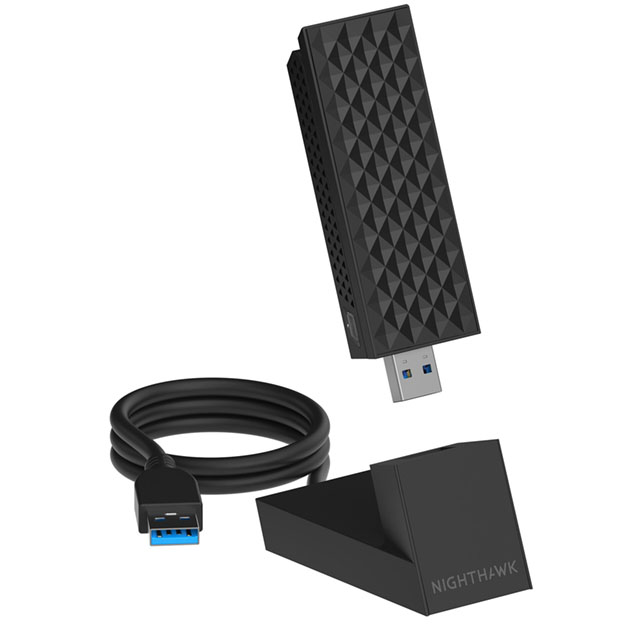
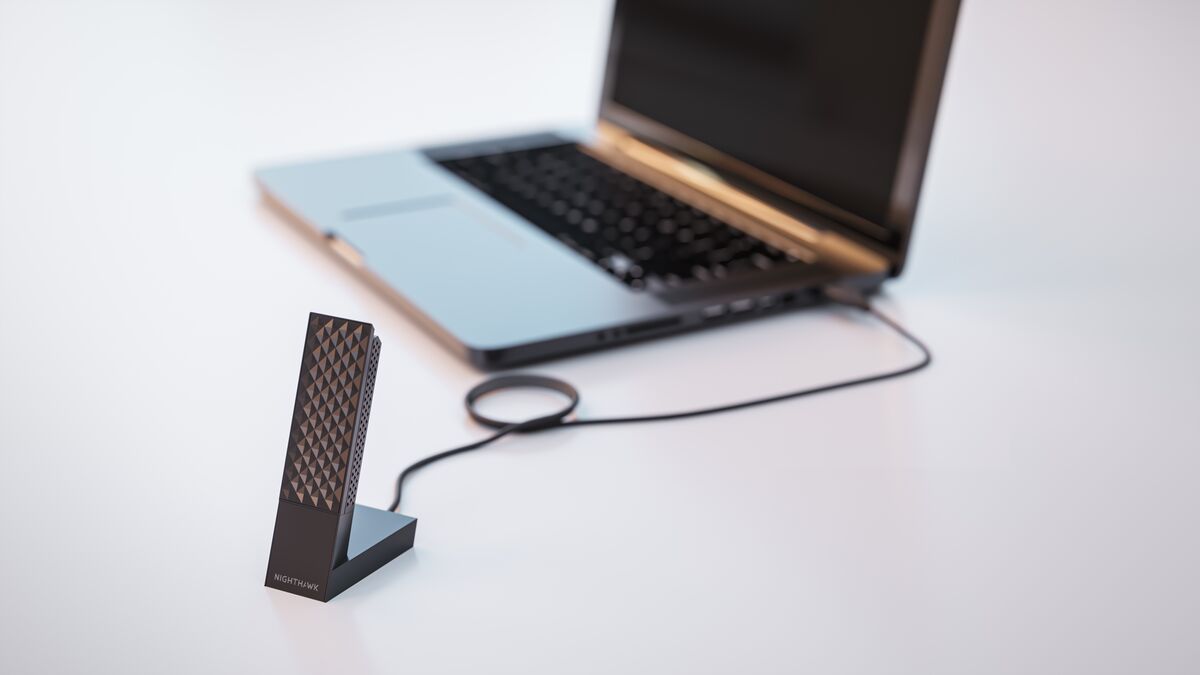
| Form Factor | Adapter 93.0 × 31.4 × 14.45 mm; cradle 63.14 × 44.67 × 35.19 mm and 90 g; Flip-open USB adapter with two internal antennas and a separate placement cradle | [7] |
| Interface | USB 3.0; USB 2.0 compatible with reduced performance | [7] |
| Maximum Link Rate | 2882 Mbps; 2882 Mbps; 688 Mbps | [7] |
| Operating System | Windows 11 and above Consumer Editions; Windows 10 and older excluded | [7] |
| Option | A9000 adapter, USB 3.0 cradle with cable, installation USB thumb drive, quick start guide | [7] |
| Security Protocol | WPA3 | [7] |
| Weight | 28 g | [7] |
| Wi-Fi Standard | Wi-Fi 7 (IEEE 802.11be), BE6500 class | [7] |
Manufacturer manual
| Specification | Value | Source |
|---|---|---|
| Software | A9000 Windows software 2.0.1.9 release note, updated 2025-09-26, adds UAE, Saudi Arabia, Australia, New Zealand, Singapore, Taiwan and Hong Kong; this is a documented release, not a verified latest-version promise | [6] |
Stated by reviewers
| Specification | Value | Source |
|---|---|---|
| Chipset | MediaTek mt7925u, according to the A9000-specific community hardware report | [2] |
| Compatibility | Community tester @morrownr reports A9000 managed-mode and AP-mode testing with Linux kernels 6.12, 6.17 and 6.18. This is community support, not NETGEAR's official Windows support commitment. | [2] |
| Software | A9000 uses USB ID 0846:9072; the community review reports device-ID support and a speed-related fix reached newer kernels with backports. Verify the distribution's actual kernel and firmware, rather than assuming all 6.12 installations contain them. | [2] |
Other facts
| Specification | Value | Source |
|---|---|---|
| Buyer Fit | The community tester gives a favorable Linux assessment while recommending a sufficiently current kernel; this does not establish support for every distribution or enterprise network. | [2] |
| Limitation | Connection performance depends on the computer's USB port, the router or access point, and the Internet connection.; The 2.4 GHz, 5 GHz and 6 GHz bands alternate rather than operating concurrently; adding their signal ratings does not describe one connection's throughput. | [7], [5] |
| Risk | One A9000 owner reported mt7925u probe error -110 during boot on Linux 6.18.1-061801-generic, with unplugging and reconnecting restoring operation. This is a specific report, not a defect rate or a confirmed Windows issue.; The manual identifies Windows USB Selective Suspend as a possible cause of a disconnected adapter; it gives no failure rate. | [5], [3] |
| Setup Requirement | NETGEAR instructs users to install the required drivers using the supplied thumb drive or download, on an updated Windows 11 PC. | [1] |
KnowSpec analysis
A conditional upgrade for a Windows 11 PC
The A9000 suits a Windows 11 PC that needs USB Wi-Fi and flexible antenna placement. Check the operating system, driver installation and router before buying: Windows 10 is explicitly excluded, and the BE6500 label combines radio ratings that are not available concurrently. The included cradle can help place the adapter, but cannot remove router, USB-port or Internet bottlenecks. Community Linux testing is encouraging for specific kernels; buyers who need manufacturer-backed support should follow NETGEAR's Windows requirements.
Method: Synthesis of the current datasheet, installation manual and bounded community testing; no new benchmark was performed.Visible information gaps
Missing information is shown rather than guessed.
- Softwarenot found
- Data Raterights restricted
- Compatibilitynot found
Sources and method
- A9000 User Manual, page 5: installationNETGEAR manual reproduced by ManualsLib · retrieved 2026-10-04Manual
- The Plug and Play List: Netgear A9000 reviewmorrownr / USB-WiFi · retrieved 2026-10-04Lab review
- Issue 688: A9000 probe error -110 after bootUSB-WiFi community on GitHub · retrieved 2026-10-04Owner community
- WPA3-Enterprise (GCMP-256) on Cisco 9800mrn-cciew · retrieved 2026-10-04Lab review
- A9000 User Manual, page 13: USB sleep and throughputNETGEAR manual reproduced by ManualsLib · retrieved 2026-10-04Manual
- A9000 Software Version 2.0.1.9 (Windows)NETGEAR · retrieved 2026-10-04Manufacturer support
- A9000 Technical Specifications TS-A9000-3NETGEAR, hosted by Abt · retrieved 2026-10-04DatasheetPDF