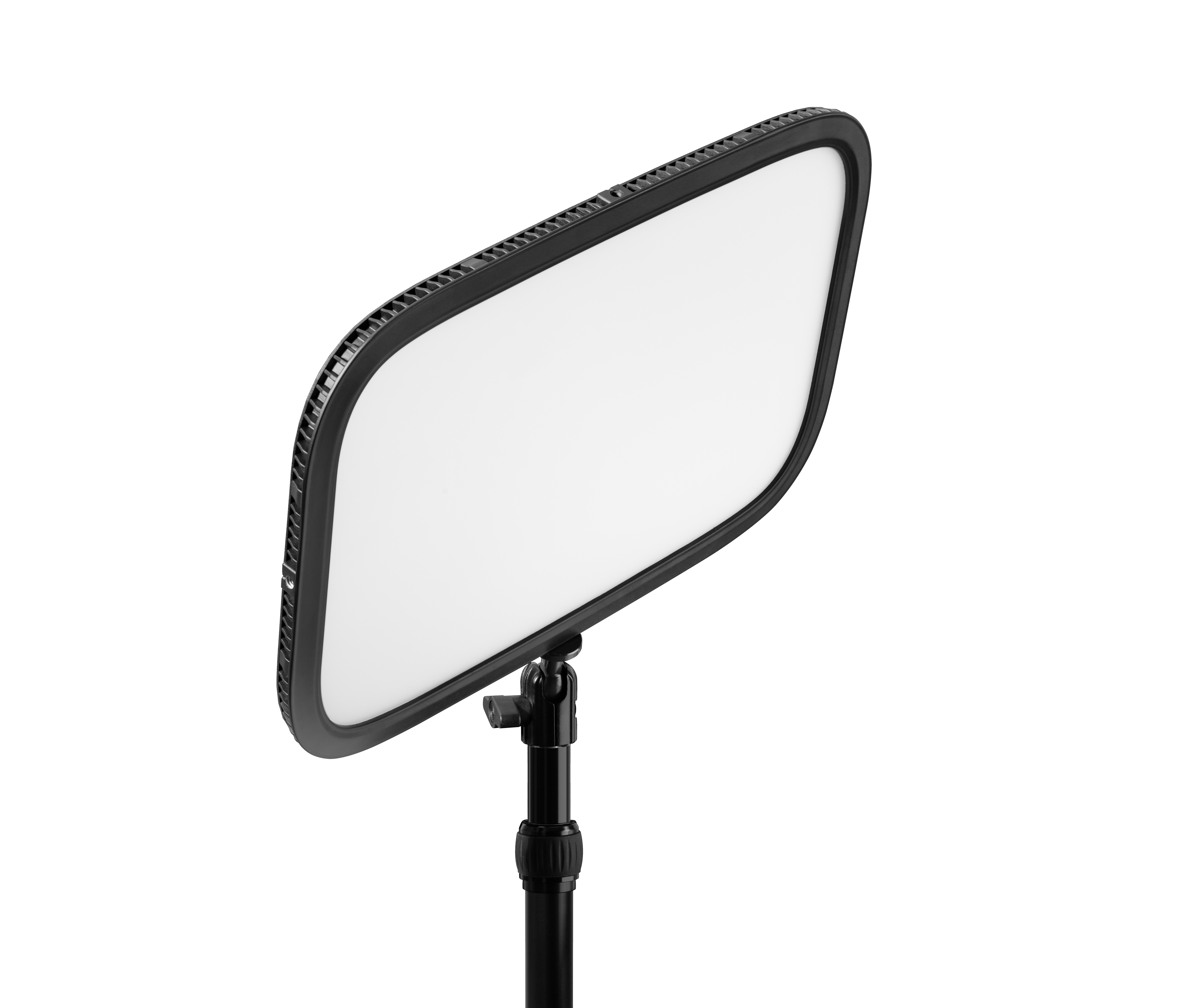
Elgato Key Light Neo without Monitor Mount (White)
Key Light Neo is worth considering for adjustable, diffused video lighting, but this evidence does not establish laboratory performance for the exact no-mount SKU. Reviews describe soft light and a warmth dial; the manual adds an external-power requirement for Wi-Fi and a warning about heat during prolonged use. Treat the reviewed monitor-mount packages as panel observations, not proof of this box's contents.
Updated 2026-10-08

We may earn a commission from qualifying purchases.
Prices and sellers
No price information yet
Conditions and limitations
Maximum output needs the specified power configuration
- Capability
- Rated output depends on the power source.
- Limitations
- Ratings are not calibrated exact-SKU test results.
- Requirements
- Check the external supply and cable requirements in the guide.
Compatibility
A reviewed 2.4 A supply could not enable Wi-Fi; exact revisions and full platform coverage are unknown.
Where sources differ
Software preset editing differs from documented manual saving; the inherited dimension conflict remains unresolved.
Reported issues and fixes
Historical limited warmth range before an update
- Status
- reported
- Symptom
- The reviewed sample initially exposed a limited warmth range.
- Workaround
- The reviewer installed the offered firmware update and restarted; the exact versions were not reported.
Care and support
The guide requires qualified light-source replacement; parts availability and a dated support horizon remain unknown.
Ownership costs
Power and service requirements are documented; repair costs and a complete ownership calculation are unavailable.
Who it suits
Adjustable lighting with a planned mount and supply
- Check before buying
- Verify the supply, control route and exact box contents.
- Constraints
- Confirm mounting and power arrangements for this no-mount package.
- Needs
- Adjustable panel lighting for on-camera use.
- Reason
- The panel is worth considering when the documented setup matches the desk.
- Tradeoffs
- Useful review observations do not establish exact-SKU laboratory performance.
- Assessment
- conditional
Reviewer consensus
Single-source notes
- Brightness and color range: Agreed · 1/1 · [6]
- Buyer fit: Agreed · 1/1 · [1]
- Efficiency: Agreed · 1/1 · [1]
- Limitations: Weak point · 1/1 · [6]
- Mounting and desk fit: Agreed · 1/1 · [1]
- Platform compatibility: Agreed · 1/1 · [1]
- Sustained performance: Weak point · 1/1 · [3]
- Wireless control and setup: Agreed · 1/1 · [3]
Alternatives
| Alternative | Where this Product wins | Where it loses | Pick it if |
|---|---|---|---|
| Elgato Key Light MK.2 (20GAK9902) | Consider Neo's stated power consumption up to 15 W when checking your setup. Establish the rival's current specifications separately before comparing output or efficiency. |
The review
Elgato Key Light Neo: panel evidence and no-mount caveats
What the evidence supports
Key Light Neo is best assessed as an adjustable panel for on-camera lighting, with an important distinction between the panel and the package being bought. Gear Diary describes soft, adjustable light, while GamingTrend reports changing warmth with a dial. Those are useful hands-on observations about reviewed panels. They do not establish the contents of the no-mount package assigned here. In particular, a review photograph showing a monitor bracket is not a promise that this box includes that bracket. Buyers choosing the no-mount option should settle how they will position the light before relying on another package's unboxing experience. The manufacturer's original Neo announcement describes a quarter-inch mounting thread for other rigs. This gives a documented reason to investigate a compatible support instead of assuming the reviewed monitor mount is necessary or included. Check the support's attachment and stability against your intended placement. Gear Diary also lists a panel weight of 246 g, but that is a reviewer-stated specification, not a new weighing experiment or a complete supported assembly weight. A mount and its placement can therefore matter even when the panel's listed weight seems modest. The attraction described by the reviews is control over the light falling on a face, rather than a fixed lighting appearance. Warmth adjustment allows a buyer to choose a setting appropriate to the intended shot; it does not guarantee a particular camera result in every room. Treat the published observations as evidence for considering the panel, and the unresolved exact-package questions as a separate purchasing check. That approach preserves the useful soft-light assessment without turning a review of one bundle into an accessory claim about another. [1], [6], [5]
Adjustment and stated specifications
The most useful performance distinction is the relationship between the power source and the available output. Elgato's quick-start guide rates approximately 400 lm from a computer USB-A port, approximately 700 lm from a computer USB-C port, and approximately 1000 lm from an external supply. The last configuration requires a 5 V supply delivering at least 3 A. The guide also says that the USB-C cable for the higher computer-port tier and the external supply are not included. These are conditional manufacturer ratings. They are not three results from our own light meter, and they should not be presented as independently measured illumination at a person's face. A buyer planning around the highest tier should check the supply and cable requirements before treating that output as available. The presence of a USB connector alone does not remove those conditions. Conversely, the lower tier is not evidence that the panel is defective; it can be the intended result of the selected connection. Gear Diary lists power consumption up to 15 W. That stated ceiling describes a different quantity from light output, so it cannot by itself establish efficiency, running temperature, or how much light reaches a desk. The existing comparison with the larger Key Light uses stated power ceilings and should remain a comparison of those specifications, rather than a claim that Neo produces more useful light per watt. GamingTrend's dial observation remains relevant to everyday adjustment because it describes changing warmth directly on the reviewed panel. Buyers should evaluate the adjustment they need alongside the power configuration they can provide. This evidence supports planning a configurable lighting setup, but leaves calibrated output, sustained stability and exact-SKU laboratory performance unresolved. [1], [3], [6]
Power and platform planning
Choose the control route before arranging the cable path. For USB control, Elgato's guide instructs connecting Key Light Neo directly to a USB port on a PC or Mac and explicitly says not to use a USB hub. A desk built around a hub should therefore retain a direct connection option instead of assuming that every hub arrangement meets the documented setup. For Wi-Fi control, the same guide calls for an external USB supply with a minimum output of 3 A. This is a distinct setup instruction, not a statement that a wireless control connection eliminates the need for power. PC Watch provides a practical observation consistent with that requirement: its reviewer could not use Wi-Fi when connecting the reviewed package to a 2.4 A USB adapter. The report concerns that sample and supply, with hardware and firmware versions unspecified; it is not a failure-rate estimate for all units. The hardware buttons offer another useful route. Elgato documents recalling a brightness and color-temperature preset with a button press and saving the current setting by holding the button for 3 seconds. That makes the distinction between hardware saving and software editing important. Press Start wished its software could save settings to the physical shortcuts. The narrower software complaint should not become a claim that the buttons cannot save presets at all, because the manual describes how to do that manually. Gear Diary lists Windows 10, 64-bit, or later. That supports the stated Windows requirement, while leaving a complete platform-by-platform assessment outside this evidence. Before adopting the light for a particular desk, verify the intended operating system, direct port or external supply, and the control method you expect to use most often. [1], [3], [4], [2]
Heat, firmware and evidence boundaries
Two limitations deserve attention beyond the advertised light-output tiers: handling during long sessions and the software state of a particular sample. Elgato warns that Key Light Neo may become hot during prolonged use and should be handled with care. This warning is a reason to plan careful handling around an operating panel. It is not a recorded surface temperature, a prediction of output loss, or proof of a particular service life. No such calibrated thermal or lifetime result is established by the accepted evidence here. GamingTrend's reviewer also found a limited warmth range before Control Center offered a firmware update. After installing it and restarting the sample, the reviewer could access the full range. That is useful troubleshooting history if a new setup behaves similarly, but the review does not identify a firmware version that makes the event a current universal defect. Check the software and firmware state of your own unit instead of assuming every panel ships in the same state as that historical sample. Service planning has its own boundary: the guide says that replacement of the internal light source is for the manufacturer, authorized service agents or similarly qualified personnel. A buyer should therefore not assume that ordinary user replacement is the documented maintenance path. Repair charges, replacement-part availability and a dated support commitment remain unverified here. Taken together, the reviews describe adjustable, diffused panel light and the manual provides concrete setup conditions. The suitable buyer is someone prepared to check mounting, power and control requirements against the intended desk. The case becomes conditional when it depends on undocumented exact-package accessories, laboratory performance, or long-term support. These limitations leave a useful purchase decision intact while keeping review observations, manufacturer ratings and unanswered ownership questions distinct. [1], [3], [6], [4]
Buyer questions
Before you buy
Compatibility
What Windows requirement is supported here?
Gear Diary lists Windows 10 (64-bit) or later. The evidence does not provide a complete platform-by-platform compatibility assessment. [1]
Setup
What should I plan for Wi-Fi control?
Elgato's instructions require an external USB power supply with a specified minimum output. Check that requirement before planning wireless control. [3]
Limitations
What matters for prolonged use?
Elgato warns that the panel may become hot during prolonged use and should be handled with care. This is a handling warning, not a measured temperature or lifetime prediction. [3]
Facts and specifications
Manufacturer datasheet
| Specification | Value | Source |
|---|---|---|
| Mount Type | Manufacturer announcement describes a ¼-inch thread for attachment to other rigs; the announcement concerns the original Neo package, not this ASIN's box contents. global | [5] |
Manufacturer manual
| Specification | Value | Source |
|---|---|---|
| Control Type | Press a preset button to recall brightness and color temperature; hold it for 3 seconds to save the current setting. global | [3] |
| Limitation | The manual restricts replacing the light source to the manufacturer, authorized service agents, or similarly qualified personnel. global | [3] |
| Setup Requirement | For USB Control Center operation, the manual instructs connecting directly to a PC or Mac USB port and avoiding a USB hub. global; Rated maximum output: approximately 400 lm from USB-A, 700 lm from USB-C, and 1000 lm with an external 5 V minimum 3 A supply; additional cable and supply requirements apply. global | [3] |
Stated by reviewers
| Specification | Value | Source |
|---|---|---|
| Compatibility | PC Watch could not use Wi-Fi with its 2.4 A USB power adapter on the reviewed Key Light Neo package; hardware and firmware versions were unspecified. Japan review sample; Windows 10 (64-bit) or later global | [1], [4] |
| Limitation | Press Start wished its reviewed software could save settings to the two physical preset buttons. That software complaint does not establish that the buttons cannot save presets manually. Australia review sample | [2] |
| Power | 15 W global | [1] |
| Weight | 246 g global | [1] |
Other facts
| Specification | Value | Source |
|---|---|---|
| Limitation | GamingTrend's reviewed Key Light Neo sample needed a firmware update before its full warmth range was accessible; this is a historical sample observation, not proof of a current defect. global | [6] |
| Risk | Elgato warns that Key Light Neo may become hot during prolonged use and should be handled with care. global | [3] |
| Setup Requirement | Elgato's Wi-Fi setup instructions require an external USB power supply with a minimum output of 3A. global | [3] |
| Use Case | GamingTrend describes adjusting lighting warmth across a gradient with the panel's dial; this observation is about its reviewed Key Light Neo panel. global; Gear Diary describes the Key Light Neo panel as providing soft, adjustable light. The review covers the monitor-mount package, not the exact no-mount box. global | [1], [6] |
KnowSpec analysis
Adjustable panel lighting, with variant limits
Key Light Neo is worth considering for adjustable, diffused video lighting, but this evidence does not establish laboratory performance for the exact no-mount SKU. Reviews describe soft light and a warmth dial; the manual adds an external-power requirement for Wi-Fi and a warning about heat during prolonged use. Treat the reviewed monitor-mount packages as panel observations, not proof of this box's contents.
Method: Manual and actual review-sample comparisonPlan the supply before choosing an output tier
The rated brightness changes with the power configuration, so planning around maximum output means checking the external supply and additional cable requirements first. The 15 W ceiling is a power specification, not a measured efficiency result or proof that every USB connection provides the same light.
Method: inferredSeparate wired control from Wi-Fi power
A direct PC or Mac connection is the documented USB control route, while Wi-Fi calls for an external supply. PC Watch's unsuccessful 2.4 A adapter trial reinforces the need to check the supply before depending on wireless control, without establishing a universal failure rate.
Method: Manual and reviewer specification synthesisPlan handling and qualified service
The prolonged-use heat warning makes careful handling relevant, but gives no measured temperature or service-life prediction. Because the manual restricts light-source replacement to qualified personnel, a buyer should check service options rather than assume a documented user-replaceable lamp.
Method: Manual warning and service instruction synthesisVisible information gaps
Missing information is shown rather than guessed.
- Dimensions.Depthconflicting
- Water Resistancenot found
- Topic:Model Generation Identityconflicting
- Dimensions.Widthnot found
- Topic:Measured Performancenot found
- Topic:Measured Performancenot found
- Dimensions.Heightnot found
Products in this content
-
Elgato Key Light MK.2 (20GAK9902)
Elgato Key Light MK.2 suits creators who regularly stream or photograph products at a desk and want adjustable white lighting through Control Center. Its appeal depends on accepting wireless control and desk mounting: floor placement needs
Sources and method
- Elgato Key Light Neo Review: Elegant Design Delivering Soft, Adjustable Light That’s Not Only for Video CallsGear Diary · retrieved 2026-10-02Editorial review
- Elgato Key Light Neo Review – An Unbeatable Entry-Level Desktop MicPress Start · retrieved 2026-10-08Editorial review
- Elgato Key Light Neo — Quick Start GuideElgato · retrieved 2026-10-02Manual
- 【レビュー】Stream DeckのElgatoが投入した安価な配信機材「Neo」シリーズを試すPC Watch · retrieved 2026-10-08Editorial review
- New Stream Deck and Wave Mic Among Five Products Announced by ElgatoCorsair · retrieved 2026-10-08Manufacturer
- Elgato Key Light Neo review — Pallid corpse, begone!GamingTrend · retrieved 2026-10-02Editorial review