Logitech MK540 Advanced Wireless Keyboard and Mouse Set 2.4 GHz, Black (920-008671)
The full-size keyboard, number pad and substantial specified mass make the MK540 a plausible fixed-desk choice. Comfort is conditional: PCMENA liked its regional sample while TechFinitive preferred a more cushioned feel. Buyers should prioritise the supported Windows or Chrome OS receiver workflow and verify their exact layout; a software reference to macOS is not a promise of full Mac hotkey support.
Updated 2026-10-08

We may earn a commission from qualifying purchases.
Prices and sellers
No price information yet
Conditions and limitations
Receiver and USB connection are required
- Capability
- Keyboard and mouse connect through the supplied Unifying USB receiver.
- Limitations
- Bluetooth is absent.
- Full macOS shortcut functionality is not established by this documentation.
- Requirements
- Turn on both devices and provide a computer USB port.
Compatibility
Windows and Chrome OS are listed by the manufacturer. No controlled exact-US-SKU cross-platform compatibility matrix was found.
Where sources differ
Mouse battery estimate differs between official documents
- Explanation
- Retain the 18-month datasheet rating as attributed guidance and disclose the conflicting support entry; neither is an independent endurance result.
- Status
- unresolved
Reported issues and fixes
Read reviews and official support documentation; no version-specific confirmed defect or tested fix was established.
Care and support
Replaceable AA batteries
- Details
- The manufacturer specifies two AA batteries for the keyboard and one AA battery for the mouse. Actual replacement timing is not independently measured.
Ownership costs
Battery maintenance is explained; no prices or monetary ownership calculation are included, and actual battery replacement intervals are unknown.
Who it suits
Choose by layout, connection and typing preference
- Check before buying
- Confirm the intended computer platform and required shortcuts.
- Check the printed layout and whether the mouse's basic controls meet your needs.
- Constraints
- A usable USB connection for the Unifying receiver.
- Confirm the exact regional key layout.
- Needs
- A full-size keyboard with number pad and a mouse usable in either hand.
- Reason
- The documented desktop form and supported-platform receiver workflow fit office use when the buyer accepts the connection requirement and prefers the typing feel.
- Tradeoffs
- Receiver-based operation excludes Bluetooth pairing.
- Reviewers' typing preferences differ; regional comfort reports do not verify the US layout.
- Assessment
- conditional
Reviewer consensus
Consensus rows require at least two distinct sources for the topic.
The review
Logitech MK540: a full-size receiver-based desk combo with evidence to check
Typing comfort
The evidence supports trying the MK540 for everyday typing, but it does not support a universal comfort verdict. PCMENA describes comfortable typing during several weeks with the 920-008693 regional model. That is useful as an attributed experience, with an important boundary: a report about that variant does not establish the exact US key layout or prove that every buyer will enjoy its feel. TechFinitive provides a counterpoint from a hands-on sample, finding the keyboard functional while preferring a more cushioned action. Read those observations as different preferences rather than contradictory laboratory measurements. Neither source provides a standardised comfort score, and neither establishes a medical or ergonomic benefit. Before choosing it for long sessions, think about whether you want soft cushioning or simply a familiar desktop key feel. The official guide offers three tilt positions: flat, 4 degrees and 8 degrees. Those positions give you a choice of angle, not a guarantee that the highest setting will be the most comfortable. Start with the position that feels natural and change it if your posture or desk arrangement calls for a different angle. Buyers replacing a compact laptop keyboard should evaluate the overall arrangement as well as the feel of individual keys. [2], [7], [4]
Desktop footprint
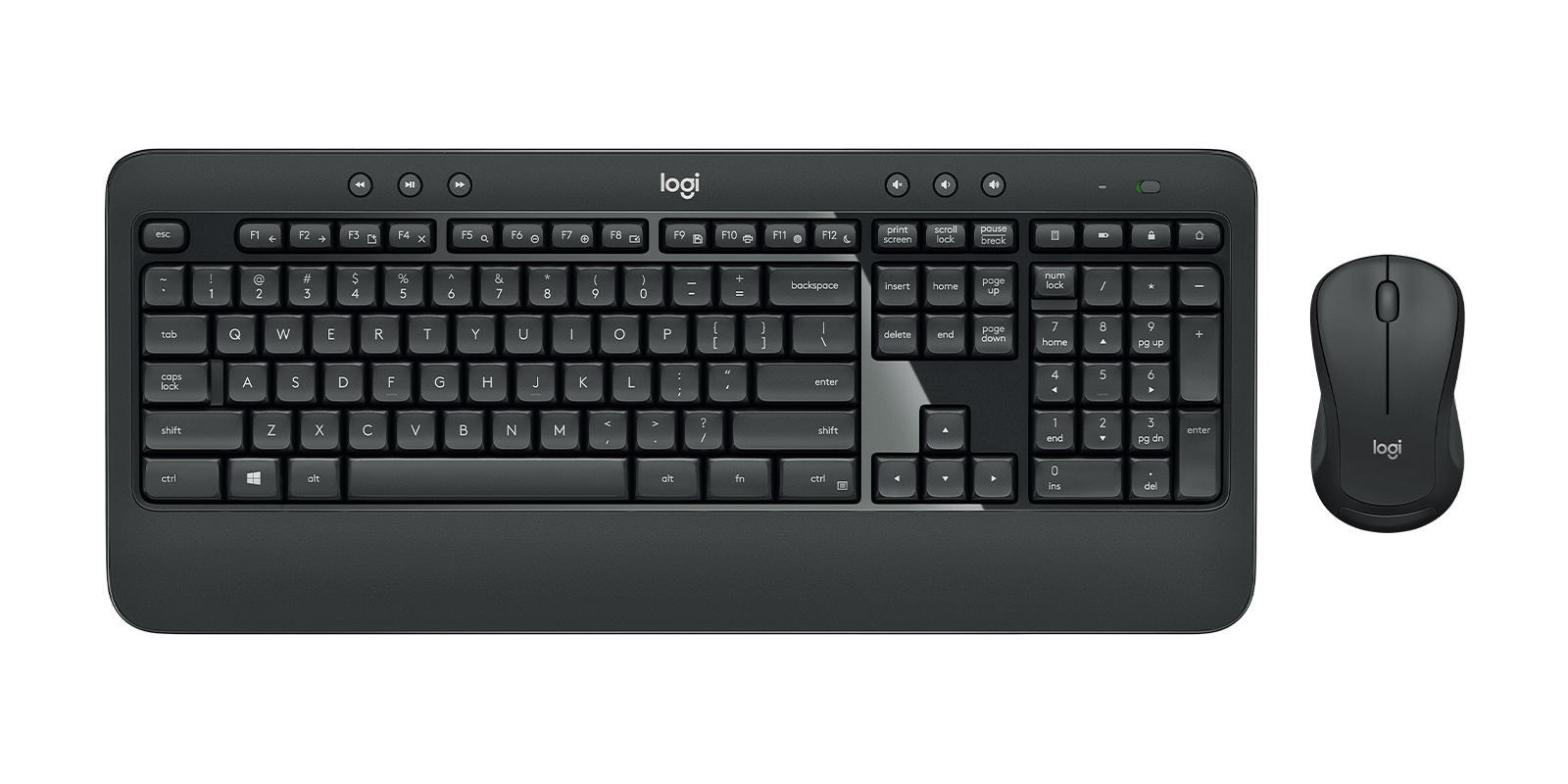
Logitech specifies the keyboard at 805 g and describes a full-size design with an integrated palm rest and number pad. That combination makes a fixed workstation a more natural starting point than a setup selected primarily for minimum carrying weight. The number pad matters if it is part of your regular workflow, but it also means you should decide whether you actually want a full-size arrangement before buying. The manufacturer lists US Graphite part 920-008671 separately from regional versions, including 920-008693 with an ARA (102) layout. Keep that distinction when comparing listings or reviews: the MK540 family name alone does not identify every printed key or regional arrangement. Physical mass also needs context. The support page specifies a bare mouse mass of 73.5 g without its receiver or batteries. TechFinitive reports approximately 100 g with a battery installed, without disclosing a weighing instrument or protocol. Those figures describe different conditions and should not be treated as a verified manufacturing discrepancy. The reviewer figure is an approximate physical observation, not a laboratory benchmark. For a buyer, the practical lesson is to compare like with like: check whether a quoted weight refers to the keyboard, the mouse, an installed battery or the complete package. [3], [7], [1]
Compatibility limits
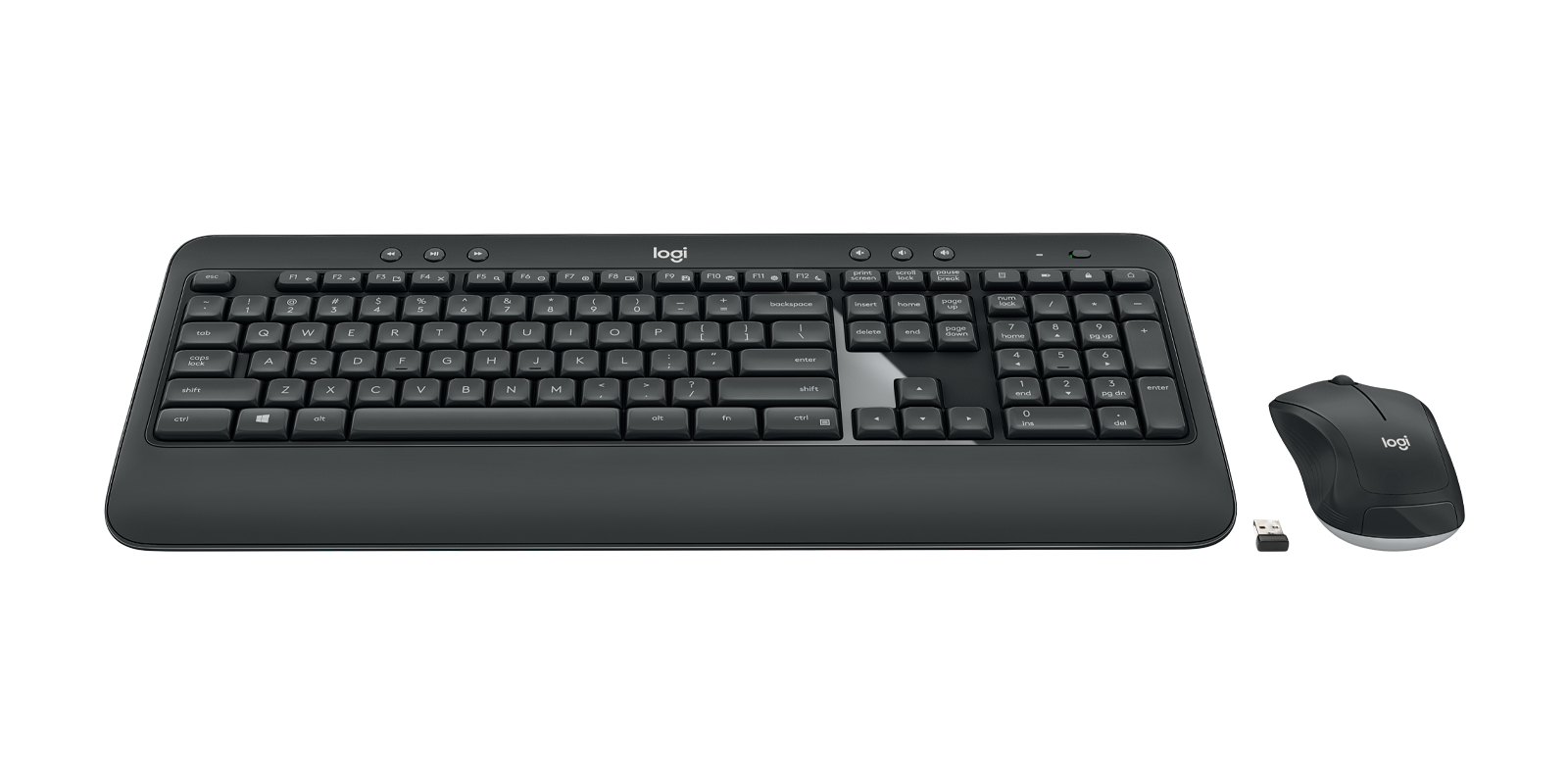
The MK540 connects through a Logitech Unifying USB receiver rather than Bluetooth. That requirement is a concrete buying constraint: check that your intended computer has a usable USB connection before treating this as a wireless solution. Wireless describes the link between the input devices and receiver; it does not remove the receiver from the setup. Logitech's support specifications list Windows 7, Windows 8, Windows 10 and above, and Chrome OS at release. This is the clearest documented platform scope in the evidence collected here. Today's Tech Bytes says there is no macOS support, but the manufacturer datasheet separately mentions optional Logitech Options software for macOS. A software reference does not prove full device compatibility, and an omitted platform does not prove that basic input can never work. The defensible conclusion is narrower: full Mac functionality is not established by these manufacturer tables. Mac buyers should verify their required keyboard shortcuts and customisation before choosing the combo, especially if those functions are essential rather than optional. Avoid turning that uncertainty into a blanket claim that connection is impossible. For a supported Windows or Chrome OS desk, the receiver-based workflow is much more directly documented; for another platform, verification remains part of the purchase decision. [7], [1], [5], [4]
A simple mouse and an evidence-aware buying decision
The mouse is described by the manufacturer as ambidextrous, while the support specifications list optical tracking, a ratchet wheel and a 1000± DPI entry. These details identify the basic pointing arrangement, not a measured claim about latency, precision on every surface or suitability for competitive games. If those performance questions drive your purchase, the collected evidence leaves a gap. The roughly 100 g battery-installed figure from TechFinitive is useful for understanding what the reviewer handled, but its unspecified regional SKU and test method limit comparison with a particular retail sample. Taken together, the evidence makes the MK540 a conditional choice for a fixed desk where a full-size layout, a number pad and a shared receiver fit the user's priorities. Choose it because those documented features match your work, not because an unmeasured performance claim sounds impressive. Confirm the printed regional layout and computer connection first, then consider typing preference and whether the mouse's basic controls are sufficient. If you need Bluetooth or established full Mac shortcut support, those needs require a different level of verification than this package supplies. The strongest conclusion remains practical and bounded: this is a documented receiver-based desktop arrangement, with subjective comfort differences and several unresolved testing questions. [7], [1], [3]
Set up the controls you will actually use
The official getting-started guide begins with turning on both devices and plugging the provided Unifying receiver into a USB port on the computer. Keep those basic steps separate from customisation: establishing the receiver connection and changing shortcuts are different tasks. The guide describes media controls, a calculator hotkey and a battery-check function, along with shortcuts accessed by holding FN and pressing an F-key. It also says that some F-key shortcuts and hotkeys can be reprogrammed with Logitech Options. That is useful if you want selected controls to match your work, but it does not mean every key can be assigned arbitrarily. The documented option to invert FN mode is another practical choice: decide whether you prefer direct access to the enhanced functions or to the ordinary function keys. Battery feedback is also more specific than a general low-power warning. The guide says that the Battery Check key gives a green indication when the keyboard battery level is good and a red indication when it is critical. Caps Lock has its own indication. Learn those signals during setup so that a change in typing behaviour or a depleted battery is easier to distinguish later. The guide establishes what the controls do; it does not provide a current compatibility test for every software version or operating system. [4]
Battery estimates are not measured endurance
The manufacturer datasheet specifies two AA batteries for the keyboard and one AA battery for the mouse. It gives a 36-month keyboard rating and an 18-month mouse rating, qualified by use and computing conditions. These are manufacturer estimates, not the result of an independent multi-year endurance test in this research. There is also an unresolved documentation conflict: the support table lists 24 months for the mouse in an entry labelled rechargeable. That differs from the datasheet's 18 months and should not quietly become a stronger promise in the buying advice. Plan around the fact that batteries are replaceable and that actual replacement timing will depend on use, rather than assuming the longest published number is guaranteed. A several-week review cannot confirm a rating measured in months or years. Nor does a physical mouse-weight observation tell you anything about battery runtime. Keep those kinds of evidence separate when assessing maintenance. No monetary ownership total is calculated here because there are no price observations in this update. The useful ownership information is the battery format, the manufacturer-rated intervals and the uncertainty around the conflicting mouse entry. That allows you to consider replacement access and your own usage pattern without pretending to know a precise long-term running cost. [3], [1]
Specifications
Mouse mass battery installed
100 gReviewer-reported approximate physical mass; instrument and weighing protocol not disclosed. · TechFinitive reports approximately 100 g with the battery installed. Exact regional SKU and sample hardware revision are unspecified; do not compare directly with a bare-mouse specification.
Source [7]Buyer questions
Before you buy
Compatibility
Does it support Bluetooth?
No. The MK540 uses a Logitech Unifying USB receiver; TechFinitive explicitly notes the absence of Bluetooth. [7]
Should Mac users choose it?
The manufacturer's device support list names Windows and Chrome OS, while its datasheet separately mentions optional Options software for macOS. Full Mac functionality is not established here; verify required shortcuts and customisation rather than assuming either complete support or impossible connection. [1], [3], [5]
Product images
Facts and specifications
Manufacturer datasheet
| Specification | Value | Source |
|---|---|---|
| Weight | 805 g US | [3] |
Manufacturer manual
| Specification | Value | Source |
|---|---|---|
| Compatibility | The support page lists Windows 7, Windows 8, Windows 10 and above, and Chrome OS at release; it requires a USB port. | [1] |
| Setup Requirement | Turn on the keyboard and mouse and plug the supplied Unifying receiver into a computer USB port. The guide documents media, calculator and battery-check hotkeys and FN-plus-F-key shortcuts. Some F-key shortcuts and hotkeys can be reprogrammed in Logitech Options; FN mode can be inverted in software. | [4] |
Stated by reviewers
KnowSpec analysis
A substantial office combo with receiver and platform conditions
The full-size keyboard, number pad and substantial specified mass make the MK540 a plausible fixed-desk choice. Comfort is conditional: PCMENA liked its regional sample while TechFinitive preferred a more cushioned feel. Buyers should prioritise the supported Windows or Chrome OS receiver workflow and verify their exact layout; a software reference to macOS is not a promise of full Mac hotkey support.
Method: Synthesis of manufacturer documentation and attributed hands-on observations, with regional and platform uncertainty retained.Visible information gaps
Missing information is shown rather than guessed.
- Topic:Buyer Fitnot found
- Topic:Experience Qualitynot found
Sources and method
- MK540 ADVANCED Technical SpecificationsLogitech Support · retrieved 2026-10-08Manufacturer support
- Logitech MK540 Wireless Keyboard and Mouse Combo ReviewPCMENA · retrieved 2026-09-27Editorial review
- MK540 Advanced Wireless Keyboard and Mouse ComboLogitech · retrieved 2026-09-27DatasheetPDF
- Getting Started - MK540Logitech Support · retrieved 2026-10-08Manual
- Logitech MK540 Review: A Practical Wireless Desktop ComboToday's Tech Bytes · retrieved 2026-10-08Editorial review
- Logitech MK540 ReviewToday's Tech Bytes · retrieved 2026-09-27Editorial review
- Logitech MK540 review: the most coffee-proof mouse and keyboard combo?TechFinitive · retrieved 2026-10-08Editorial review