Elgato Game Capture Neo
Game Capture Neo fits creators whose finished footage is 1080p60 and whose separate gaming display needs up to 4K60 HDR passthrough. Those two ceilings describe different signal paths, so a 4K display does not make the recording 4K. The direct USB requirement and host encoding workload matter as much as connector shape. Commentary needs a separate microphone route, and buyers relying on a 2K display should verify their actual chain because a reviewer reported resolution detection difficulty. Extended-use and audio reports are encouraging observations, not controlled reliability or latency measurements.
Updated 2026-10-08

We may earn a commission from qualifying purchases.
Prices and sellers
No price information yet
Conditions and limitations
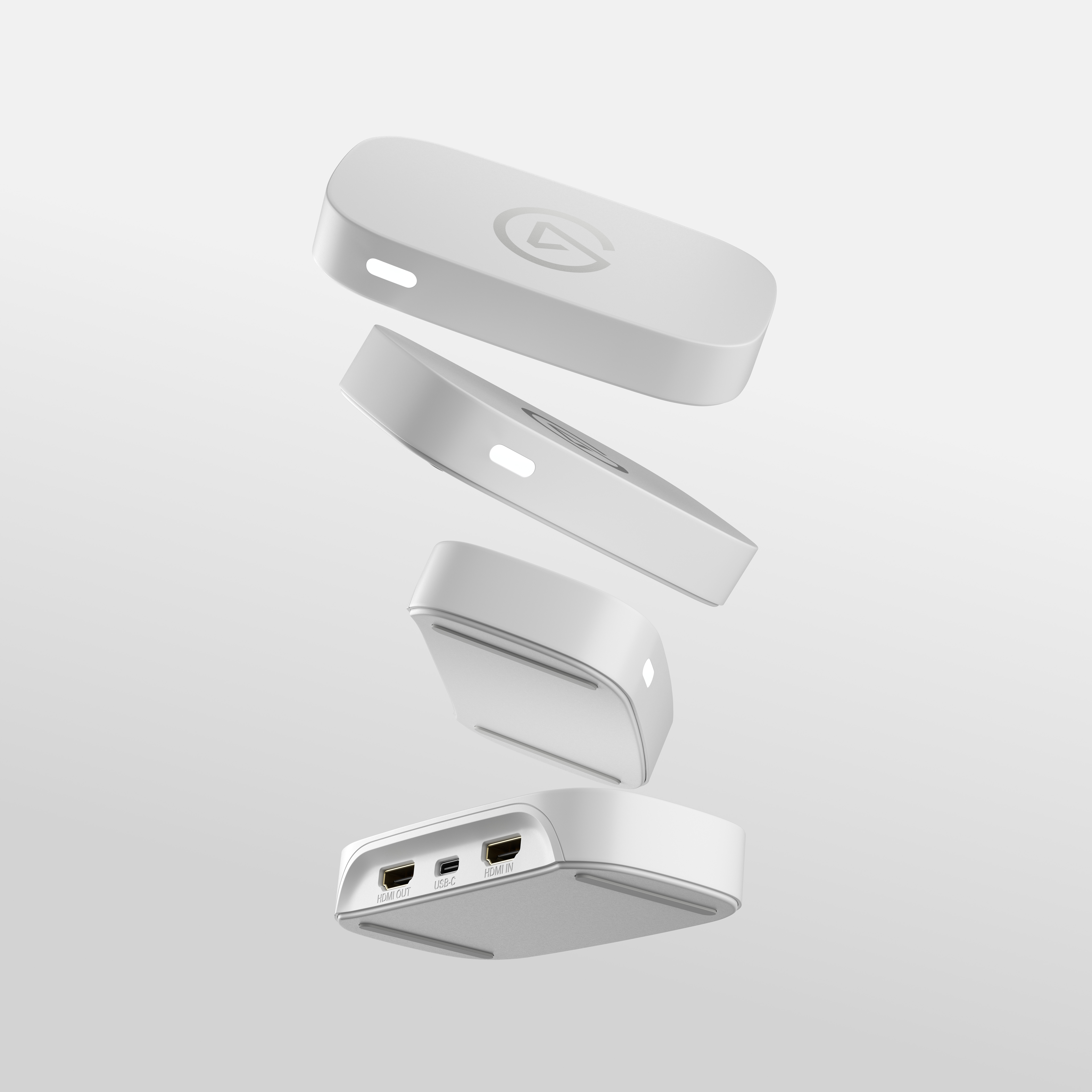
Direct USB connection and separate gameplay display
- Capability
- Record up to 1080p60 while passing through up to 4K60 HDR.
- Limitations
- Do not use a USB hub.
- Passthrough resolution does not raise the recording ceiling.
- Requirements
- Use a direct USB 3.0 or better PC or Mac port.
- Use the supplied USB 3.0 cable or an equivalent or better cable.
Compatibility
Consoles tested by Zona MMORPG
- Connection
- Console HDMI into Neo, USB to recording host.
- Functions
- Gameplay capture using Elgato software
- Notes
- The review confirms testing these consoles but does not establish every resolution, HDR mode, firmware or host configuration.
- Protocol
- HDMI
- Result
- partial
- Source device
- PlayStation 5 / Xbox Series S / PlayStation Classic
- Target device
- Reviewer recording computer
Where sources differ
Public support pages disagree about HDR recording and could not be snapshotted; no supported resolution of the conflict is claimed.
Reported issues and fixes
Reviewer reported 2K signal detection difficulty
- Status
- reported
- Symptom
- TechGaming's 2K signal was repeatedly identified as 4K or 1080P.
Care and support
The German datasheet does not establish US warranty terms, repairability or a guaranteed firmware support end date.
Ownership costs
Included USB cable and missing HDMI cable are documented, but no monetary ownership estimate or price observation is supplied.
Who it suits
1080p60 console capture with a separate display
- Check before buying
- Check the recording host port and cable.
- Plan a separate commentary input.
- Verify exact HDR and VRR requirements independently.
- Constraints
- No direct microphone input.
- Direct USB 3.0 or better host connection.
- Encoding uses host resources.
- Needs
- Console recording or streaming at 1080p60.
- A separate gaming display with up to 4K60 HDR passthrough.
- Reason
- A good fit for the defined Full HD capture target when host connection and commentary are planned; choose another solution if 4K recording is required.
- Tradeoffs
- A higher-resolution passthrough signal does not increase the recording ceiling.
- Assessment
- conditional
Reviewer consensus
Consensus rows require at least two distinct sources for the topic.
| Topic | Positive | Negative | Mixed | Reading | Evidence |
|---|---|---|---|---|---|
| Build and accessories | 1 | 1 | 1 | Mixed · 1/3 | [5], [1], [2] |
| Host and software compatibility | 1 | 0 | 2 | Mixed · 2/3 | [6], [1], [2] |
| Limitations | 0 | 2 | 0 | Weak point · 2/2 | [4], [2] |
Single-source notes
The review
Elgato Game Capture Neo: capture limits and practical setup
Separate capture from passthrough
Game Capture Neo is best understood as a way to capture Full HD gameplay while keeping a separate gaming screen in the signal chain. The manufacturer datasheet specifies recording up to 1080p60 and passthrough up to 4K60 HDR. These are separate limits with separate purposes: passthrough describes the signal sent to the gaming display, while recording describes what the host can save or broadcast. A creator planning a 4K recording library should therefore choose around the recording ceiling rather than the largest resolution printed beside passthrough. Profesional Review's recommendation for console and portable-console streaming fits that more limited recording goal. [2], [5]
DigitalChumps reported that the device continued working without interruption over long periods. That supports a practical extended-session use case, but the review does not turn the experience into a measured failure rate or a specified endurance test. It is reasonable to treat the report as evidence of successful use in that reviewer's environment, while still testing the planned setup before a recording that cannot be repeated. The useful buying distinction remains the same: the device can serve a 1080p60 capture target alongside a higher-resolution passthrough screen, but the successful session report does not expand either format ceiling. [3], [5]
Read console compatibility as a tested chain
Zona MMORPG reports testing PlayStation 5, Xbox Series S and PlayStation Classic with Elgato software. DigitalChumps also describes a PlayStation 5 studio chain in which HDCP was disabled before the signal entered the conversion and capture arrangement. Those reports give buyers concrete examples of successful use, but they do not establish every console mode or every possible adapter configuration. For a console owner, the useful question is whether the intended signal path resembles a tested arrangement and whether source settings have been checked. A named console appearing in a review should not be read as a promise that every protected application and output mode will be capturable. [3], [1]
The studio HDCP observation matters because it identifies an actual source setting that was changed in the reviewed chain. Keep that setting tied to the PlayStation 5 example rather than expanding it into an unsupported troubleshooting guarantee for all devices. The manufacturer's direct-USB instruction applies to the host connection and remains relevant even when the console side is familiar. Taken together, the evidence encourages checking the console output, recording connection and software as a chain. Successful console capture is the documented use case; a universal compatibility matrix covering every host, firmware version and display has not been established. [3], [5], [6], [1]
Connection, power and audio
Profesional Review identifies a USB 3.2 Gen1 Type-C connection for data and power and says a separate external power supply is unnecessary. The manufacturer quick-start guide adds an important condition: connect Neo directly to a USB 3.0 or better PC or Mac port, without a USB hub. The included cable is specified as a 100 cm USB-C-to-USB-A 3.0 cable. Inspect the recording computer's available connection before assuming the supplied cable matches it. Profesional Review also notes the absence of an HDMI cable and a USB-C-to-USB-C cable, so a complete setup needs an accessory check as well as a capture-device check. [2], [6], [5]
DigitalChumps disabled HDCP on the PlayStation 5 used in its studio capture chain. It also found picture and audio clear in OBS and StreamLabs. Those observations are useful setup evidence, but they remain tied to the reviewed arrangement rather than guaranteeing every source application or recording computer will behave identically. [3]
The device has no microphone input of its own. That means game capture and spoken commentary should be planned as different parts of the recording setup, rather than expecting a microphone to plug into Neo. DigitalChumps found picture and audio clear in OBS and StreamLabs, but that is a qualitative report from its tested arrangement, not a microphone specification or a measured audio benchmark. Profesional Review further explains that encoding is handled by the recording computer's CPU or graphics hardware because Neo has no integrated video encoder. A buyer should assess the host and the commentary route together instead of treating the capture box as an entire recording studio. [2], [3]
Use the gameplay display to judge responsiveness
Profesional Review noticed some delay in the capture preview and preferred playing on the display attached to HDMI Out. That separates the screen used for gameplay from the preview used to manage the recording. The review's observation is useful for planning the workflow, especially if the buyer was expecting the recording window to replace the gaming display. It does not supply a controlled latency value in milliseconds, and it should not be converted into one. The published passthrough and recording limits describe formats; they do not, by themselves, quantify the delay experienced through a particular computer and application. [5], [2]
TechGaming reports a further setup-specific limitation: its 2K signal was repeatedly recognized as 4K or 1080P. The reviewer tried restarting the capture device and changing cables, but the report does not identify a firmware revision or provide a reproducible compatibility matrix. Treat it as a reason to verify a planned 2K signal chain, not as evidence that every Neo rejects that resolution. The same caution applies to the preview-delay report. Both observations help define checks to perform in the buyer's environment, while leaving the measured size and generality of the problem unresolved. [2], [4]
Portability and evidence limits
The stated device weight is 90 g. That is a specification reported in the review, not a mass measured independently for this research. Low weight is useful for a creator moving a console capture setup between locations, and Profesional Review recommends Neo for console and portable-console streaming. Zona MMORPG describes the other side of that portability: HDMI cables could lift the light device when it was placed near a desk edge. The implication is a placement check, rather than a reason to assume the device will always sit securely wherever the cables reach. [2], [1]
Before choosing a position, consider where the HDMI leads and the supplied 100 cm USB cable will run. The cable-pull observation came from one reviewer's desk arrangement, so it does not establish a universal stability defect. It does show why a lightweight unit's convenience should be evaluated together with the cables attached to it. Allowing a comfortable cable route and checking that the device stays in place are useful setup steps grounded in that observation. The missing-HDMI-cable report also means the capture box alone is not proof that every connection required for a separate gaming display is already in the package. [5], [2], [1]
Buy for a defined capture job
For a creator whose required output is 1080p60, the evidence supports considering Game Capture Neo for console capture while retaining up to 4K60 HDR on a separate display. The decision becomes conditional when the host connection, encoding resources or commentary route has not been planned. A direct USB connection is part of the documented setup, and a microphone cannot connect directly to the capture device. These conditions make it more useful to describe the intended recording job before buying than to judge the device only by its compact size or passthrough resolution. [2], [5], [6]
Important gaps remain. The collected evidence does not establish controlled numerical latency, color accuracy, a firmware support end date or US-specific warranty terms. Public support pages also disagree about HDR recording, and their native snapshots were unavailable, so this research does not promise HDR capture or settle VRR support. Buyers who depend on those capabilities should verify the exact current model, firmware, host and application before relying on them. The article preserves those uncertainties rather than filling them with assumptions.
Buyer questions
Before you buy
Can it record the same quality as its passthrough?
The manufacturer specifies recording up to 1080p60 and passthrough up to 4K60 HDR. A 4K gaming display signal does not make the recording 4K. [5]
Compatibility
What source setting mattered in the reviewed PlayStation 5 setup?
DigitalChumps disabled HDCP on its PlayStation 5 before the studio capture chain. [3]
Setup
Does it need a separate power supply?
Profesional Review says no external power supply is needed and identifies the USB 3.2 Gen1 Type-C connection. [2]
Can I connect through a USB hub?
The manufacturer quick-start guide says to connect directly to a USB 3.0 or better PC or Mac port and not to use a USB hub. [6]
Everyday use
Should I play through the capture preview?
Profesional Review noticed some preview delay and preferred the HDMI Out display. No controlled numerical latency result is available here. [2]
Limitations
Can I connect a microphone directly to the device?
There is no microphone input on the device itself. [2]
Product images
Facts and specifications
Manufacturer datasheet
| Specification | Value | Source |
|---|---|---|
| Cable Length | 100 cm | [5] |
| Maximum Video Resolution | Passthrough up to 4K60 HDR; Recording up to 1080p60 | [5] |
Manufacturer manual
| Specification | Value | Source |
|---|---|---|
| Setup Requirement | Connect directly to a USB 3.0 or better PC or Mac port; do not use a USB hub. | [6] |
Stated by reviewers
| Specification | Value | Source |
|---|---|---|
| Compatibility | Zona MMORPG tested PlayStation 5, Xbox Series S and PlayStation Classic with Elgato software. | [1] |
| Interface | USB 3.2 Gen1 Type-C | [2] |
| Weight | 90 g | [1] |
Other facts
| Specification | Value | Source |
|---|---|---|
| Buyer Fit | The reviewer recommends the device for console and portable-console streaming. | [2] |
| Limitation | Profesional Review noticed some capture-preview delay and preferred playing on the display connected to HDMI Out.; Profesional Review reports that no HDMI cable or USB-C-to-USB-C cable is included.; There is no microphone input on the device itself. | [2] |
| Risk | TechGaming reported a 2K signal being recognized as 4K or 1080P in its setup; hardware, firmware and display details were unspecified.; Zona MMORPG observed HDMI cables lifting the lightweight device near a desk edge. | [1], [4] |
| Setup Requirement | Profesional Review says video encoding uses the streaming computer CPU or GPU because Neo has no integrated video encoder.; The reviewed PlayStation 5 studio setup disabled HDCP. US; The reviewer says the device does not need an external power supply. | [3], [2] |
| Use Case | The reviewer observed uninterrupted operation over long periods. US | [3] |
KnowSpec analysis
Choose for the recording target, then check the host
Game Capture Neo fits creators whose finished footage is 1080p60 and whose separate gaming display needs up to 4K60 HDR passthrough. Those two ceilings describe different signal paths, so a 4K display does not make the recording 4K. The direct USB requirement and host encoding workload matter as much as connector shape. Commentary needs a separate microphone route, and buyers relying on a 2K display should verify their actual chain because a reviewer reported resolution detection difficulty. Extended-use and audio reports are encouraging observations, not controlled reliability or latency measurements.
Method: Evidence synthesis with explicit distinction between specification and observed reviewer experience.Visible information gaps
Missing information is shown rather than guessed.
- Topic:Latency And Colornot found
- Topic:Measured Performancenot found
- Topic:Lifecycle And Supportnot found
- Topic:Lifecycle And Supportnot public
- Topic:Hdr And Vrrconflicting
Products in this content
-
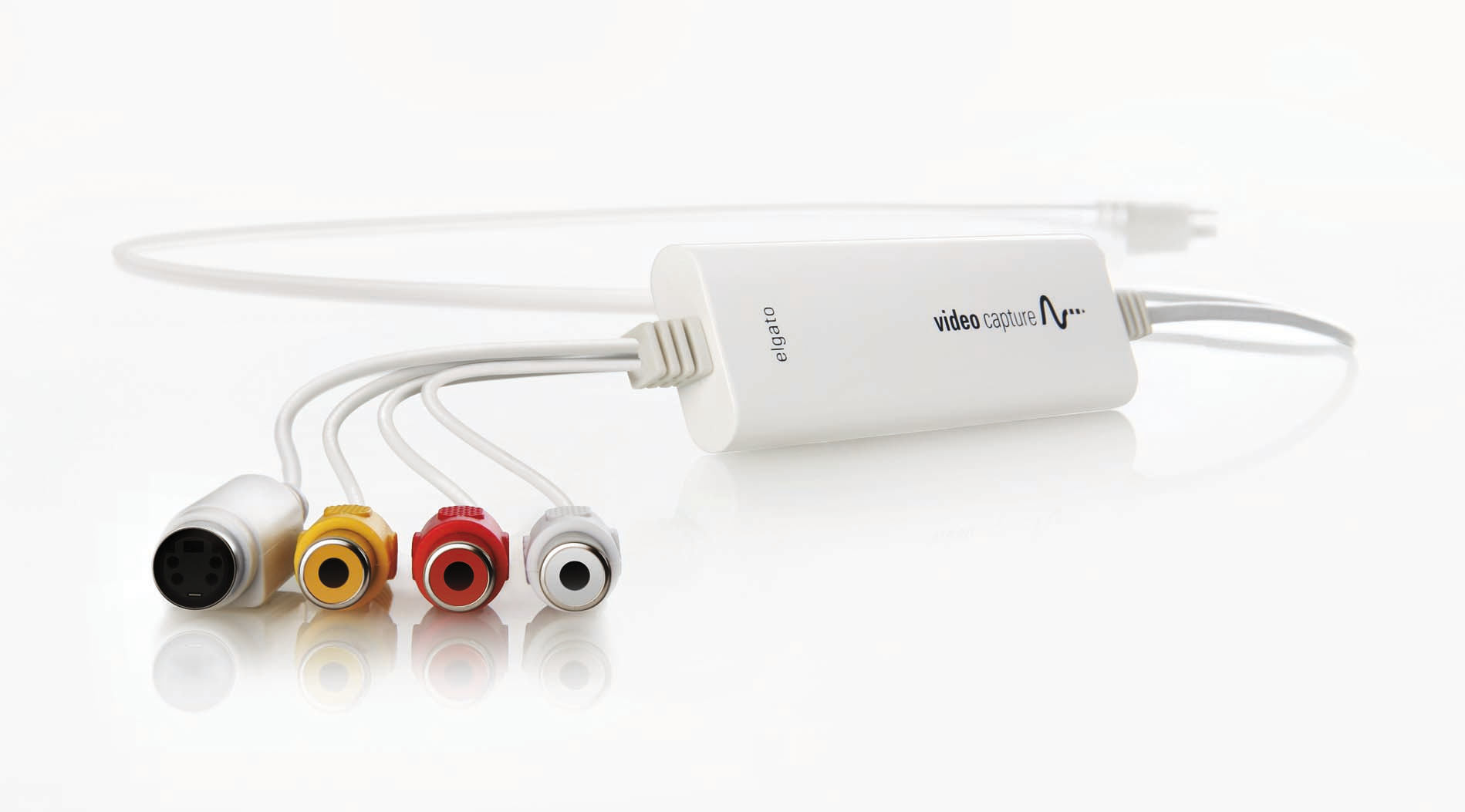
Elgato Video Capture
Elgato Video Capture fits a family-video transfer project when the buyer already has a working analogue player and a suitable computer. Its simple workflow helps move recordings into MP4 files, but historical reviewers found limited editing
-
Elgato Game Capture HD60 X
HD60 X suits portable console capture when its supported recording modes match your output. The launch datasheet lists 2160p30 and 1440p60 capture, with HDR capture up to 1080p60. VRR passthrough supports compatible displays, but passthroug
Sources and method
- Probamos la capturadora Elgato Game Capture NeoZona MMORPG · retrieved 2026-10-02Editorial review
- Elgato Game Capture Neo Review en Español (Análisis completo)Profesional Review · retrieved 2026-10-02Editorial review
- Game Capture Neo (elgato) ReviewDigitalChumps · retrieved 2026-10-02Editorial review
- Review: Elgato Game Capture NeoTechGaming · retrieved 2026-10-08Editorial review
- Game Capture Neo product datasheet, Version 1 March 7, 2024Elgato; hosted by OTTO · retrieved 2026-10-08DatasheetPDF
- Game Capture Neo Quick Start GuideElgato · retrieved 2026-10-08ManualPDF