ASUS Prime B760M-K D4 Intel B760 (LGA 1700)(13th and 12th Gen) mATX Motherboard, PCIe 4.0, Two PCIe 4.0 M.2 Slots, DDR4, Realtek 2.5Gb Ethernet, HDMI, SATA 6 Gbps, Front USB 3.2 Gen 1, Aura Sync
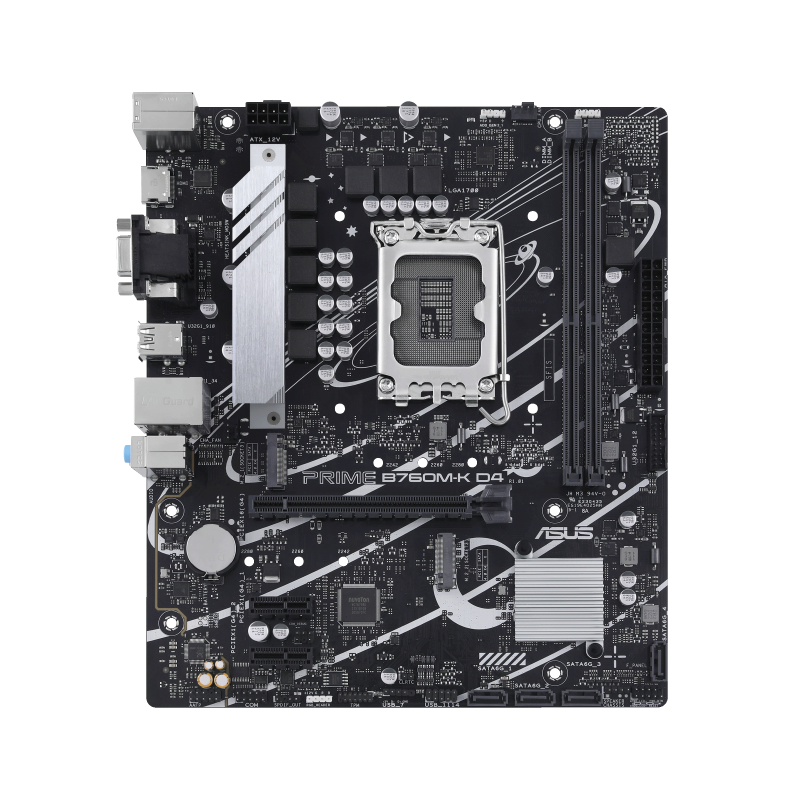
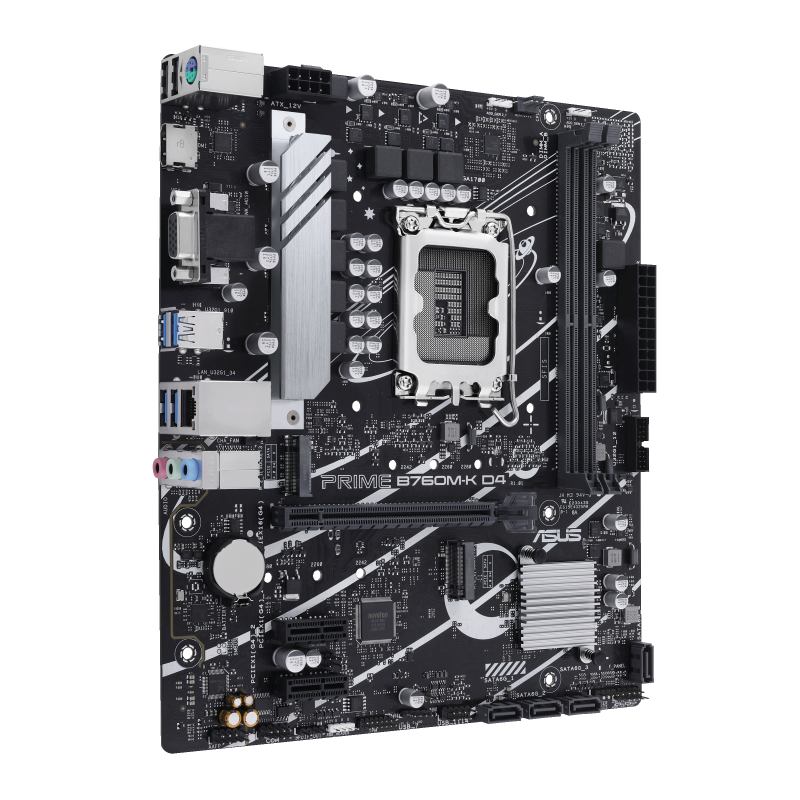
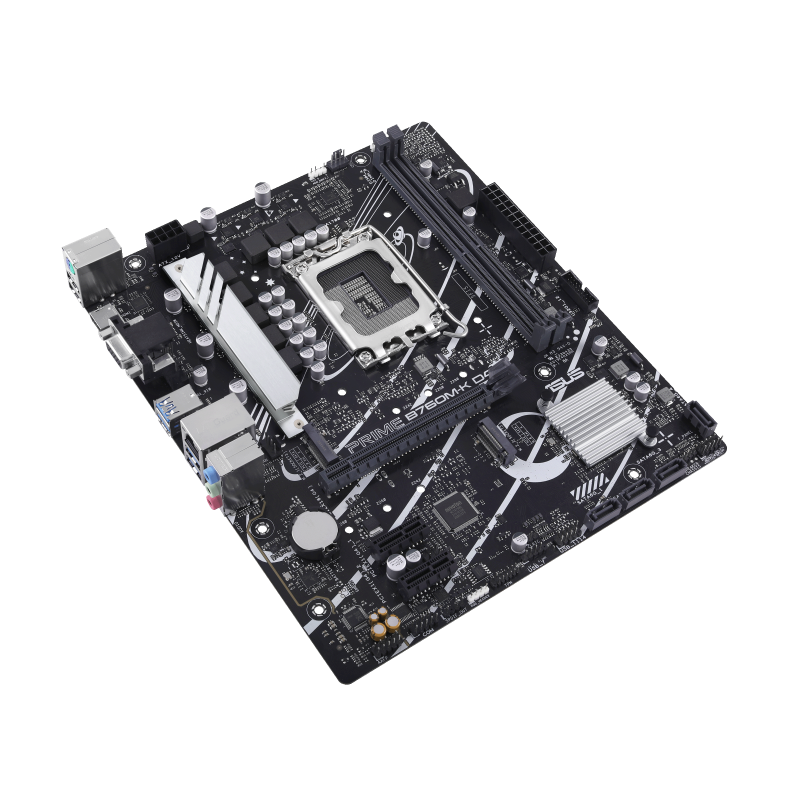
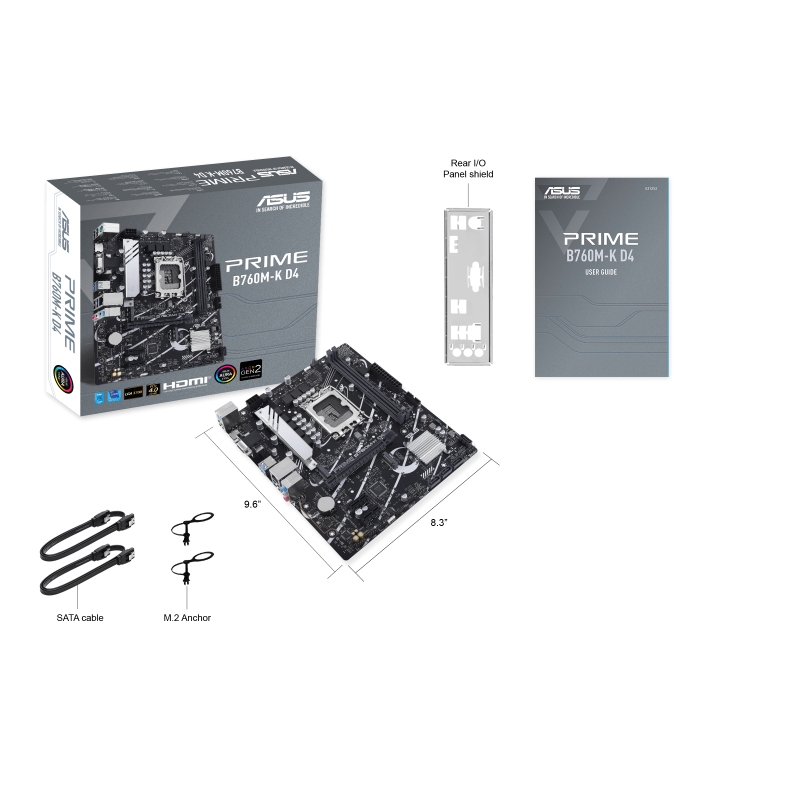
The PRIME B760M-K D4 combines a compact micro-ATX layout, two DDR4 DIMM slots and two PCIe 4.0 x4 M.2 positions. The documented 64 GB memory ceiling makes it a conditional choice for reusing DDR4: filling both slots leaves no empty DIMM position for a later addition. Its one chassis fan header also makes fan wiring a planning constraint. Check the exact CPU and required BIOS before purchase, and do not interpret socket compatibility as proof of sustained performance with a high-power processor.
Updated 2026-10-08

We may earn a commission from qualifying purchases.
Prices and sellers
No price information yet
Conditions and limitations
Front-panel requirement for surround output
- Capability
- 7.1 surround audio output is documented conditionally.
- Limitations
- No measured audio quality or noise result is available.
- Requirements
- A chassis with an HD audio front-panel module is required.
Compatibility
Documented PCIe M.2 drive interface
- Connection
- Install in either documented M.2 slot.
- Functions
- PCIe SSD storage
- Notes
- Documentation establishes interface and lengths; no specific SSD was tested in this pass.
- Protocol
- PCIe 4.0 x4
- Result
- partial
- Source device
- Key M PCIe M.2 SSD in 2242/2260/2280 format
- Target device
- ASUS PRIME B760M-K D4
Where sources differ
Manual and permitted retailer snapshots reviewed. Current manufacturer CPU support and contradictory retailer USB descriptions could not be verified in native snapshots; no formal discrepancy resolution claimed.
Reported issues and fixes
No independent English hands-on exact-model review verified. DNS review snapshot denied access; Frontum is a specification/rating synthesis and snapshot exceeded the size limit. No defect prevalence or thermal benchmark inferred.
Care and support
Maintenance procedure reviewed, but no native-verified US warranty duration, end-of-support date or spares policy established. Regional retailer warranties were not generalized to US identity.
Who it suits
Choose around existing DDR4 and expansion needs
- Check before buying
- Verify the exact CPU support entry and installed BIOS.
- Check the memory kit and intended final capacity.
- Check case fan wiring and add-in card requirements.
- Constraints
- Two DIMM slots and a documented 64 GB ceiling.
- One chassis fan header.
- Needs
- A compact micro-ATX DDR4 desktop build.
- Up to two onboard PCIe M.2 drives.
- Reason
- This layout can suit compatible DDR4 reuse, but memory growth, fan wiring and processor firmware readiness must fit the intended build. No exact-model sustained-performance test was verified.
- Tradeoffs
- Using both memory slots limits later expansion by adding modules.
- Exact CPU and BIOS readiness must be checked separately.
- Assessment
- conditional
Areas not yet researched (1)
No conclusion is available for these areas. This does not mean the Product has no limitations or reported issues.
- Ownership costs
Alternatives
| Alternative | Where this Product wins | Where it loses | Pick it if |
|---|---|---|---|
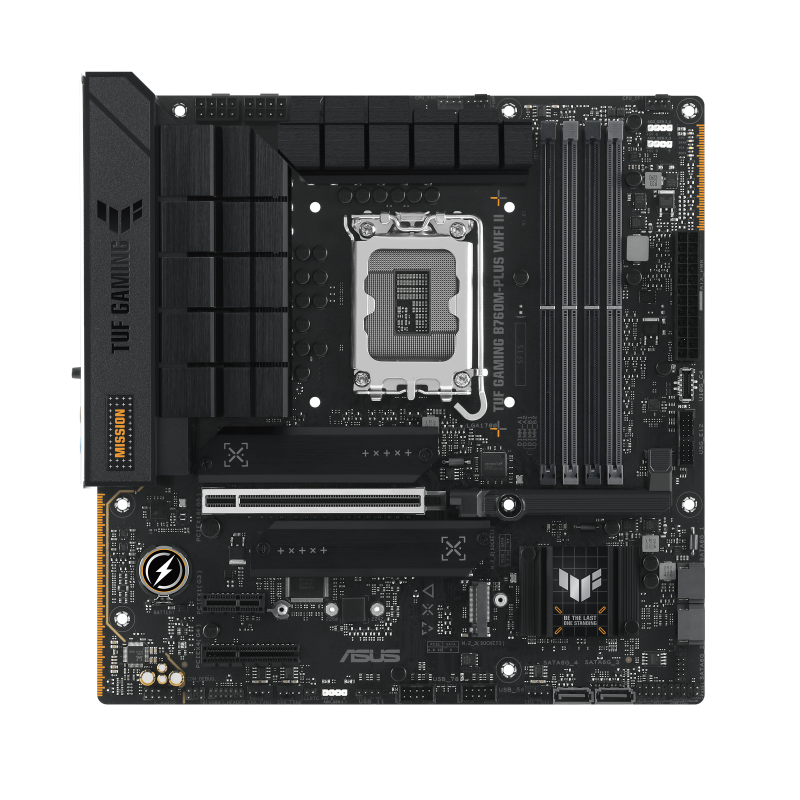
| ASUS TUF Gaming B760M-PLUS WiFi II LGA 1700 Motherboard | Both boards are described as micro-ATX, so chassis class alone does not separate them. [1] | Choose the PRIME board when the verified DDR4 and compact-board requirements fit the build; consider the rival only after checking its different memory and platform requirements. |
| Specification | ASUS Prime B760M-K D4 Intel B760 (LGA 1700)(13th and 12th Gen) mATX Motherboard, PCIe 4.0, Two PCIe 4.0 M.2 Slots, DDR4, Realtek 2.5Gb Ethernet, HDMI, SATA 6 Gbps, Front USB 3.2 Gen 1, Aura Sync | ASUS TUF Gaming B760M-PLUS WiFi II LGA 1700 Motherboard |
|---|---|---|
| Compatibility | The manual lists 12th and 13th Gen Intel Core, Pentium Gold and Celeron on LGA1700 and directs buyers to the CPU support list. US [4] | Compatible with Intel Core 14th, 13th, and 12th Gen desktop processors on LGA 1700 socket; supports up to 192GB DDR5 dual-channel memory; standard Micro-ATX chassis mounting |
Buyer questions
Compatibility
What form factor is the PRIME B760M-K D4?
It is a micro-ATX motherboard. [1]
How much memory does the evidence support?
The manual specifies 64 GB maximum across two DDR4 DIMM slots. Verify the CPU/memory support list for your chosen kit; a filled two-slot configuration leaves no empty DIMM slot for adding another module. [4], [2]
How many M.2 slots are available?
The manual lists two M.2 slots. [4]
Limitations
Is processor compatibility fully covered here?
The manual documents LGA1700 support for 12th and 13th Gen Intel Core, Pentium Gold and Celeron. Exact CPU models, required BIOS versions and sustained performance still need checking. The current CPU/BIOS support matrix was not verified in a native snapshot in this pass. [4]
Care and maintenance
How is the BIOS updated?
The documented method uses ASUS EZ Flash 3. [3]
Product images
Facts and specifications
Manufacturer manual
| Specification | Value | Source |
|---|---|---|
| Chipset | Intel B760 US | [4] |
| Compatibility | Realtek 7.1 surround output requires a chassis with an HD audio front-panel module. US; The manual lists 12th and 13th Gen Intel Core, Pentium Gold and Celeron on LGA1700 and directs buyers to the CPU support list. US | [4] |
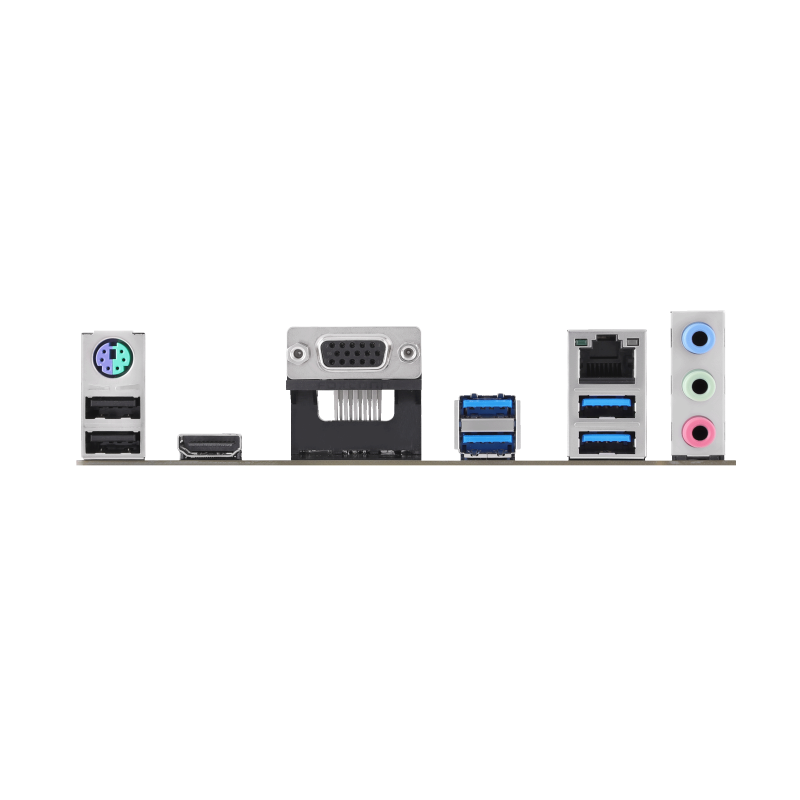
| Display Outputs | VGA and HDMI; HDMI is specified for 4K at 60Hz, and graphics specifications vary with CPU type. US | [4] |
| Expansion Slots | One PCIe 4.0 x16 slot and two PCIe 4.0 x1 slots. US | [4] |
| Interface | Four SATA 6Gb/s ports; SATA RAID 0/1/5/10 is documented. US | [4] |
| M.2 Slots | 2 US | [4] |
| Maximum Memory | 59.6046447754 GB US | [4] |
| Ports | Rear I/O: four USB 3.2 Gen 1 Type-A, two USB 2.0 Type-A, HDMI, VGA, Realtek 2.5Gb Ethernet, three audio jacks and PS/2 combo. US | [4] |
| Power Connectors | One 4-pin CPU fan header, one 4-pin chassis fan header, one 24-pin main power connector and one 8-pin +12V CPU power connector. US | [4] |
| Setup Requirement | EZ Flash 3 runs from BIOS Advanced Mode using a single-partition FAT32/16 USB drive; do not shut down or reset during the update. US | [4] |
| Socket | LGA1700 US | [4], [6] |
Retailer listing
| Specification | Value | Source |
|---|---|---|
| Ethernet Speed | 2.5 Gb/s US | [5] |
| Form Factor | micro-ATX US | [1] |
| Interface | Both M.2 slots support Key M 2242/2260/2280 PCIe 4.0 x4 SSDs. US | [2] |
| Memory Slots | 2 US | [2] |
| Memory Type | DDR4 US | [2] |
| Port Count | 1 US | [2] |
Other facts
| Specification | Value | Source |
|---|---|---|
| Setup Requirement | BIOS updates can be applied with ASUS EZ Flash 3. US | [3] |
KnowSpec analysis
Build compatibility
The PRIME B760M-K D4 combines a compact micro-ATX layout, two DDR4 DIMM slots and two PCIe 4.0 x4 M.2 positions. The documented 64 GB memory ceiling makes it a conditional choice for reusing DDR4: filling both slots leaves no empty DIMM position for a later addition. Its one chassis fan header also makes fan wiring a planning constraint. Check the exact CPU and required BIOS before purchase, and do not interpret socket compatibility as proof of sustained performance with a high-power processor.
Method: Exact-model documentation synthesis; implications are editorial reasoning, not measured performance.Visible information gaps
Missing information is shown rather than guessed.
- Topic:Power Delivery And Thermalsnot found
- Topic:Interfaces Standardsnot found
- Topic:Pcie Lane Layoutnot found
- Topic:Upgrade Pathnot found
- Topic:Rear Io And Internal Headersnot found
- Topic:Setup Requirementsnot found
- Topic:Networking And Audionot found
- Topic:Platform Supportnot found
- Topic:Cpu Socket And Chipsetnot found
- Topic:Limitationsnot found
- Topic:Case Clearance And Form Factornot found
- Risknot found
Products in this content
-
ASRock B650M Pro RS WiFi
This microATX AMD B650 motherboard is aimed at compact AM5 builds using DDR5, especially Ryzen 5 or Ryzen 7 systems. It provides three M.2 slots, PCIe 4.0 x16 graphics connectivity, and 2.5 Gbit/s Ethernet. Buyers still need to check case f
-
ASUS TUF Gaming B760M-PLUS WiFi II LGA 1700 Motherboard
Four DIMM slots are useful only after the required memory generation is checked. This exact board requires DDR5 and explicitly excludes DDR4 modules; buyers moving an older kit must resolve t
-
ASRock Z890 Taichi Lite ATX Motherboard, LGA1851
This motherboard is built around expansion headroom: six M.2 slots, a maximum-memory claim of 274877906944 bytes, and 5 Gbit/s Ethernet. Those specifications make it relevant to storage-heavy and memory-heavy builds with multi-gig networkin
-
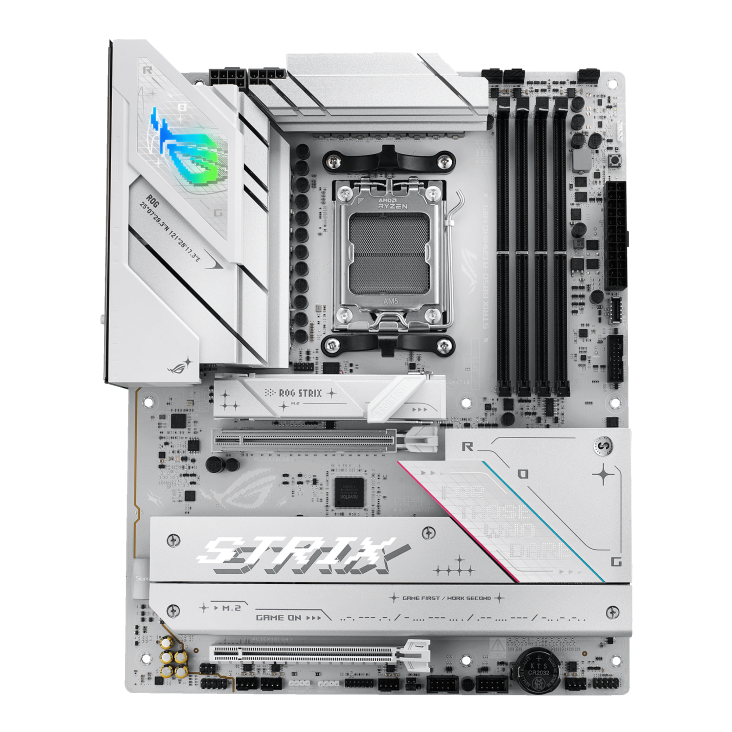
ASUS ROG STRIX B850-A GAMING WIFI AMD AM5 ATX Motherboard
The documented AM5 platform and DDR5 layout make this board a candidate for a new compatible desktop. However, the lower expansion slot disables M.2_3, and the reviewed rear I/O lacks USB4. B
-
GIGABYTE B850 AORUS Elite WIFI7
The GIGABYTE B850 AORUS ELITE WIFI7 is an ATX AM5 motherboard with PCIe 5.0 x16 support, three M.2 slots, 2.5 Gbps Ethernet and up to 256 GB of memory. Its broad Ryzen 9000, 8000 and 7000 series support and Q-Flash Plus make it approachable
-
GIGABYTE B860M GAMING X WIFI6E Micro-ATX Motherboard, LGA1851
The evidence establishes three motherboard attributes: a Micro-ATX form factor, 15 power stages, and 2.5 Gbit/s Ethernet. That combination suggests a compact board with multi-gig networking and a documented power-stage count. The record doe
Sources and method
- ASUS Prime B760M-KDevice.report · retrieved 2026-09-28Retailer listing
- ASUS Prime B760M-K D4 LGA1700 DDR4 MicroATXTech Trade Center · retrieved 2026-10-08Retailer listingPDF
- ASUS PRIME B760M-K D4 ManualManualsLib · retrieved 2026-09-28Manual
- PRIME B760M-K D4 User ManualASUS · retrieved 2026-09-28ManualPDF
- ASUS PRIME B760M-K D4 specificationsISCom · retrieved 2026-10-08Retailer listingPDF
- ASUS Prime B760M-K D4 LGA1700 mATXHelp Computer · retrieved 2026-10-08Retailer listing