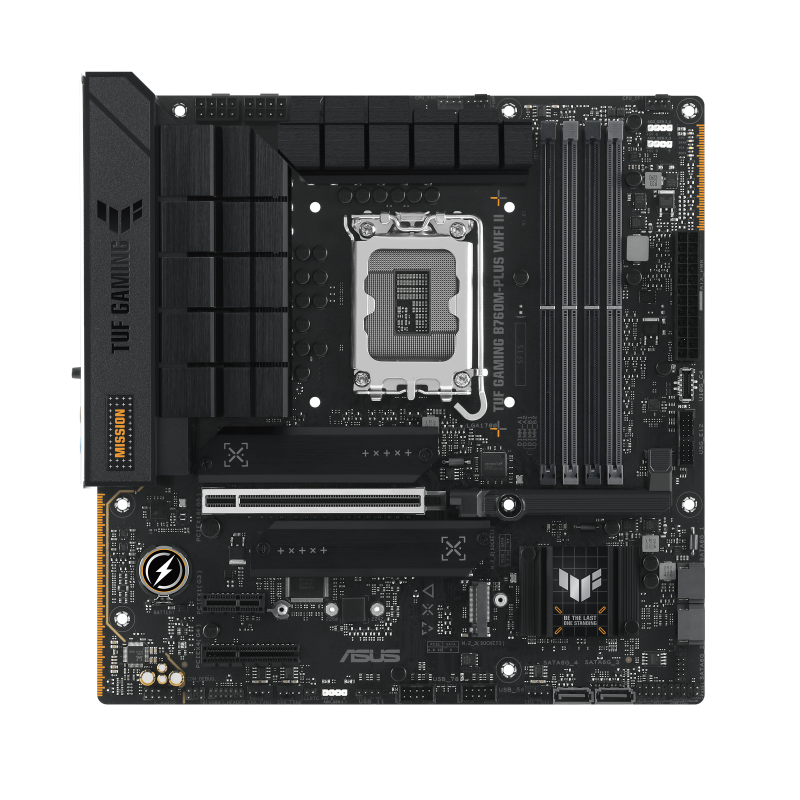
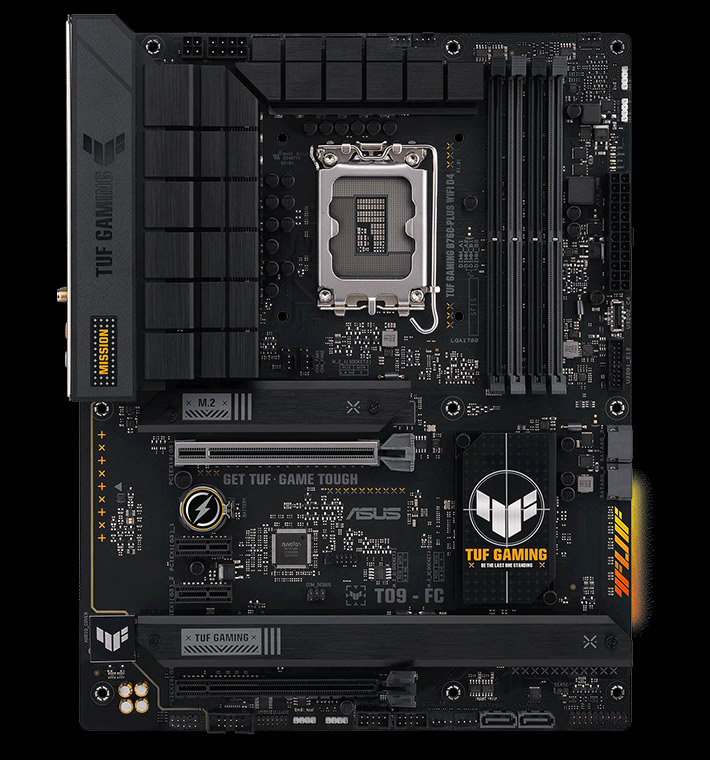
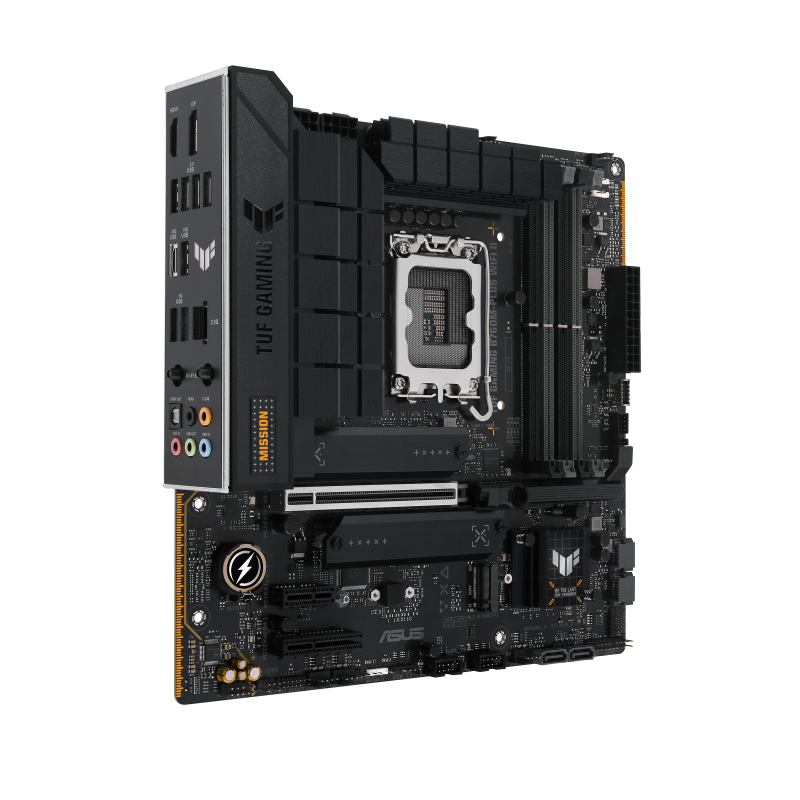
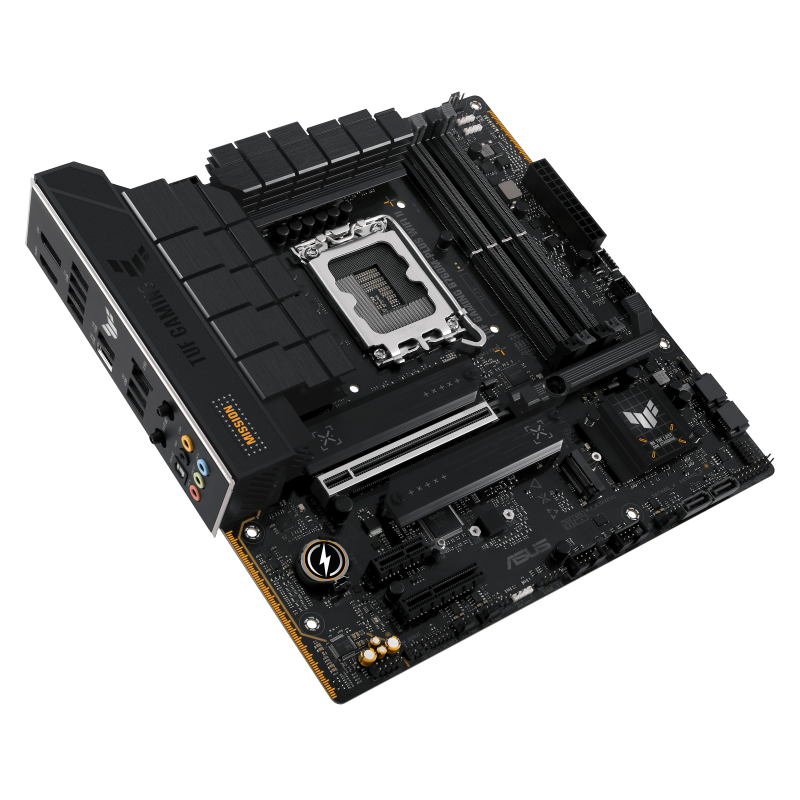
ASUS TUF Gaming B760M-PLUS WiFi II LGA 1700 Motherboard
Four DIMM slots are useful only after the required memory generation is checked. This exact board requires DDR5 and explicitly excludes DDR4 modules; buyers moving an older kit must resolve that incompatibility before treating the board as a replacement. The review's gaming positioning is contextual, not evidence of guaranteed frame rates.
Updated 2026-10-08

We may earn a commission from qualifying purchases.
Prices and sellers
No price information yet
Conditions and limitations
Country-dependent 6GHz availability
- Capability
- The documented Wi-Fi 6E radio lists 2.4/5/6GHz bands.
- Limitations
- A listed standard does not establish measured throughput or range.
- Requirements
- Check the country-specific 6GHz rules.
Compatibility
DDR4 memory reuse is unsupported
- Connection
- The board has DDR5 memory slots.
- Functions
- Memory installation
- Notes
- The manual expressly prohibits DDR4 installation; plan a DDR5 kit.
- Protocol
- DDR4
- Result
- unsupported
- Source device
- DDR4 desktop memory module
- Target device
- TUF GAMING B760M-PLUS WIFI II
Care and support
Documented firmware update mechanism
- Details
- ASUS documents EZ Flash 3 updates without an OS-based utility; no support end date is established.
Who it suits
Choose by component reuse and SSD layout
- Check before buying
- Check the intended memory generation and enclosure fit.
- Match each SSD to the intended M.2 slot.
- Constraints
- Existing DDR4 cannot be reused.
- Needs
- A DDR5 micro-ATX build
- Reason
- The board fits a planned DDR5 configuration when its physical format and unequal SSD connections satisfy the build.
- Tradeoffs
- The third M.2 position has PCIe 4.0 x2 rather than x4.
- Assessment
- conditional
Areas not yet researched (3)
No conclusion is available for these areas. This does not mean the Product has no limitations or reported issues.
- Where sources differ
- Reported issues and fixes
- Ownership costs
Alternatives
| Alternative | Where this Product wins | Where it loses | Pick it if |
|---|---|---|---|
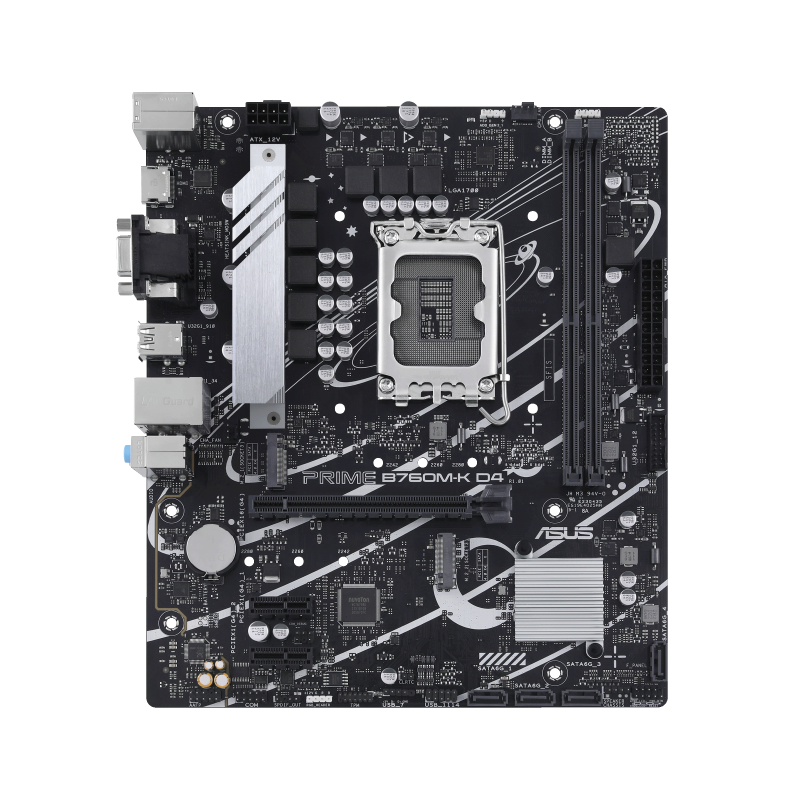
| ASUS Prime B760M-K D4 | The TUF evidence verifies four DIMM slots. [3] | The Prime rival includes a verified maximum-memory claim, while this pass did not verify the TUF board's maximum capacity. [3] | Compare slot layout and maximum supported memory against the planned module configuration. |
| Specification | ASUS TUF Gaming B760M-PLUS WiFi II LGA 1700 Motherboard | ASUS Prime B760M-K D4 Intel B760 (LGA 1700)(13th and 12th Gen) mATX Motherboard, PCIe 4.0, Two PCIe 4.0 M.2 Slots, DDR4, Realtek 2.5Gb Ethernet, HDMI, SATA 6 Gbps, Front USB 3.2 Gen 1, Aura Sync |
|---|---|---|
| Maximum Memory | Not stated | 64 GB |
Buyer questions
Before you buy
Who is this motherboard aimed at?
The independent review frames it for gamers and enthusiasts building around DDR5, PCIe 5.0, and Wi-Fi 6E. [1]
Are all three M.2 slots PCIe 4.0 x4?
No. M.2_1 and M.2_2 support PCIe 4.0 x4, while M.2_3 supports PCIe 4.0 x2. Compare the intended SSD with its chosen slot. [3]
Compatibility
How many memory slots are verified?
The ASUS manual verifies four DIMM slots. [3]
Can I reuse DDR4 memory?
No. The manual explicitly prohibits installing DDR4 modules in the DDR5 slots on this board. [3]
Setup
What safety step applies before moving the system?
Disconnect the power cable from the electrical outlet before relocating it. [5]
Limitations
Does the evidence confirm CPU-less BIOS FlashBack or a future upgrade path?
No. It documents ASUS EZ Flash 3 for BIOS updates, but that does not verify dedicated CPU-less FlashBack, unspecified future processors or a guaranteed support duration. [3]
Product images
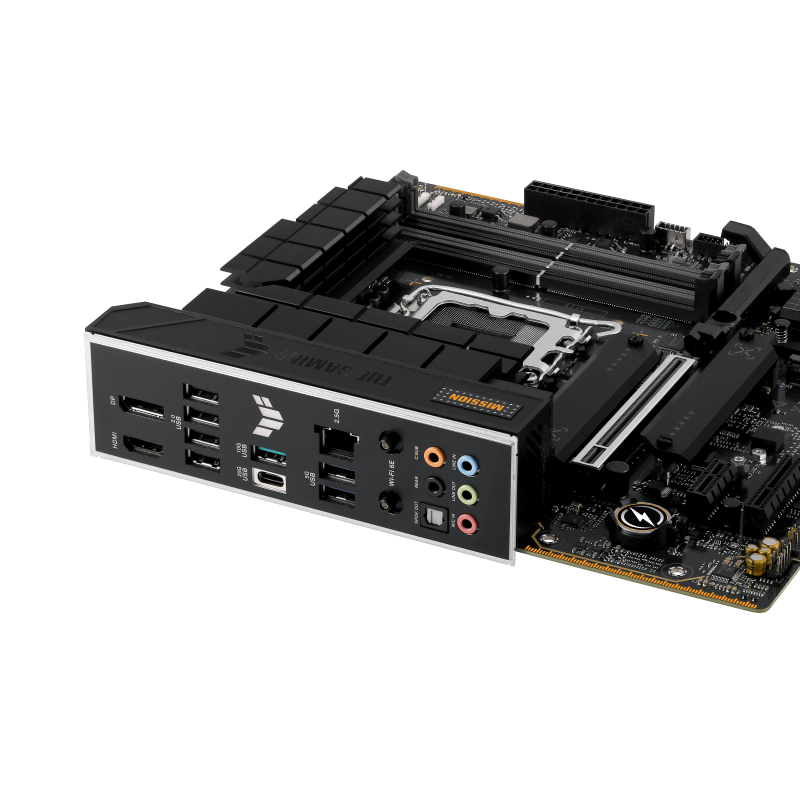
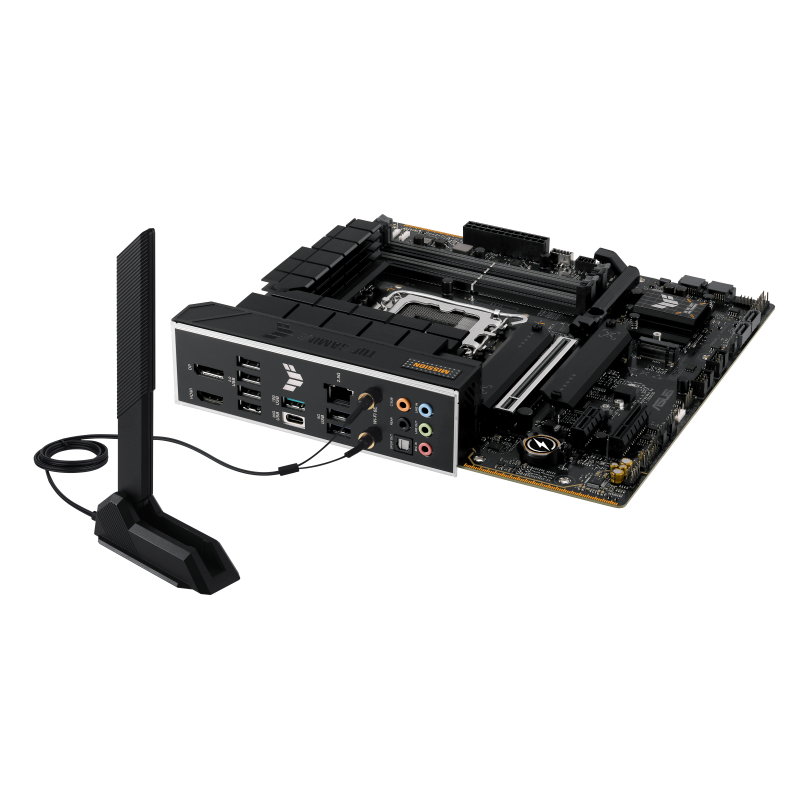
Facts and specifications
Manufacturer manual
| Specification | Value | Source |
|---|---|---|
| Chipset | Intel B760 US | [3] |
| Compatibility | DDR4 modules must not be installed in the DDR5 slots. US | [3] |
| Expansion Slots | One PCIe 5.0 x16 slot, one PCIe 4.0 x4 slot, and one PCIe 3.0 x1 slot US | [3] |
| Form Factor | micro-ATX, 24.4 cm x 24.4 cm US | [3] |
| Interface | M.2_1 and M.2_2 support PCIe 4.0 x4; M.2_3 supports PCIe 4.0 x2. All accept 2242/2260/2280 devices. US | [3] |
| Memory Slots | 4 US | [3] |
| Memory Type | DDR5 Non-ECC, Un-buffered Memory US | [3] |
| Ports | Rear USB Type-C supports 20Gbps; the front USB Type-C connector supports 10Gbps. US | [3] |
| Socket | LGA1700 US | [3] |
| Wireless Standard | 2x2 Wi-Fi 6E (802.11ax), 2.4/5/6GHz bands US | [3] |
Other facts
| Specification | Value | Source |
|---|---|---|
| Buyer Fit | The review positions the board for gaming PC builders seeking DDR5, PCIe 5.0, and Wi-Fi 6E. US | [1] |
| Limitation | Some overclocking memory modules may run below their vendor-marked frequency at default settings. US; Wi-Fi 6GHz frequency band and bandwidth regulations may vary by country. | [3] |
| Setup Requirement | ASUS EZ Flash 3 updates the BIOS from within firmware without an OS-based utility. US; Disconnect power from the electrical outlet before relocating the system. US; The quick-start guide instructs installing the bundled M.2 rubber when installing a single sided M.2 module. | [5], [3], [2] |
KnowSpec analysis
Buy for the documented configuration
Four DIMM slots are useful only after the required memory generation is checked. This exact board requires DDR5 and explicitly excludes DDR4 modules; buyers moving an older kit must resolve that incompatibility before treating the board as a replacement. The review's gaming positioning is contextual, not evidence of guaranteed frame rates.
Method: Manufacturer manual and revised quick-start instruction synthesis.Follow the matching installation instruction
Disconnecting the outlet power cable before relocating the system is a documented safety step. Storage installation also has a specific condition: the quick-start guide calls for bundled M.2 rubber with a single sided module. Identify the module and follow the matching instruction instead of fitting every accessory without checking its intended use.
Method: Manufacturer documentation and attributed review synthesis.Visible information gaps
Missing information is shown rather than guessed.
- Topic:Platform Supportnot found
- Topic:Networking And Audionot found
- Topic:Power Delivery And Thermalsnot found
- Topic:Interfaces Standardsnot found
- Topic:Bios Flashback And Supportnot found
- Topic:Limitationsnot found
- Topic:Upgrade Pathnot found
Products in this content
-
ASUS Prime B760M-K D4 Intel B760 (LGA 1700)(13th and 12th Gen) mATX Motherboard, PCIe 4.0, Two PCIe 4.0 M.2 Slots, DDR4,
The PRIME B760M-K D4 combines a compact micro-ATX layout, two DDR4 DIMM slots and two PCIe 4.0 x4 M.2 positions
-
ASRock B650M Pro RS WiFi
This microATX AMD B650 motherboard is aimed at compact AM5 builds using DDR5, especially Ryzen 5 or Ryzen 7 systems. It provides three M.2 slots, PCIe 4.0 x16 graphics connectivity, and 2.5 Gbit/s Ethernet. Buyers still need to check case f
-
ASRock Z890 Taichi Lite ATX Motherboard, LGA1851
This motherboard is built around expansion headroom: six M.2 slots, a maximum-memory claim of 274877906944 bytes, and 5 Gbit/s Ethernet. Those specifications make it relevant to storage-heavy and memory-heavy builds with multi-gig networkin
-
ASUS ROG STRIX B850-A GAMING WIFI AMD AM5 ATX Motherboard
The documented AM5 platform and DDR5 layout make this board a candidate for a new compatible desktop. However, the lower expansion slot disables M.2_3, and the reviewed rear I/O lacks USB4. B
-
GIGABYTE B850 AORUS Elite WIFI7
The GIGABYTE B850 AORUS ELITE WIFI7 is an ATX AM5 motherboard with PCIe 5.0 x16 support, three M.2 slots, 2.5 Gbps Ethernet and up to 256 GB of memory. Its broad Ryzen 9000, 8000 and 7000 series support and Q-Flash Plus make it approachable
-
GIGABYTE B860M GAMING X WIFI6E Micro-ATX Motherboard, LGA1851
The evidence establishes three motherboard attributes: a Micro-ATX form factor, 15 power stages, and 2.5 Gbit/s Ethernet. That combination suggests a compact board with multi-gig networking and a documented power-stage count. The record doe
Sources and method
- ASUS TUF Gaming B760M-Plus Wi-Fi II Motherboard ReviewPCMENA · retrieved 2026-09-28Editorial review
- TUF GAMING B760M-PLUS WIFI II Quick Start Guide Q25031ManualsLib · retrieved 2026-10-08Manual
- TUF GAMING B760M-PLUS WIFI II User ManualASUS · retrieved 2026-09-28ManualPDF
- ASUS TUF GAMING B760M-PLUS WIFI II – REVIEWMasGamers · retrieved 2026-10-08Editorial review
- Asus TUF GAMING B760M-PLUS WIFI II ManualManualsLib · retrieved 2026-09-28Manual