CalDigit TS5 Plus Thunderbolt 5 Docking Station: 20-Port PCIe-10GbE Mac|PC
The evidence supports considering TS5 Plus for a desk with fast storage and multiple active USB devices: StorageReview found its tested SSD behaved like a direct connection and described the benefit of dual USB controllers. That conclusion remains specific to its test setup. Confirm Windows PCIe passthrough before relying on USB-A, rear USB-C, and 10GbE; verify laptop PD support before replacing a charger; and check M5 Max plus a daisy-chainable Thunderbolt display before planning four screens. The 140 W result is a detected PD capability, not sustained laptop charging, and Boost allocates bandwidth to displays while reducing the allocation for other dock devices. Efficiency and thermal benchmarks remain evidence gaps.
Updated 2026-10-08

We may earn a commission from qualifying purchases.
Prices and sellers
No price information yet
Conditions and limitations
Windows USB and network prerequisites
- Capability
- USB-A, rear USB-C data ports, and 10GbE require PCIe passthrough.
- Limitations
- A USB-C connector alone does not establish support for these functions.
- Requirements
- Use a supported Thunderbolt 4/5 or USB4 V1/V2 Windows host.
Compatibility
LaCie SSD on the reviewed M4 Max configuration
- Connection
- SSD connected through TS5 Plus and compared with direct host connection.
- Functions
- External SSD operation
- Notes
- StorageReview reported the same performance in this configuration; no numerical benchmark is supplied here.
- Protocol
- Thunderbolt 5
- Result
- full
- Source device
- M4 Max MacBook Pro
- Target device
- LaCie Rugged SSD Pro5
Where sources differ
Current display guidance has specific host and chain conditions; no same-configuration conflict was established.
Reported issues and fixes
Missing Controller 2 USB ports on Windows
- Status
- reported
- Symptom
- USB ports on Controller 2 may not work on a Windows computer.
- Workaround
- Follow CalDigit's BIOS, driver, Windows 11, PCIe-tunneling and Ethernet-driver checks. No universal fix or fixed version is established.
Care and support
Who it suits
Verify the intended workstation before buying
- Check before buying
- Confirm the host, charging method, and exact display arrangement with their manufacturers.
- Constraints
- Host protocol, PCIe passthrough, charging support, and display chain must match the intended use.
- Needs
- Fast external storage, multiple USB devices, laptop charging, and compatible displays.
- Reason
- Review observations support the tested storage configuration, while Windows ports, laptop charging, and four-display support have explicit prerequisites.
- Tradeoffs
- Boost favors display bandwidth; charging protocol capability is not sustained power evidence.
- Assessment
- conditional
StorageReview · CalDigit · ChargerLAB · CalDigit · CalDigit
Areas not yet researched (1)
No conclusion is available for these areas. This does not mean the Product has no limitations or reported issues.
- Ownership costs
Specifications
Sample mass
890 gChargerLAB sample weighing · n=1 · About 890 g for the dock sample; equipment model and uncertainty were not stated. This is not the manufacturer's nominal weight or a power/thermal benchmark.
Source [6]Reviewer consensus
Single-source notes
The review
CalDigit TS5 Plus: storage, USB, charging, and displays
Storage performance through the dock
StorageReview tested a LaCie Rugged SSD Pro5 through the CalDigit TS5 Plus and directly on an M4 Max MacBook Pro, reporting the same performance in both arrangements. That is useful evidence for a desk where fast external storage remains connected to the dock: the reviewer did not observe a storage penalty in that particular comparison. The report is qualitative, however. It does not establish a universal transfer rate, a numerical latency result, or identical behavior with every SSD and computer. Buyers should keep the tested host and drive in view rather than translating the conclusion into a guaranteed benchmark. StorageReview also described consistent USB performance and the benefit of two USB controllers for managing several active devices. Together, those observations support evaluating the dock for storage-heavy work, while leaving a clear boundary around what was demonstrated. A different drive, host, or mixture of attached devices should be checked against its own requirements before assuming the same outcome. [1]
USB capacity
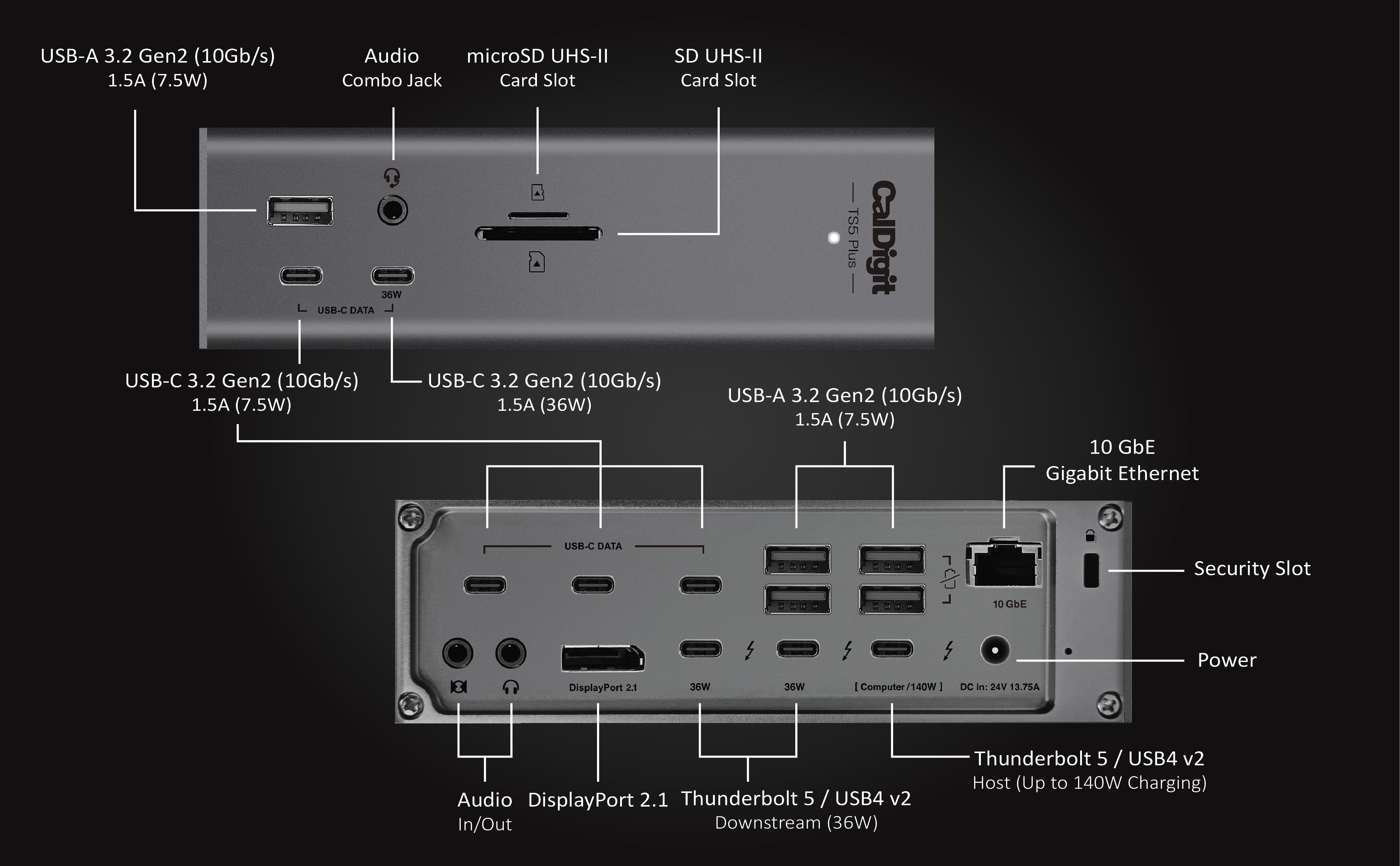
CalDigit specifies five USB-A and five USB-C data ports rated at 10 Gb/s. Most supply 7.5 W, while the designated front USB-C charging port offers 36 W. These are port specifications, not measured file-copy speeds and not a promise that ten devices will each sustain their maximum rate simultaneously. StorageReview identifies the dual-controller design as a way to reduce controller saturation when multiple high-bandwidth devices are active. For a buyer managing several storage devices, the useful question is therefore how the workload is distributed, rather than how many sockets can be filled. The review's positive experience supports that planning approach but does not replace testing the intended combination. On Windows, the host connection adds another prerequisite: the USB-A and rear USB-C data ports depend on PCIe passthrough. A physically matching USB-C socket alone is insufficient evidence that these connections will function. Check host protocol support before organizing a workstation around the full USB inventory. [1], [2], [8]
Charging and displays
ChargerLAB identified PD 3.1 and 140 W charging capability on the upstream Thunderbolt 5 port. This describes the available charging protocol and capability, rather than a sustained power measurement into a particular laptop under load. It should not be read as a promise that every attached computer will receive 140 W. The TS5 Plus manual explicitly excludes Windows laptops using proprietary charging or ports without power delivery, and recommends connecting the laptop's own charger for CPU- or GPU-intensive applications when more power is needed. Those conditions matter to anyone hoping to replace their normal charger with one dock cable. ChargerLAB also weighed its dock sample at about 890 g. That is a genuine physical observation, recorded here with the sample context; the report does not name the weighing equipment or measurement uncertainty. Treat it as an approximate sample result rather than an exact weight for every unit, and keep it separate from protocol specifications when comparing the evidence. [6], [5]
Four displays require a specific arrangement
The current CalDigit product page states that M5 Max can support up to four displays through the TS5 Plus. It also requires one display to be a daisy-chainable Thunderbolt display and warns that the actual combination depends on display bandwidth. The phrase 'up to four' therefore has important qualifications: it is not an unconditional capability of any laptop connected to the dock. Before buying for this arrangement, identify the exact host and the display that will provide the daisy-chain connection, then check the planned resolution and refresh-rate combination. A buyer with four screens that cannot form the documented chain should not assume that four independent plugs on a desk will reproduce the advertised setup. This manufacturer statement is also distinct from a hands-on measurement of four monitors in this research. The evidence records the specified arrangement and its limitations, rather than inventing a tested configuration. Bandwidth Boost further reinforces why display planning and the needs of remaining dock devices should be considered together. [2], [5]
Windows prerequisites and missing USB ports
CalDigit's TS5 Plus support article restricts Windows compatibility to Thunderbolt 4, Thunderbolt 5, USB4 V1, and USB4 V2 hosts. It explains that PCIe passthrough enables the USB-A ports, rear USB-C data ports, and 10GbE. Some unsupported computers may establish a partial connection, but that does not establish operation of those functions. This makes host verification an essential purchase step for someone who needs networking and several USB accessories together. If Controller 2 USB ports are missing on a supported Windows system, the documented troubleshooting path includes updating BIOS, Thunderbolt or USB4 drivers, and Windows 11, enabling PCIe over Thunderbolt or USB4, and installing the correct Ethernet driver. CalDigit notes that some computers do not expose the BIOS setting and directs users to the computer manufacturer to confirm support. These are recommended checks, not evidence of a fix for every failure. Record the computer model and its support information before concluding that a missing port proves the dock itself is defective. [8]
Warranty and service preparation
The exact TS5 Plus manual lists a two-year warranty. CalDigit's broader warranty information describes the service process: contact support for troubleshooting, verify warranty status using the serial number, obtain an RMA and shipping instructions, and send the product for repair or replacement as directed. Keep the sales receipt or invoice available alongside the serial number so that a future support request is easier to document. The policy also excludes unauthorized service, modification, and disassembly. For a buyer, that means a teardown showing internal construction should not be mistaken for permission to open a personal unit while expecting warranty coverage to remain intact. The practical ownership question is whether the support process and its conditions fit the intended use, rather than assuming that a warranty duration covers every kind of damage. These documents establish a warranty and a service route; they do not establish an announced end-of-support date, guaranteed repair turnaround, or availability of every replacement part throughout the product's life. [5], [3]
Boost-mode limitation
The manual describes Bandwidth Boost as an allocation for bandwidth-intensive monitors. With the feature active, displays can receive up to 120 Gb/s and the remaining devices on the dock have up to 40 Gb/s available. This is a practical distinction for a workstation that combines displays and storage: the larger headline number describes a display-oriented allocation, not a measured SSD transfer rate. It would be misleading to use that number as evidence that general file transfers become faster whenever Boost is enabled. The storage evidence remains the separate StorageReview comparison on an M4 Max MacBook Pro and LaCie SSD. Buyers whose main requirement is storage throughput should judge that test in its stated configuration and consider their display workload separately. Buyers whose requirement is intensive display output should consider the allocation condition rather than treating all dock functions as if they had independent access to the headline bandwidth. Both uses depend on the intended combination, not merely on the presence of a Boost feature. [1], [5]
Who the evidence supports
The clearest supported use is a workstation that needs several USB connections, fast external storage, host charging, and a display arrangement matched to its computer. StorageReview's direct-versus-dock comparison and controller observations support considering the TS5 Plus for that combination, while the manufacturer and manual define the conditions that still need checking. A Windows buyer should confirm the host protocol and PCIe passthrough before relying on USB-A, rear USB-C, or 10GbE. A buyer relying on dock charging should confirm that the laptop accepts USB power delivery and whether demanding applications still call for its own charger. A four-display buyer should verify M5 Max and the required Thunderbolt daisy chain instead of assuming that the advertised maximum applies to another host. These checks turn a broad feature list into a concrete purchase decision. The evidence does not justify universal performance promises, a sustained charging benchmark, or a guaranteed four-screen result independent of the rest of the system. [1], [6], [2], [8], [5]
Buyer questions
Compatibility
Do all USB ports provide high-speed data?
CalDigit rates the five USB-A and five USB-C data ports at 10 Gb/s. That is a port rating, not a promise of simultaneous measured throughput. On Windows, USB-A and rear USB-C data ports also require PCIe passthrough. [2], [8]
Does the upstream port support laptop charging?
ChargerLAB identified PD 3.1 and 140 W capability on the upstream port. It did not establish sustained 140 W delivery to every laptop. Windows laptops with proprietary charging or ports without PD will not charge through the dock, and demanding CPU/GPU use may require the laptop's charger. [6], [5]
Everyday use
Does storage performance drop when routed through the dock?
In the cited test, Thunderbolt SSD performance through the dock matched the direct connection. [1]
How does it handle several USB devices?
Dual USB controllers are intended to reduce saturation when multiple high-bandwidth USB devices are active. [1]
Limitations
Does Bandwidth Boost mean faster general file transfers?
The manual describes display-oriented allocation: up to 120 Gb/s for bandwidth-intensive monitors and up to 40 Gb/s for remaining dock devices while Boost is active. It is not a measured file-transfer speed guarantee. [5]
Product images
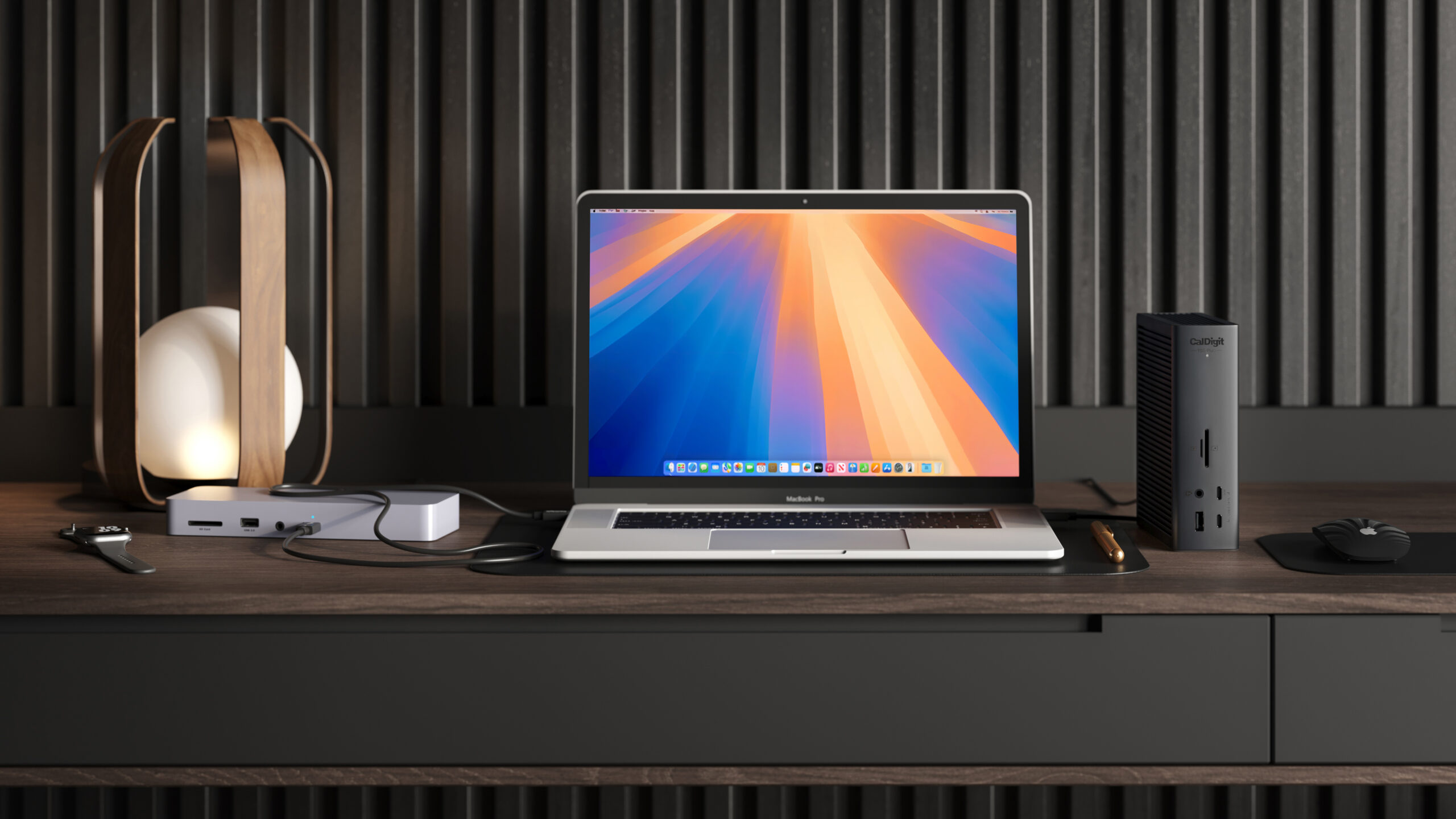
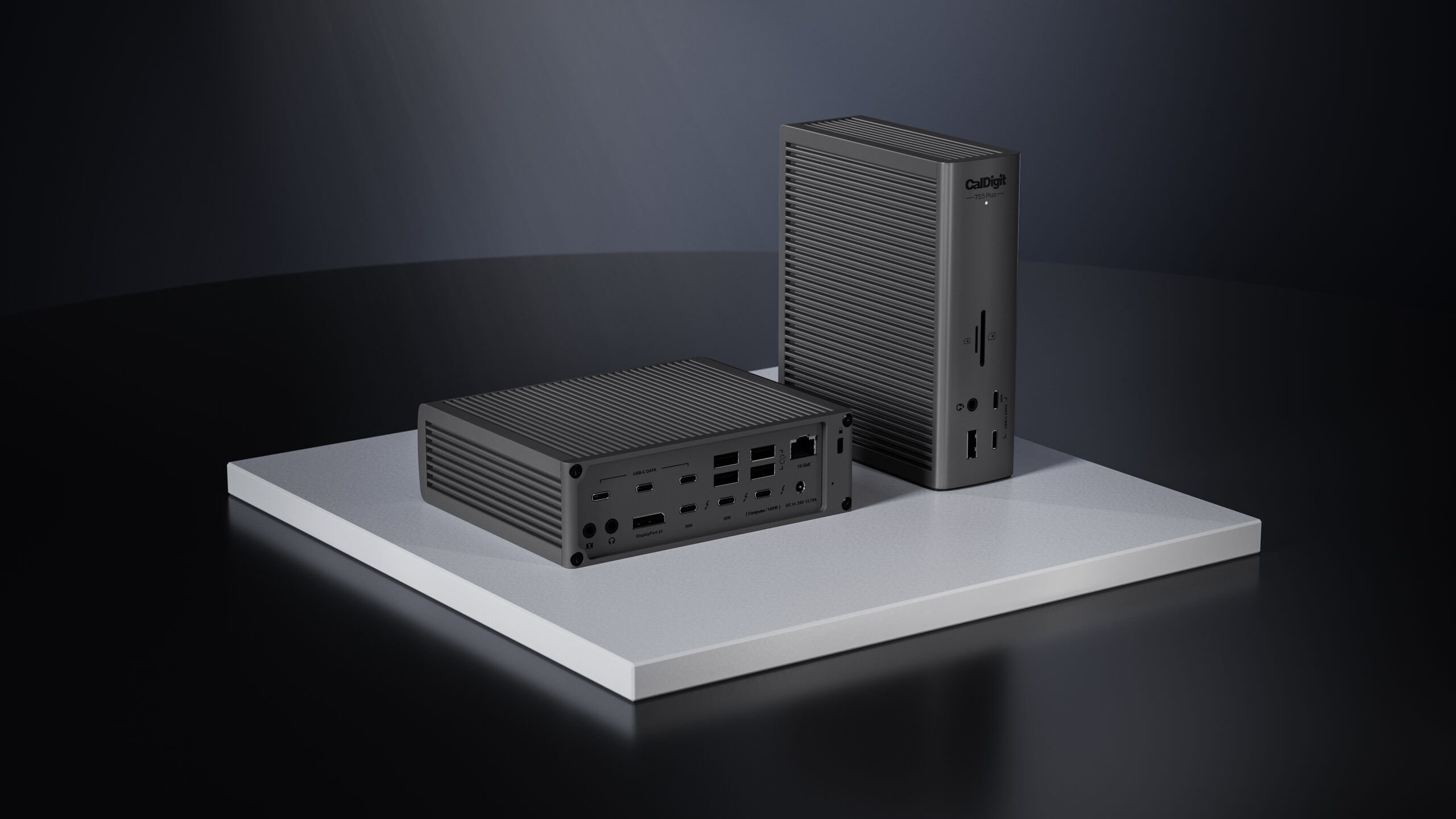
Facts and specifications
Manufacturer datasheet
| Specification | Value | Source |
|---|---|---|
| Display Support | Up to four displays on M5 Max; one display must be a daisy-chainable Thunderbolt display, and actual combinations depend on display bandwidth. | [2] |
| Ports | Five USB-A and five USB-C data ports rated at 10 Gb/s; most offer 7.5 W, with a 36 W front USB-C port. | [2] |
Manufacturer manual
| Specification | Value | Source |
|---|---|---|
| Compatibility | Windows TS5 Plus use requires Thunderbolt 4/5 or USB4 V1/V2; PCIe passthrough is required for USB-A, rear USB-C data ports, and 10GbE. | [8] |
| Limitation | Bandwidth Boost allocates up to 120 Gb/s to intensive displays and leaves up to 40 Gb/s for remaining dock devices.; Windows laptops using proprietary charging or host ports without PD will not charge through the dock; CPU/GPU-intensive use may require the laptop charger. | [5] |
| Setup Requirement | CalDigit warranty service requires troubleshooting and warranty verification using the serial number; keep the receipt, obtain an RMA, and avoid unauthorized disassembly.; For missing Controller 2 USB ports, CalDigit recommends current BIOS, Thunderbolt/USB4 drivers, Windows 11, enabled PCIe tunneling, and the correct Ethernet driver. | [8], [3] |
| Warranty | The TS5 Plus manual lists a two-year warranty. | [5] |
Stated by reviewers
| Specification | Value | Source |
|---|---|---|
| Host Charging Power | 140 W | [6] |
Measured by a lab
| Specification | Value | Source |
|---|---|---|
| Weight | 890 g | [6] |
KnowSpec analysis
Choose by host, workload, and display arrangement
The evidence supports considering TS5 Plus for a desk with fast storage and multiple active USB devices: StorageReview found its tested SSD behaved like a direct connection and described the benefit of dual USB controllers. That conclusion remains specific to its test setup. Confirm Windows PCIe passthrough before relying on USB-A, rear USB-C, and 10GbE; verify laptop PD support before replacing a charger; and check M5 Max plus a daisy-chainable Thunderbolt display before planning four screens. The 140 W result is a detected PD capability, not sustained laptop charging, and Boost allocates bandwidth to displays while reducing the allocation for other dock devices. Efficiency and thermal benchmarks remain evidence gaps.
Method: Evidence synthesis with explicit host and workload limits.Visible information gaps
Missing information is shown rather than guessed.
- Topic:Measured Performancerights restricted
- Topic:Thermal Behaviournot found
- Topic:Efficiencynot found
Sources and method
- CalDigit TS5 Plus Review: Thunderbolt 5 Dock Aims For Single-Cable SolutionStorageReview · retrieved 2026-09-27Editorial review
- Thunderbolt 5 Dock | TS5 PlusCalDigit · retrieved 2026-09-27Manufacturer
- Warranty InformationCalDigit · retrieved 2026-10-08Manufacturer support
- Thunderbolt 5 Dock | TS5 PlusCalDigit · retrieved 2026-10-08Manufacturer
- CalDigit TS5 Plus ManualCalDigit · retrieved 2026-10-08ManualPDF
- Teardown of CalDigit TS5 Plus Thunderbolt 5 DockChargerLAB · retrieved 2026-09-27Lab review
- Teardown of CalDigit TS5 Plus Thunderbolt 5 DockChargerLAB · retrieved 2026-10-08Lab review
- USB Ports on my TS5 Plus Don’t Work on my Windows 11 ComputerCalDigit · retrieved 2026-10-08Manufacturer support