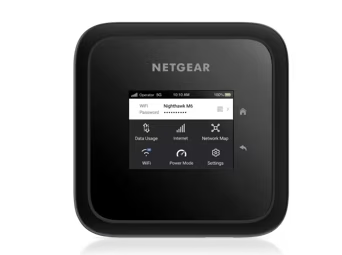
NETGEAR Nighthawk M6 5G Mobile Hotspot Router
The MR6150 remains relevant for portable or backup access through Wi-Fi 6 and Gigabit Ethernet, but its 32-client specification is not a demonstrated multi-user load test. The manufacturer's thermal guidance and attributed Verizon plan reports make carrier activation, cooling and power-mode checks important before relying on it. No numerical performance measurement was verified against the stored snapshots in this update.
Updated 2026-10-08

We may earn a commission from qualifying purchases.
Prices and sellers
No price information yet
Conditions and limitations
Long plugged-in sessions
- Capability
- NETGEAR recommends Plugged In mode for continuous long sessions.
- Limitations
- Heat can reduce performance or cause shutdown.
- Requirements
- Remove the battery and battery cover and use external power.
- Keep the hotspot ventilated.
Compatibility
North American certification and a plan-specific member warning are recorded. No controlled firmware-specific multi-carrier compatibility matrix was found.
Where sources differ
SKU differences were checked. A source claiming MR6150 mmWave tests was excluded for a model-capability mismatch; no trustworthy same-condition conflicting measurement was established.
Reported issues and fixes
Reported Verizon plan reliability problems
- Status
- reported
- Symptom
- Mobile Internet Resource Center reports reliability problems on Verizon pUDP and some other plans, especially n77.
Historical data disconnection fixes
- Fixed version
- NTGX65 10.04.22.00
- Status
- fixed
- Symptom
- NETGEAR records fixes for random AT&T and Firstnet data disconnections and searching despite a correct APN.
Care and support
Version-specific support history
- Details
- The historical MR6150 release note documents connectivity fixes in NTGX65 10.04.22.00. It does not establish today's latest firmware or a guaranteed future support period.
Who it suits
Portable or backup access after practical checks
- Check before buying
- Confirm MR6150-100NAS and carrier-plan activation.
- Constraints
- Carrier and plan activation must be checked for the exact SKU.
- Needs
- Shared access away from fixed broadband or during an outage.
- Reason
- Portable networking fits this role when plan, signal and power setup are verified.
- Tradeoffs
- No physical performance measurement was verified in this update.
- Assessment
- conditional
NETGEAR · Mobile Internet Resource Center · Tom's Guide via inkl · NETGEAR
Areas not yet researched (1)
No conclusion is available for these areas. This does not mean the Product has no limitations or reported issues.
- Ownership costs
Reviewer consensus
Consensus rows require at least two distinct sources for the topic.
| Topic | Positive | Negative | Mixed | Reading | Evidence |
|---|---|---|---|---|---|
| Buyer fit | 0 | 0 | 3 | Mixed · 3/3 | [2], [4], [8] |
| Limitations | 0 | 2 | 0 | Weak point · 2/2 | [1], [1] |
Single-source notes
Alternatives
| Alternative | Where this Product wins | Where it loses | Pick it if |
|---|---|---|---|
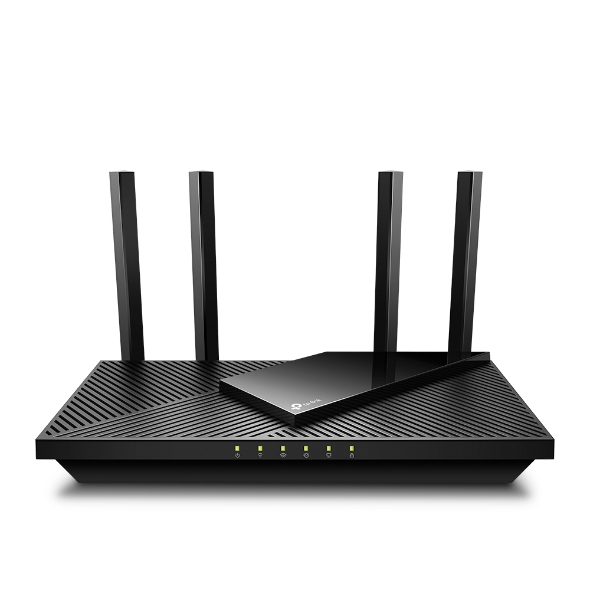
| TP-Link Archer AX55 AX3000 Dual-Band Wi-Fi 6 Router | Both devices have documented Wi-Fi 6 support; this standard alone does not establish a performance advantage. [2] | Choose the M6 for portable cellular access after plan and power checks. Compare a fixed router separately for a permanent broadband setup; the inherited 20-device test and M6's 32-client specification are not equivalent measurements. |
| Specification | NETGEAR Nighthawk M6 5G Mobile Hotspot Router | TP-Link Archer AX55 AX3000 Dual-Band Wi-Fi 6 Router |
|---|---|---|
| Wi-Fi Standard | Dual-band Wi-Fi 6 AX3600 US [2] | 802.11ax Wi-Fi 6 |
The review
NETGEAR Nighthawk M6 MR6150: portable Wi-Fi 6 and cellular backup
Who it is for
The NETGEAR Nighthawk M6 MR6150 is a portable cellular hotspot for buyers who need a shared connection away from fixed broadband or a backup connection during an outage. Its documented combination of dual-band Wi-Fi 6, Gigabit Ethernet and support for up to 32 connected devices makes it relevant to a traveling household or a small temporary work setup. That combination describes available interfaces and a stated connection limit, rather than proving that every connected device can run demanding tasks simultaneously. Treat the device as a candidate for your actual workload, then check the carrier and plan before depending on it. A portable network can be useful only where its cellular connection works; neither a Wi-Fi generation nor a client-count specification establishes the mobile service available at your destination. [2], [1], [1], [4], [2]
This assessment concerns the unlocked North American MR6150-100NAS associated with the assigned US product. NETGEAR's model-specific support table lists AT&T and T-Mobile certification and marks international roaming as N/A. The same support page lists a separate MR6150-100EUS for Europe and the Middle East, and the manufacturer's roaming country list names that European SKU. A shared M6 name is therefore insufficient to establish the same regional capabilities. Check the full SKU before buying for international use. The public filing index links MR6150 to FCC ID PY322100564, but that regulatory identity does not establish a carrier plan's compatibility or certify measured download performance. Mobile Internet Resource Center also reports member reliability problems with some Verizon plans. An unlocked device therefore deserves a plan-specific check instead of an assumption that every subscription will behave identically. [2], [8], [1]
Wireless and client support
NETGEAR specifies dual-band Wi-Fi 6 AX3600, and the model-specific independent specification lists up to 32 connected devices. Those are different kinds of information: the wireless designation describes the advertised radio class, while the connection count describes how many clients the hotspot can accommodate. Neither number is a measured cellular download rate or a demonstrated 32-device stress test. The MR6150's X62-based design lacks millimeter-wave 5G, and its Wi-Fi is Wi-Fi 6 rather than Wi-Fi 6E. Buyers should match those boundaries to their intended service rather than importing capabilities from an M6 Pro review. For ordinary portable sharing, the documented interfaces are relevant; for demanding work, a test on the intended network is needed to decide whether the complete connection meets your requirements. [2], [1], [1]
NETGEAR's North American specification lists a 2.4-inch LCD. Buyers who want to inspect the device directly can evaluate whether its display suits their expected use, while those planning an extended desk arrangement should consider where it will sit and how they will maintain access to it. A display specification does not establish the quality of every control or the availability of a particular management feature. This update therefore avoids inferring advanced routing, parental controls or app support from the screen alone. A hands-on English review was located, but its numerical test passages were absent from the stored native snapshot, so no physical measurements from it are used here. That evidence boundary matters for essential work: documented carrier certification and interfaces can guide a shortlist, but they do not prove sustained throughput, dependable coverage through your walls or a guaranteed battery workday. [4], [2]
Wired connectivity
The MR6150's documented Gigabit Ethernet port gives a laptop or a downstream network device a wired connection option. That port rating should be kept separate from cellular performance: a Gigabit local interface does not make the upstream mobile connection deliver a Gigabit Internet service. For a desk setup, choose the connection method according to the equipment you need to attach, then verify that the complete connection works with the selected plan. Wi-Fi remains useful when several devices need to share access, while Ethernet provides a documented alternative for a wired client. The 32-device connection figure does not establish a separate pool of guaranteed bandwidth for each client. If several people depend on the hotspot for work, test their activities together rather than relying on the port speed or the advertised wireless class alone. [2], [1], [1], [4]
For long sessions near an outlet, NETGEAR recommends removing the battery and battery cover and using Plugged In mode. Its guidance says this configuration helps cooling and permits different operating temperature limits. That is a documented configuration requirement with a practical tradeoff: the arrangement suitable for a continuously powered desk is different from carrying the hotspot on battery. Decide which arrangement you need before choosing the setup, and include the required power source in your outage plan. Removing the battery changes the power arrangement, so the plugged-in configuration should not be treated as equivalent to battery operation. The retrieved evidence does not establish verified continuous heavy-load battery endurance. If the expected session must last through a long meeting, a journey or a power failure, check the actual workload and power arrangement together instead of treating a claimed runtime as a guarantee. [4], [6]
Important limits
Heat and software deserve attention when the M6 will support more than occasional browsing. NETGEAR's guidance says rising temperature can reduce performance and severe overheating can cause shutdown; it recommends ventilation and a suitable plugged-in configuration for long sessions. This is an operating limitation described by the manufacturer, not a measured failure rate for the assigned unit. NETGEAR's historical NTGX65_10.04.22.00 release note also records fixes for random AT&T and Firstnet data disconnections and for a device stuck searching despite the correct APN. The note demonstrates that those issues were addressed in that named release. It does not identify the latest firmware today or prove every current connection problem resolved. Keep the distinction between a historical fixed issue and a reported plan-specific reliability problem when assessing a device for essential connectivity. [6], [9], [1]
The practical buying decision is conditional: select the MR6150 when portable shared access and its documented wired option match your needs, and when you can verify the intended carrier, plan and signal. This update leaves verified numerical throughput, controlled sustained-load performance, measured thermal behavior and current firmware-security assurance unresolved. The Verizon alert is an attributed member report, not evidence that all Verizon service fails. Before relying on the hotspot as backup, check the exact North American SKU, confirm activation on your particular plan, test the rooms or destinations that matter, and choose a power mode consistent with your intended session. For an important remote meeting or outage, successful testing of the whole setup is more informative than the advertised device count. Keep a fallback until those checks establish the behavior you actually need. [1], [4], [2], [6], [1]
Buyer questions
Before you buy
Compatibility
Does the MR6150 support Wi-Fi 6?
Yes. NETGEAR lists dual-band Wi-Fi 6 AX3600. [2]
Does it have wired Ethernet?
Yes. The reviewed MR6150 specification lists Gigabit Ethernet. [1]
Everyday use
How many devices can connect?
The MR6150 specification lists up to 32 connected devices. This is a stated connection limit, not a verified 32-device performance test. [1]
Limitations
Does it support millimeter-wave 5G?
No. The independent review says the X62 modem lacks millimeter-wave 5G. [1]
Product images
Facts and specifications
Manufacturer datasheet
| Specification | Value | Source |
|---|---|---|
| Certification | The public FCC filing index for PY322100564 identifies model MR6150 and a certification date of 2022-09-26. US | [8] |
| Compatibility | NETGEAR identifies MR6150-100NAS as the unlocked North American model, lists AT&T and T-Mobile certification and marks international roaming N/A. US | [2] |
| Display Type | NETGEAR's MR6150-100NAS support table specifies a 2.4-inch LCD. US | [2] |
| Wi-Fi Standard | Dual-band Wi-Fi 6 AX3600 US | [2] |
Manufacturer manual
| Specification | Value | Source |
|---|---|---|
| Software | NETGEAR's MR6150 release note for NTGX65_10.04.22.00 lists fixes for AT&T and Firstnet random disconnections and searching with the correct APN; this is a historical fix record. US | [9] |
Stated by reviewers
Other facts
| Specification | Value | Source |
|---|---|---|
| Buyer Fit | Suitable for portable or backup connectivity when the selected carrier, plan, signal and required runtime have been checked. US | [4] |
| Limitation | Mobile Internet Resource Center reports member reliability problems with MR6150 on Verizon pUDP and some other Verizon plans, especially n77; prevalence and current resolution are unknown. US; The unlocked MR6150 uses Wi-Fi 6 rather than Wi-Fi 6E and lacks millimeter-wave 5G support. US | [1], [1] |
| Risk | NETGEAR says heat can reduce M6 performance or cause shutdown; it recommends ventilation and removing the battery and cover for long plugged-in sessions. US | [6] |
KnowSpec analysis
Portable access with plan and power checks
The MR6150 remains relevant for portable or backup access through Wi-Fi 6 and Gigabit Ethernet, but its 32-client specification is not a demonstrated multi-user load test. The manufacturer's thermal guidance and attributed Verizon plan reports make carrier activation, cooling and power-mode checks important before relying on it. No numerical performance measurement was verified against the stored snapshots in this update.
Method: Synthesis of exact-model manufacturer material and independent review evidence.Visible information gaps
Missing information is shown rather than guessed.
- Topic:Vpn And Advanced Routingnot found
- Topic:Mesh And Backhaulnot found
- Topic:Efficiencynot found
- Topic:Thermals And Reliabilitynot found
- Topic:App Parental Controlsnot found
- Topic:Measured Performancenot public
- Topic:Firmware Securitynot found
- Topic:Real World Throughputnot found
- Topic:Range And Coveragenot found
- Topic:Sustained Performancenot found
Products in this content
-
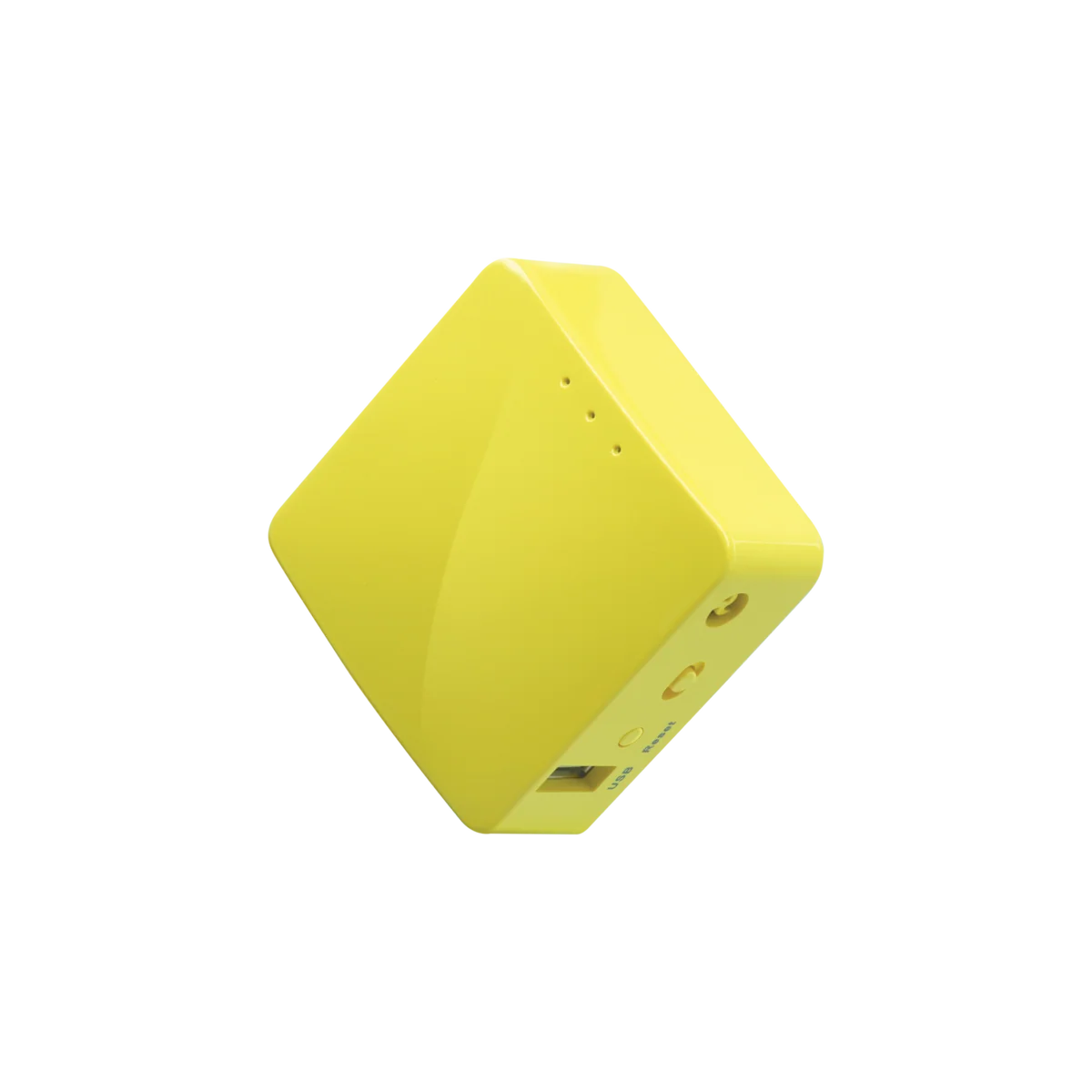
GL.iNet GL-MT300N-V2 Mango N300 Mini Travel Router
The Mango GL-MT300N-V2 suits travelers who value a pocket-size router, flexible uplinks and router-level VPN configuration more than broadband speed. Its single-band Wi-Fi and Fast Ethernet make it a conditio
-
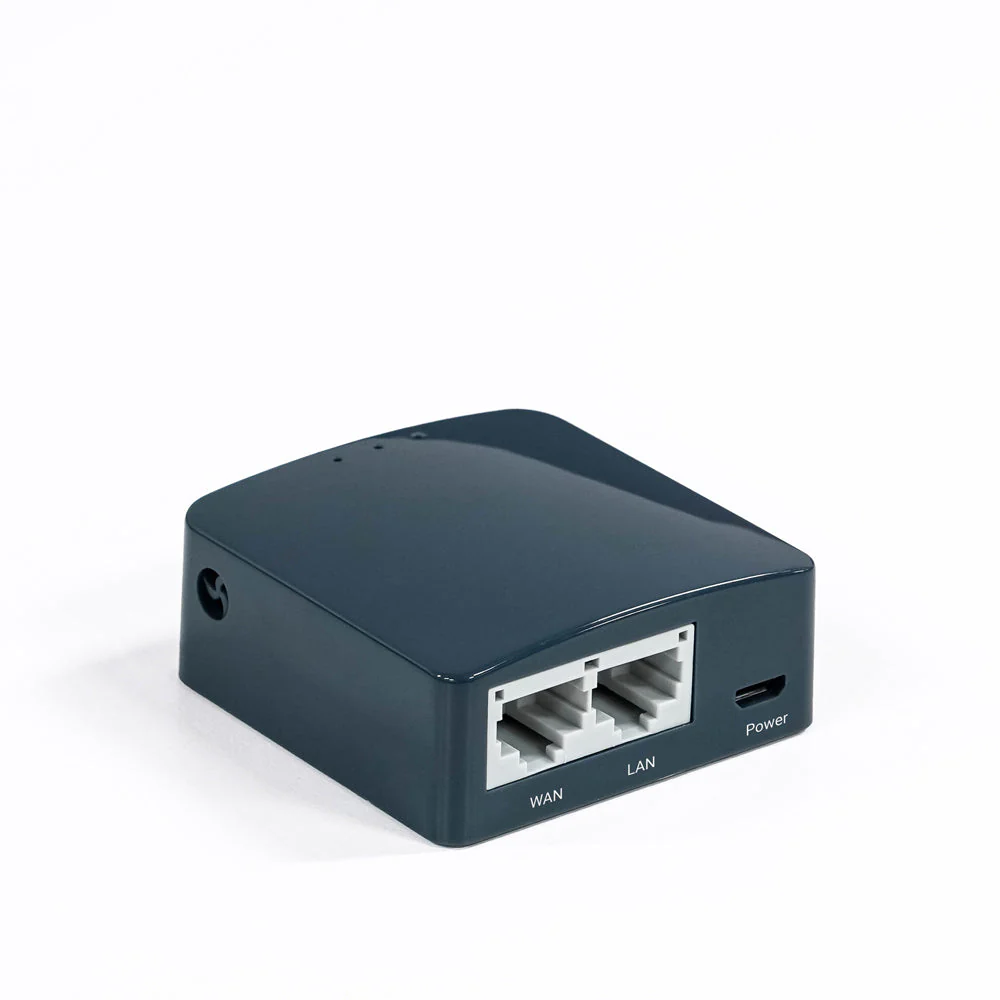
GL.iNet GL-AR300M16 (Shadow) N300 Mini Travel Router
The GL-AR300M16 is a conditional choice for travellers who value a tiny, configurable network more than throughput. Its internal antennas and Micro-USB power connection keep the kit compact, while the single-
-
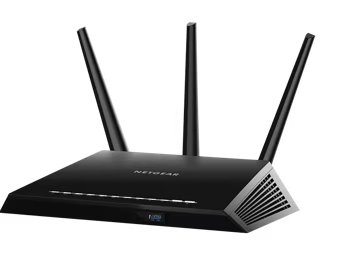
NETGEAR Nighthawk R6900P AC1900 Dual-Band WiFi Router
The R6900P is difficult to recommend as a new primary Internet router. NETGEAR marks it end-of-support and recommends retirement. Its remaining wired, wireless and local-storage functions can
-
TP-Link Archer AX6000 AX6000 Dual-Band Wi-Fi 6 Router
Consider the Archer AX6000 if you want a Wi-Fi 6 router with many wired connections and configurable household controls, provided you can verify the supplied revision and its current support.
-
NETGEAR Nighthawk AX12 RAX120 AX6000 Dual-Band WiFi 6 Router
Do not buy an unidentified RAX120 for a new security-dependent Internet connection on the strength of its AX6000 label. This ASIN maps to RAX120-100NAS but does not establish v1 or v2. NETGEA
-
TP-Link Archer AX21 AX1800 Dual-Band Wi-Fi 6 Router
The Archer AX21 is worth considering when replacing an old router with Wi-Fi 6, provided you do not need advanced parental controls or guaranteed coverage at a distance. Check the unit’s hardware revision bef
Sources and method
- Review: Netgear Nighthawk M6/M6 Pro Mobile HotspotsMobile Internet Resource Center · retrieved 2026-10-08Editorial review
- What are the specifications of NETGEAR Nighthawk mobile hotspots?NETGEAR · retrieved 2026-09-28Manufacturer support
- What are the specifications of NETGEAR Nighthawk mobile hotspots?NETGEAR · retrieved 2026-10-08Manufacturer support
- Netgear Nighthawk M6 Mobile Hotspot reviewTom's Guide via inkl · retrieved 2026-10-08Lab review
- Review: Netgear Nighthawk M6/M6 Pro Mobile HotspotsMobile Internet Resource Center · retrieved 2026-09-28Editorial review
- How can I keep my NETGEAR mobile hotspot or mobile router from overheating?NETGEAR · retrieved 2026-10-08Manufacturer support
- NETGEAR Nighthawk M6 MR6150 ReviewMiniPCReviewer · retrieved 2026-09-28Editorial review
- FCC ID PY322100564 - Netgear 5G MHS Travel RouterFCC ID public filing index · retrieved 2026-10-08Other source
- MR6150 Firmware Version 10.04.22.00NETGEAR · retrieved 2026-10-08Manufacturer support
- Nighthawk 5G mobile WiFi roaming country supportNETGEAR · retrieved 2026-10-08Manufacturer support