Logitech Lift Vertical Ergonomic Wireless Mouse, Graphite, Right-Handed
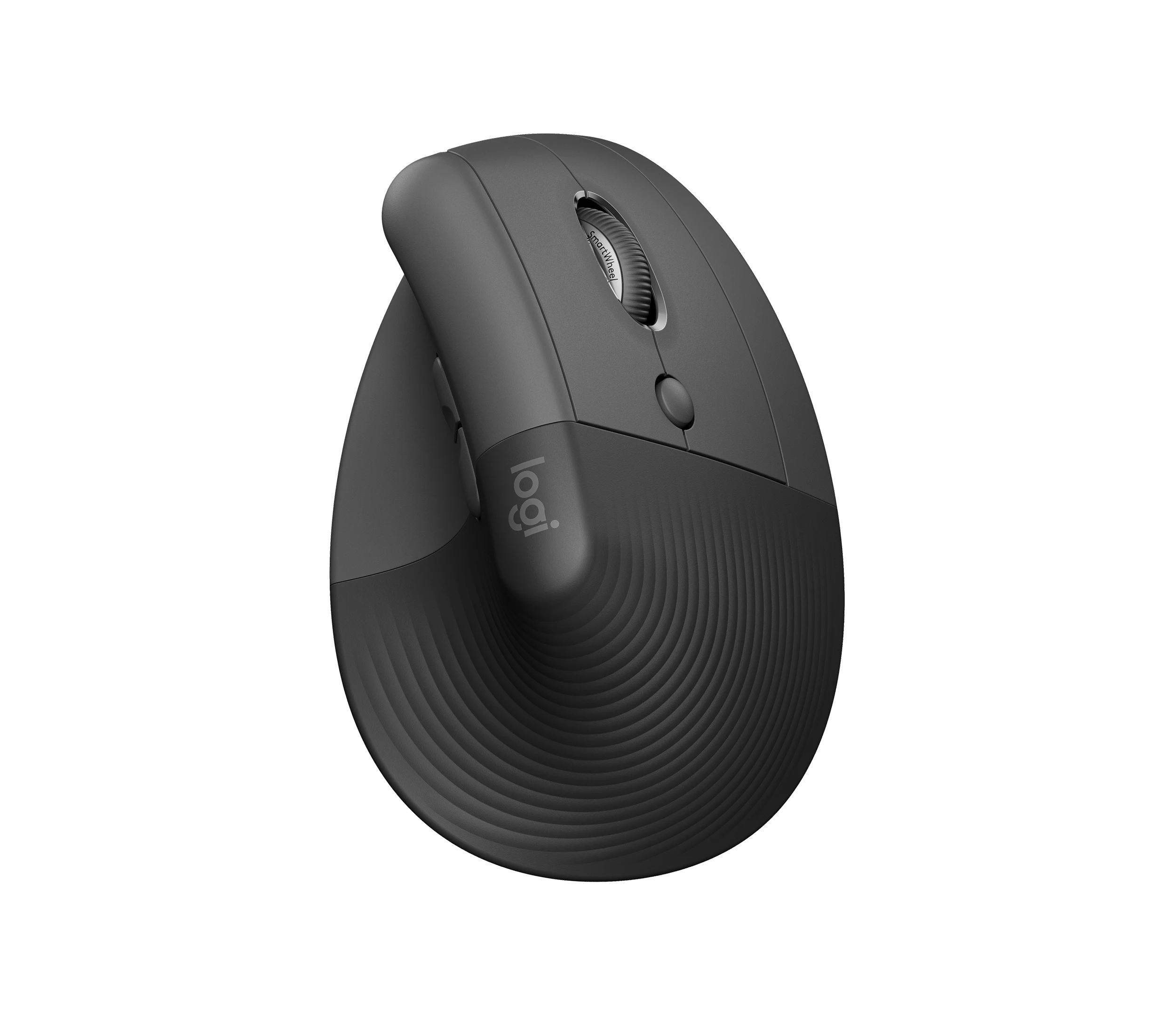
The graphite right-handed Logitech Lift is worth considering for a small-to-medium hand that wants a vertical grip, quiet clicks and convenient switching between computers. Try its shape and soft button feedback before committing: hands-on experience varies, and comfort is not guaranteed. Its replaceable AA, Bolt receiver and software-dependent extras suit a different ownership routine from a rechargeable mouse.
Updated 2026-10-04

We may earn a commission from qualifying purchases.
Prices and sellers
No price information yet
Conditions and limitations
Sideways scrolling uses a combination
- Capability
- Hold a side button while turning the wheel to scroll horizontally.
- Limitations
- SmartWheel's fast inertia scrolling is distinct from a separate horizontal wheel.
- Requirements
- Use the documented button-and-wheel combination.
Compatibility
Receiver type matters
- Connection
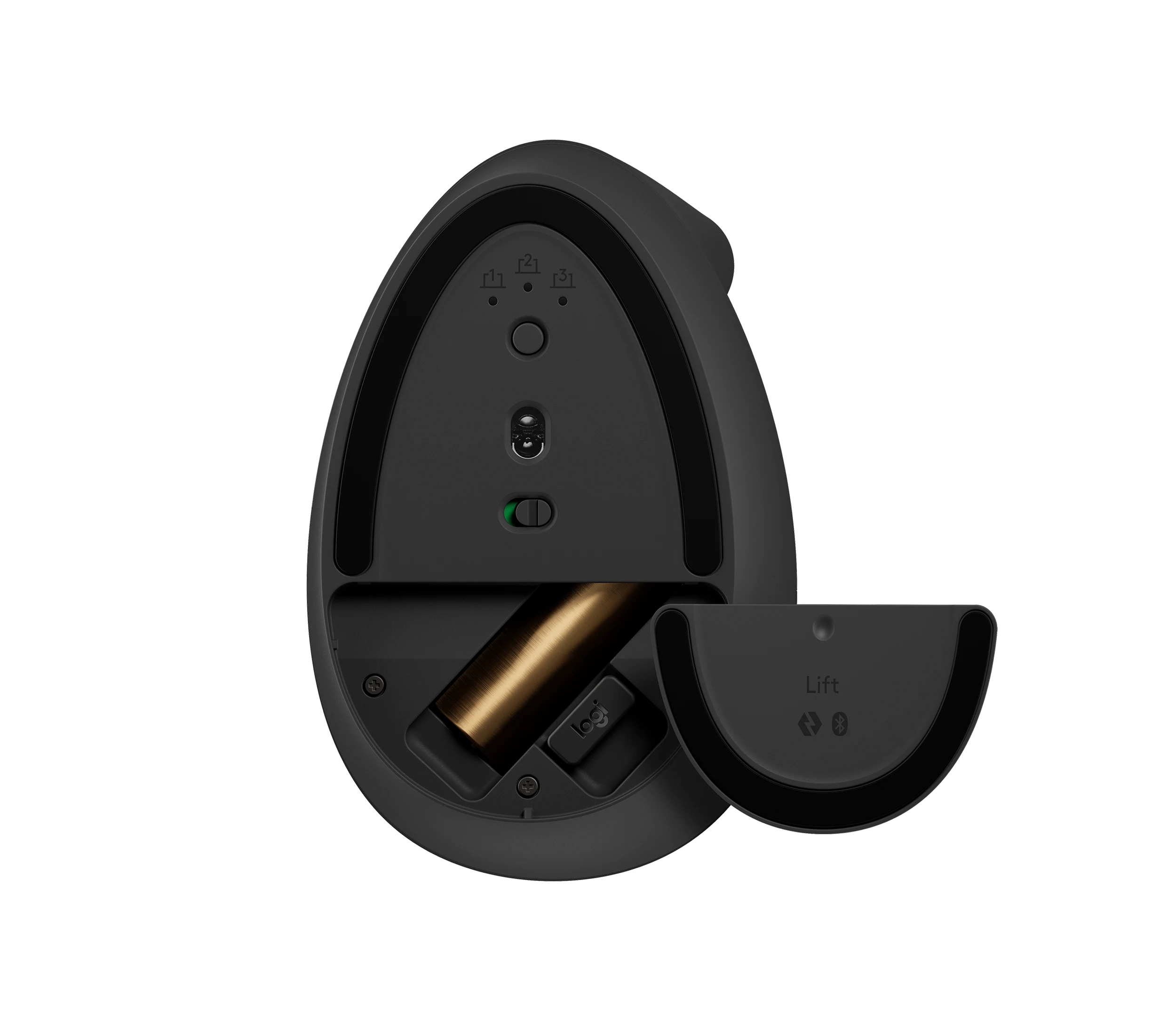
- Lift requires Bolt or Bluetooth for wireless connection.
- Functions
- Notes
- An existing Unifying receiver cannot substitute for the included Bolt receiver.
- Protocol
- Logi Bolt / Unifying
- Result
- unsupported
- Source device
- Logitech Lift
- Target device
- Logitech Unifying USB receiver
Where sources differ
Published mass differs between documents
- Explanation
- Use approximately 125 g for orientation; the sources do not explain the difference or establish an independent measurement.
- Status
- unresolved
Reported issues and fixes
Original hands-on reports describe adaptation and soft click feel, but do not establish a model-wide failure rate or current firmware defect.
Care and support
Who it suits
Test fit before prioritizing the extras
- Check before buying
- Try the right-click reach and thumb grip, and decide whether AA replacement suits your routine.
- Constraints
- Comfort and reach must suit your hand.
- Needs
- A vertical office grip and quiet controls.
- Reason
- The feature set is useful only if the shape and controls work for you.
- Tradeoffs
- Softer feedback and replaceable-battery upkeep.
- Assessment
- conditional
Logitech · Logitech, hosted by Dustin · Mighty Gadget · The Big Tech Question
Areas not yet researched (1)
No conclusion is available for these areas. This does not mean the Product has no limitations or reported issues.
- Ownership costs
Alternatives
| Alternative | Where this Product wins | Where it loses | Pick it if |
|---|---|---|---|
| Logitech MX Vertical | The source comparison positions Lift as the smaller-hand choice with a replaceable AA battery and Bolt connection. [6], [4] | The same review describes MX Vertical as larger, with an internal rechargeable battery, USB-C charging and Unifying rather than Bolt. [4] | Choose by grip size and whether replaceable-AA or rechargeable ownership suits your routine; this is a source-based feature comparison, not a comparative comfort test. |
The review
Logitech Lift: fit, scrolling and everyday ownership
Quiet clicks and scrolling have distinct tradeoffs
Mighty Gadget liked the quiet clicks and wheel, but described softer perceived button feedback and some initial right-click misses before adaptation. Logitech's SmartWheel provides deliberate ratcheted scrolling when turned slowly and faster inertia scrolling when flicked. To move sideways through a document, hold a side button while turning the wheel; there is no separate horizontal thumb wheel in this description. The sensor is specified up to 4000 dpi, but that sensitivity ceiling does not establish tracking accuracy. Quantitative latency and sustained-performance evidence remain gaps, so the reviewer's responsiveness impressions should not be treated as gaming benchmarks. [5], [2], [4]
Try the shape rather than relying on a size label
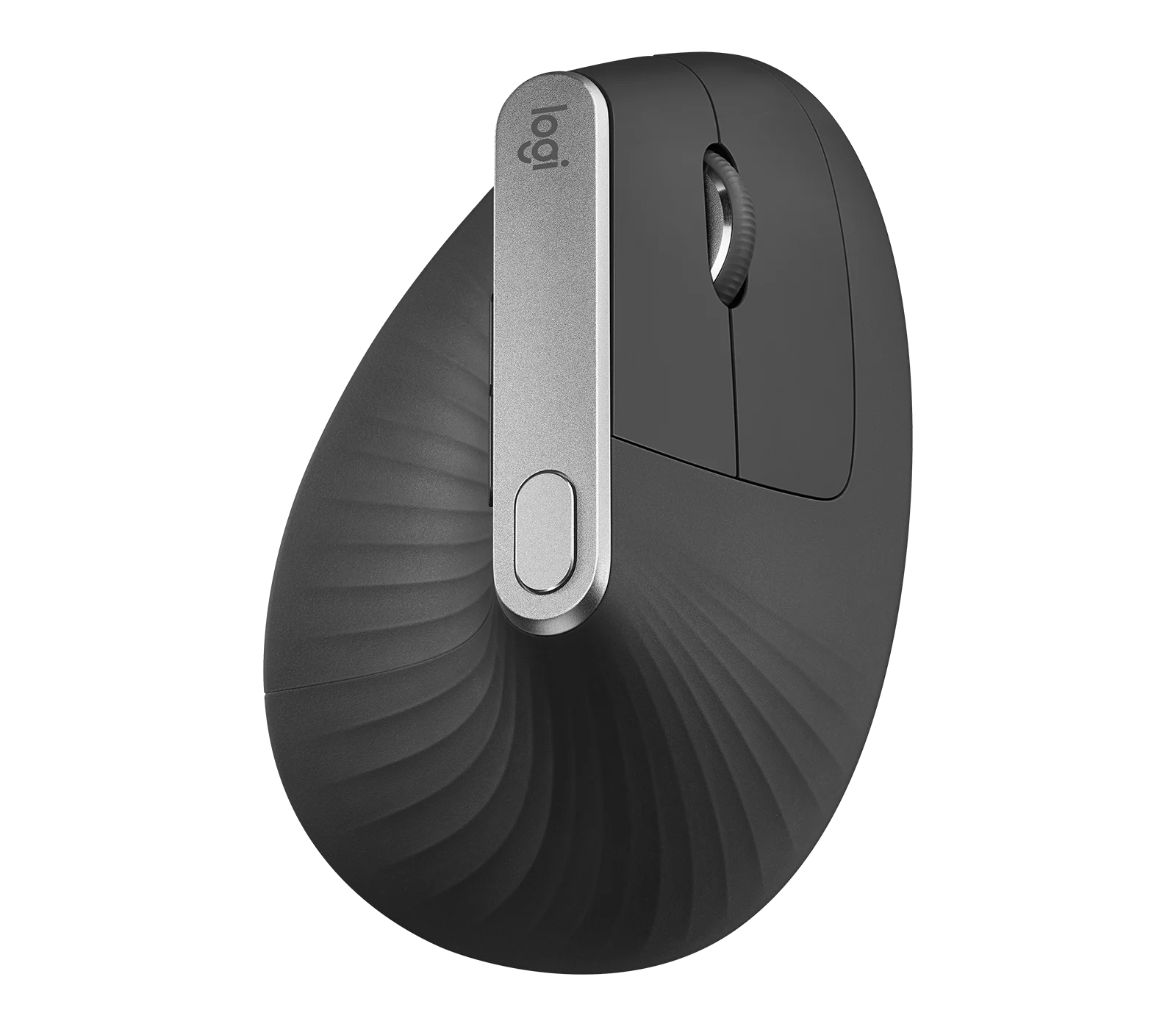
This record covers the graphite right-handed Lift, not the separate left-handed version. Logitech targets small to medium hands with a vertical body, rubber grip and thumb shelf. Yet Barry Collins, who tested both handed versions, did not find it small despite his larger build. Treat the size category as a starting point and check whether your fingers reach the controls without gripping awkwardly. The brochure specifies approximately 125 g, while another official support document says 124 g; neither figure here is an independent measurement. [6], [2], [5], [3], [1]
Separate wireless compatibility from software features
Lift pairs with up to three devices through Bluetooth Low Energy or the included Bolt USB-A receiver. Switching channels uses the underside selector. A Unifying receiver is incompatible, which matters if you are consolidating an older Logitech setup. Options+ enables customization, while Flow requires software on both computers. The manufacturer brochure offers Options+ for Windows and macOS; a hardware compatibility listing for another operating system does not promise identical extras. Official support pages also show different historical OS minimums, so check the software requirements for your actual computer instead of combining those lists. [2], [5], [6], [3]
Plan for an AA replacement, not charging
The magnetic bottom cover exposes a user-replaceable AA battery and receiver storage. Logitech advertises up to 24 months, with usage and computing conditions affecting the result; it is not a measured continuous-use runtime. Keep a replacement available because the mouse has no documented wired fallback or in-mouse charging. Official main-button endurance ratings describe manufacturer testing, not guaranteed service life or a field failure rate. Battery access is established, but internal switch repair, long-term spare availability and support end dates are not. This ownership pattern is useful if replacing a standard cell appeals more than scheduling charging. [2], [5]
Buyer questions
Before you buy
Compatibility
Everyday use
How does horizontal scrolling work?
Hold a side button and rotate the main wheel. SmartWheel also changes from slower ratcheted scrolling to faster inertia scrolling according to how you turn it. These are separate behaviors, not a second thumb wheel. [2]
Limitations
Do quiet clicks mean crisp feedback and proven gaming performance?
No. Mighty Gadget reported a softer perceived click and initial right-click adaptation. Its responsiveness comments were subjective. The official receiver report intervals are also not end-to-end latency tests; verified gaming measurements remain unavailable here. [4], [5]
Care and maintenance
Product images
Facts and specifications
Manufacturer datasheet
| Specification | Value | Source |
|---|---|---|
| Battery Type | One user-replaceable AA battery; mouse does not recharge the battery | [5] |
| Button Count | 6 | [5] |
| Compatibility | Logi Bolt wireless products do not pair with other Logitech USB receiver types, including Unifying; Logi Options+ software is offered for Windows and macOS in the manufacturer brochure; hardware OS support does not imply the same software features on other platforms | [6] |
| Depth | 108 mm | [6] |
| Height | 71 mm | [6] |
| Width | 70 mm | [6] |
| Model | Lift 910-006466, graphite right-handed US | [6] |
| Operating System | Support article 17743180034327 lists Windows 10/11 or later, macOS 10.15 or later, iPadOS 14 or later, Android 8 or later, ChromeOS and Linux as hardware system requirements | [5] |
| Sensor DPI | 4000 dpi | [5] |
| Sensor Model | Logitech Advanced Optical Tracking; commercial sensor designation in support article 17743180034327 | [5] |
| Weight | 125 g | [5], [6] |
Manufacturer manual
| Specification | Value | Source |
|---|---|---|
| Interface | Wireless through included Logi Bolt USB-A receiver or Bluetooth Low Energy; no wired operating mode listed | [2], [5] |
| Paired Devices | 3 | [2] |
| Shape | 57-degree vertical design with textured rubber grip and thumb rest | [2] |
| Software | Logi Options+ for customization; Flow requires Logitech software on both computers | [2] |
Other facts
| Specification | Value | Source |
|---|---|---|
| Buyer Fit | Barry Collins tested both Lift handed versions and reported that Lift did not feel small despite his own larger build. Hand size alone does not predict preference; his difficulties changing to left-handed use do not establish a right-handed defect.; Logitech intends Lift for small to medium hands; this is a sizing recommendation, not a guarantee of individual comfort. | [6], [1] |
KnowSpec analysis
Choose Lift around hand fit and office habits
The graphite right-handed Logitech Lift is worth considering for a small-to-medium hand that wants a vertical grip, quiet clicks and convenient switching between computers. Try its shape and soft button feedback before committing: hands-on experience varies, and comfort is not guaranteed. Its replaceable AA, Bolt receiver and software-dependent extras suit a different ownership routine from a rechargeable mouse.
Method: Synthesis of manufacturer documentation and attributed original hands-on reports; no personal testing or clinical inference.Visible information gaps
Missing information is shown rather than guessed.
- Topic:Efficiencynot found
- Battery Lifenot found
- Topic:Value For Moneynot found
- Switch Typenot found
- Topic:Sustained Performancenot found
- Input Lagnot public
- Max Tracking Speednot found
- Topic:Measured Performancenot public
- Topic:Sensor Tracking Accuracynot public
- Polling Ratenot found
Products in this content
-
Logitech M325 Wireless Mouse (910-002974), Black
The original black M325 is a sensible fit for a portable computer when you prefer a small, symmetrical mouse, replaceable power and a receiver that stores inside it. Reviewers liked ordinary pointing and handling, but large
-
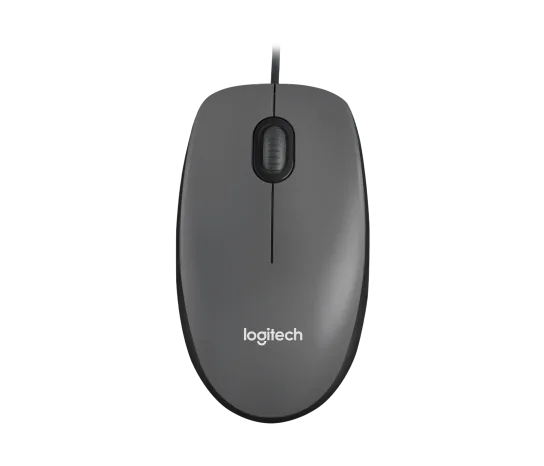
Logitech M100 Wired USB Mouse, Black/Grey (910-001601)
Choose the M100 if your priority is basic USB pointing and scrolling without a battery, pairing routine or configuration download. Its ambidextrous body accommodates either hand, but the three-button layout o
-
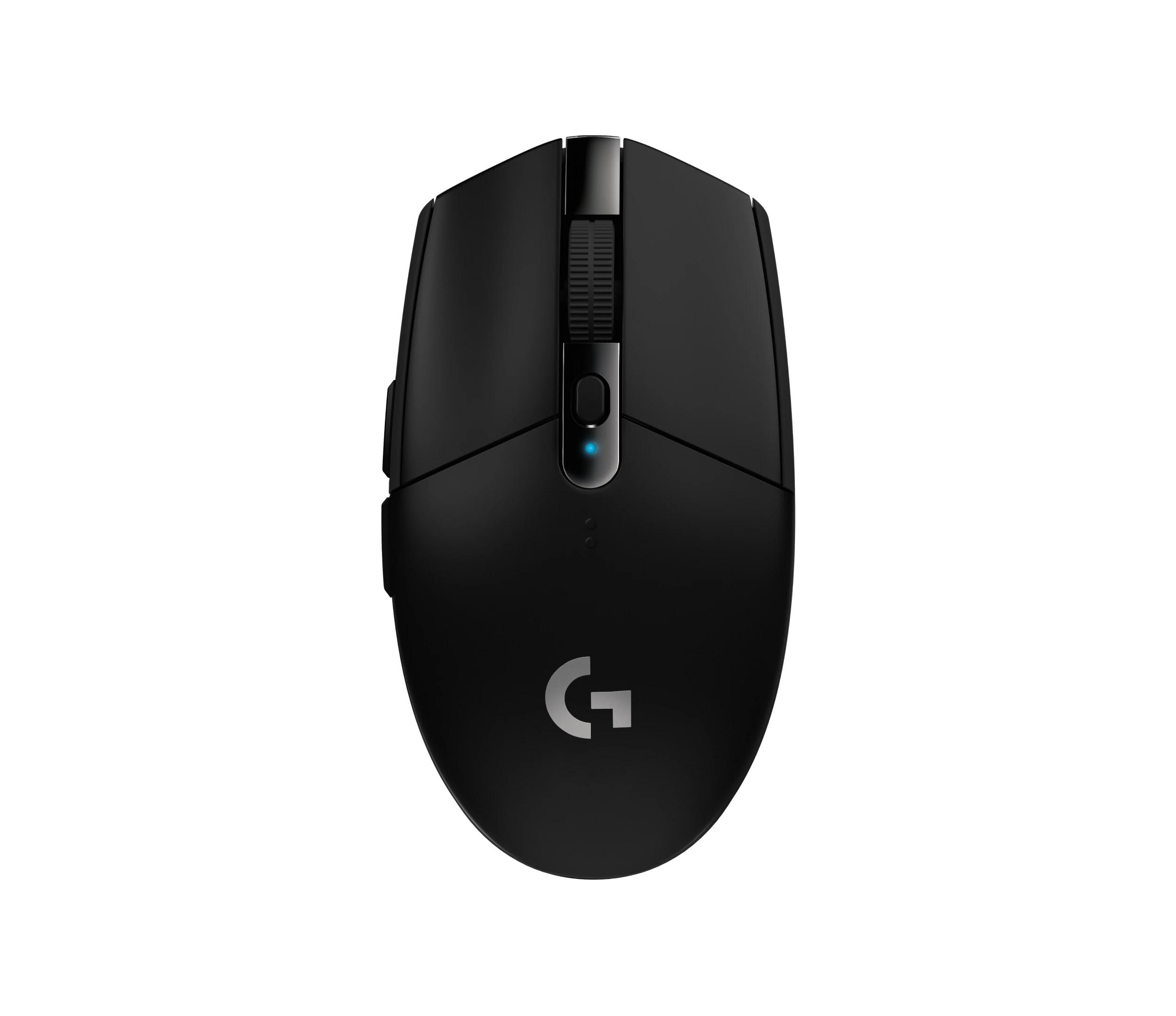
Logitech G305 LIGHTSPEED Wireless Gaming Mouse, Black (910-005280)
Choose the black G305 if you want receiver-based gaming with replaceable AA power and programmable controls. Its right-handed button arrangement and battery-powered design are
-
Logitech MX Vertical Graphite Ergonomic Mouse (910-005447)
The MX Vertical is a conditional choice for right-handed office users who prefer a tall handshake-style grip and want wireless connections plus a real wired fallback. Medium-to-large hands are
-
Logitech Signature M650 L LEFT Wireless Mouse, Graphite (910-006239)
Choose the graphite M650 L LEFT when you want a conventional large mouse with right-side thumb buttons for everyday work. Its replaceable battery and customizable controls are
-
Logitech G203 LIGHTSYNC Wired Gaming Mouse, Black (910-005790)
The G203 LIGHTSYNC suits a desk setup where a fixed USB cable and programmable controls are welcome. The strongest reason to choose it is the combination of configurable buttons, RGB and famil

Sources and method
- Logitech Lift mouse review: a great left-handed mouse?The Big Tech Question · retrieved 2026-10-04Editorial review
- Getting Started - LIFT Vertical Ergonomic MouseLogitech · retrieved 2026-10-04Manual
- Specification - LIFT Vertical Ergonomic Mouse, article 5127068017303Logitech · retrieved 2026-10-04Manufacturer support
- Logitech Lift Vertical Ergonomic Mouse Review - How does it compare vs Logitech MX Vertical?Mighty Gadget · retrieved 2026-10-04Editorial review
- Specification - LIFT Vertical Ergonomic Mouse, article 17743180034327Logitech · retrieved 2026-10-04Manufacturer support
- Logitech Lift Vertical Ergonomic Mouse product data sheetLogitech, hosted by Dustin · retrieved 2026-10-04DatasheetPDF