Logitech MX Vertical Graphite Ergonomic Mouse (910-005447)
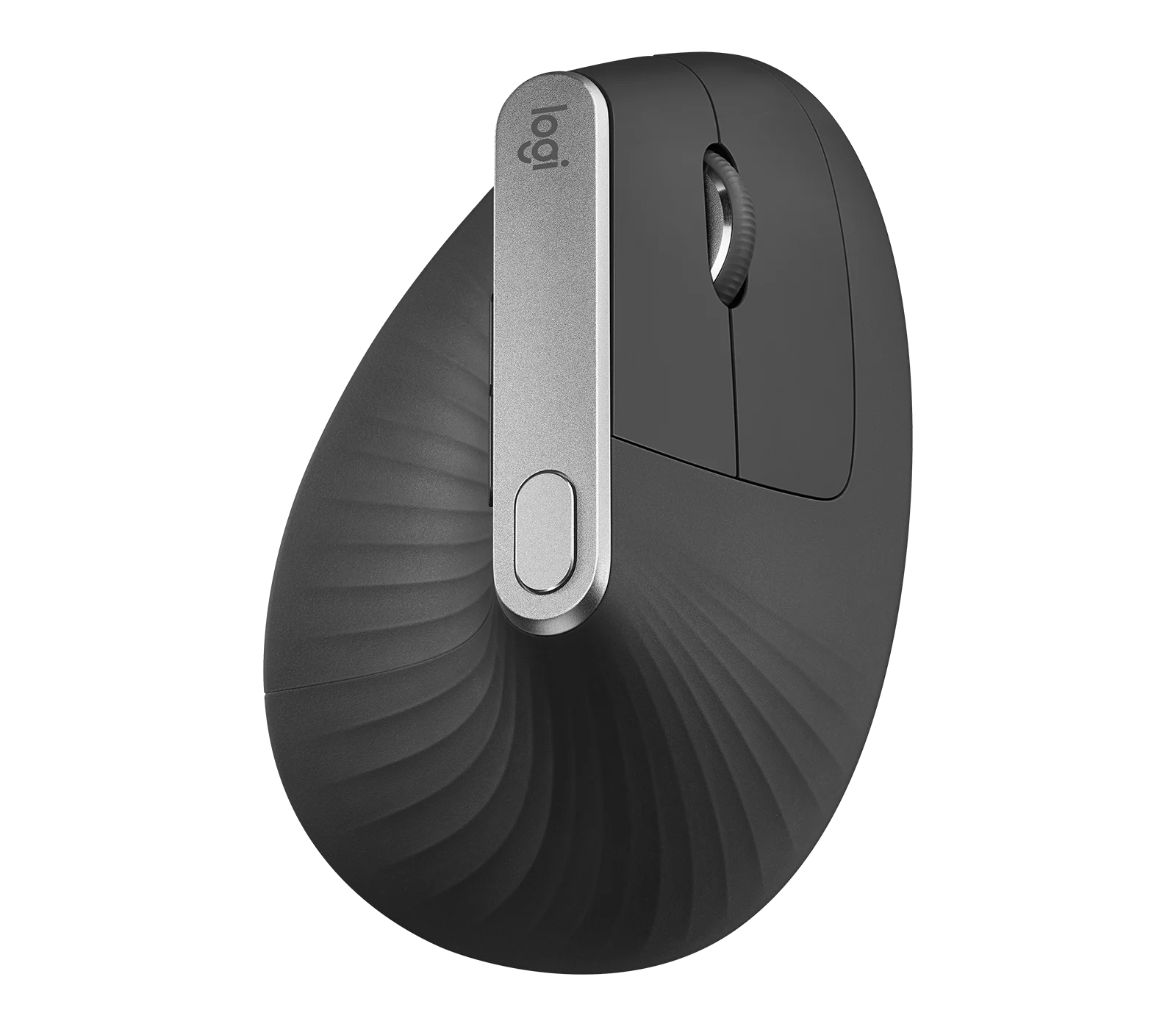
The MX Vertical is a conditional choice for right-handed office users who prefer a tall handshake-style grip and want wireless connections plus a real wired fallback. Medium-to-large hands are the clearest starting point, but thumb-button reach, ratcheted scrolling and precise cursor work deserve a personal trial. Multiple-computer pairing is useful; Flow also depends on software and the network.
Updated 2026-10-04

We may earn a commission from qualifying purchases.
Prices and sellers
No price information yet
Conditions and limitations
Flow needs compatible software and network access
- Capability
- Move the cursor and copy/paste between paired computers using Logitech Flow.
- Limitations
- Check the current app's OS and network requirements; hardware pairing alone does not provide Flow.
- Requirements
- Install supported Logitech software on the computers and connect them to the same network.
Real corded operation
- Capability
- Use the mouse through its USB cable while connected to a computer.
- Limitations
- Unplug the cable before wireless pairing; charging from a computer selects the cable connection.
- Requirements
- Power the mouse on and connect the data cable.
Compatibility
Basic use on Linux and Chrome OS
- Connection
- Use a supported receiver or Bluetooth connection.
- Functions
- Basic mouse operation without additional drivers.
- Notes
- The manufacturer's basic-function support does not establish Options+ customization or Flow support on these systems.
- Protocol
- Unifying or Bluetooth
- Result
- partial
- Source device
- Logitech MX Vertical
- Target device
- Linux or Chrome OS computer
Where sources differ
Care and support
Battery service requires opening the mouse
- Details
- Reviewers describe an integrated battery and awkward access under the bottom covering and screws. Replacement-part availability and current service terms were not established.
Who it suits
Choose after a realistic grip trial
- Check before buying
- Try scrolling, text selection and thumb shortcuts in the applications you use.
- Constraints
- Reach the forward button without shifting the hand.
- Needs
- A right-handed vertical grip for daily office use.
- Reason
- The shape and controls are useful only when they fit the user's hand and tasks.
- Tradeoffs
- Accept the regular ratcheted wheel and possible fine-control adjustment.
- Assessment
- conditional
Areas not yet researched (2)
No conclusion is available for these areas. This does not mean the Product has no limitations or reported issues.
- Reported issues and fixes
- Ownership costs
Reviewer consensus
Consensus rows require at least two distinct sources for the topic.
| Topic | Positive | Negative | Mixed | Reading | Evidence |
|---|---|---|---|---|---|
| Build and double click durability | 1 | 2 | 0 | Debated · 1 v 2 | [1], [6], [5] |
| Multi device pairing | 3 | 0 | 0 | Agreed · 3/3 | [4], [1], [7] |
| Scroll wheel and side buttons | 1 | 2 | 0 | Debated · 1 v 2 | [8], [4], [6] |
| Sensor tracking accuracy | 0 | 2 | 0 | Weak point · 2/2 | [8], [5] |
| Shape and grip fit by hand size | 2 | 0 | 0 | Agreed · 2/2 | [3], [1] |
| Wireless reliability and battery practice | 1 | 0 | 1 | Mixed · 1/2 | [1], [7] |
Single-source notes
The review
Logitech MX Vertical: fit, controls and connection tradeoffs
Sensitivity is not a precision benchmark
The sensor's rated ceiling is 4000 dpi, and the top control switches between two cursor speeds. That gives a practical way to alternate broad navigation and slower pointing. It does not prove competitive gaming performance: The Gadgeteer struggled with fine cursor movements, while connect-living cautioned about pixel-specific work despite managing ordinary office tasks. [1], [8], [5], [4]
Ergonomie am Arbeitsplatz liked the glide, but no calibrated friction or feet-wear result is available here. Even the official weight is inconsistent: Logitech's datasheet states 135 g while its support table states 125 g. Keep those attributed figures separate. Neither establishes the mass of the particular unit you will receive. [1], [2], [6]
Start with hand fit and thumb reach
This is the original Graphite MX Vertical, AMR part number 910-005447. Its right-handed shape changes how the hand holds the mouse. Ergonomie am Arbeitsplatz favors medium-to-large hands, but that is a starting point for a trial rather than a universal size rule. Check whether the forward thumb button is reachable without changing your grip. [1], [6]
The reviews show why an ergonomic label cannot promise comfort for everyone. Tech Guide adapted successfully; The Gadgeteer did not find enough benefit to keep using it. The tall shell also changes the path between keyboard and mouse: Tech Guide sometimes clipped it while reaching across the desk. Try your actual daily tasks, not just a brief palm rest. [8], [3]
Separate physical switching from Flow
Connections include the Logitech Unifying receiver, Bluetooth and an actual USB-C cable connection. The mouse pairs with up to three computers. Logitech's setup guide says to turn it on for corded use and unplug the cable before wireless pairing; charging from a computer selects the cable connection. Match replacement receivers to Unifying rather than assuming any Logitech receiver is interchangeable. [1], [4]
Flow adds cursor sharing and copy/paste between computers, but it is software- and network-dependent. CriticalHit describes computers on the same network with Logitech software installed. This differs from pressing the physical device-switch button. On a managed work computer, check software installation and network permissions before depending on Flow for your workflow. [1], [2], [7]
Current app support and basic mouse support differ
Logitech's support page now identifies Logi Options+ for Windows and macOS. Older reviews and the datasheet name Logitech Options, so their interface descriptions are historical. Basic mouse support on Chrome OS and popular Linux distributions does not establish customization or Flow support there. Check the current app requirements separately from the device's older operating-system lists; onboard-memory behavior remains unverified. [2], [1], [4]
Treat endurance as a rating and plan for servicing
Logitech rates endurance at up to four months, with use-dependent variation. connect-living reported uninterrupted battery operation during its review, but neither that test nor CriticalHit's weeks-long trial verified the full rating. The built-in battery avoids routine disposable-cell changes, while servicing it is more involved: reviewers describe access beneath the bottom covering and screws. [1], [6], [5], [7]
The manufacturer's switch-life rating is not a measured double-click failure rate or a lifespan guarantee. This research also leaves controlled click latency, polling-rate verification, long-term feet wear and current replacement-part availability unresolved. The strongest buying case is therefore a grip and control layout that works for you, together with the connections you need; a current price-based value ranking is not established. [1], [6], [8], [5], [7], [4]
A regular wheel with customizable shortcuts
The wheel is designed for line-by-line scrolling and middle clicking. The Gadgeteer found its ratchet feel and sound less appealing and confirmed that it cannot switch to a smooth-scrolling mode. If flicking through long documents is central to your work, test this before choosing the shape. Logitech lists four customizable controls: the back, forward, speed and middle-click controls. [2], [8], [4]
Buyer questions
Before you buy
Compatibility
Setup
Everyday use
Does USB-C carry mouse data or only charge it?
It supports real corded use. Turn the mouse on and connect it to the computer. Logitech says the cable connection is active while charging from a computer and instructs users to unplug it before wireless pairing. [4]
Limitations
Product images
Facts and specifications
Manufacturer datasheet
| Specification | Value | Source |
|---|---|---|
| Battery Type | Rechargeable lithium-polymer battery | [1] |
| Compatibility | Basic functions supported without additional drivers on Chrome OS and most popular Linux distributions; this is not a promise of Options+ features | [1] |
| Depth | 120 mm | [1] |
| Height | 78.5 mm | [1] |
| Width | 79 mm | [1] |
| Interface | Logitech Unifying USB receiver, Bluetooth and USB-C wired connection | [1] |
| Model | MX Vertical; 910-005447; AMR Graphite AMR | [1] |
| Paired Devices | 3 | [1] |
| Sensor DPI | 4000 dpi | [1] |
| Shape | Right-handed vertical shape with 57-degree angle | [1] |
| Weight | 135 g | [1] |
Manufacturer manual
| Specification | Value | Source |
|---|---|---|
| Control Type | Dedicated cursor-speed button toggles between two speeds; hold and move the mouse to adjust with the customization software; Precision line-by-line scroll wheel with integrated middle click | [4] |
| Inputs | 4 customizable controls: Back, Forward, DPI and middle click | [2] |
| Software | Logi Options+ for macOS and Windows; current application OS requirements must be checked separately from historical device compatibility | [2] |
| Weight | 125 g | [2] |
| Wireless Standard | 2.4 GHz Logitech Unifying; Bluetooth Low Energy 4.2 | [2] |
Other facts
| Specification | Value | Source |
|---|---|---|
| Buyer Fit | A comfortable vertical grip is not assured for every person or task: The Gadgeteer returned to her usual mouse, while other hands-on reviewers adapted successfully.; Ergonomie am Arbeitsplatz recommends the MX Vertical for medium-to-large hands; its fit advice is an individual review assessment, not a universal hand-size cutoff. | [6], [8], [3] |
| Limitation | Ergonomie am Arbeitsplatz found the forward thumb button harder to reach, especially with a smaller thumb, so button access should be checked in a grip trial.; Tech Guide's reviewer sometimes knocked the tall mouse over while reaching across the desk; clearance and the hand's path from the keyboard matter. | [6], [3] |
| Setup Requirement | CriticalHit describes software-assisted cursor sharing and copy/paste between computers on the same network. This network-dependent feature is separate from the physical Easy-Switch button.; Logitech instructs users to power the mouse on for corded use and unplug the cable before wireless pairing. While charging from a computer it is connected through the cable. | [7], [4] |
KnowSpec analysis
Choose it for the grip, after trying the controls
The MX Vertical is a conditional choice for right-handed office users who prefer a tall handshake-style grip and want wireless connections plus a real wired fallback. Medium-to-large hands are the clearest starting point, but thumb-button reach, ratcheted scrolling and precise cursor work deserve a personal trial. Multiple-computer pairing is useful; Flow also depends on software and the network.
Method: Synthesis of manufacturer documentation and attributed original hands-on reviews; no original testing performed.Visible information gaps
Missing information is shown rather than guessed.
- Topic:Measured Performancerights restricted
- Input Lagnot public
- Topic:Multi Device Pairingrights restricted
- Battery Capacityconflicting
- Battery Lifenot found
- Topic:Build And Double Click Durabilitynot found
- Switch Typenot found
- Topic:Companion Software And Onboard Memorynot found
- Polling Raterights restricted
- Sensor Modelnot found
- Topic:Value For Moneynot found
- Max Tracking Speednot found
Products in this content
-
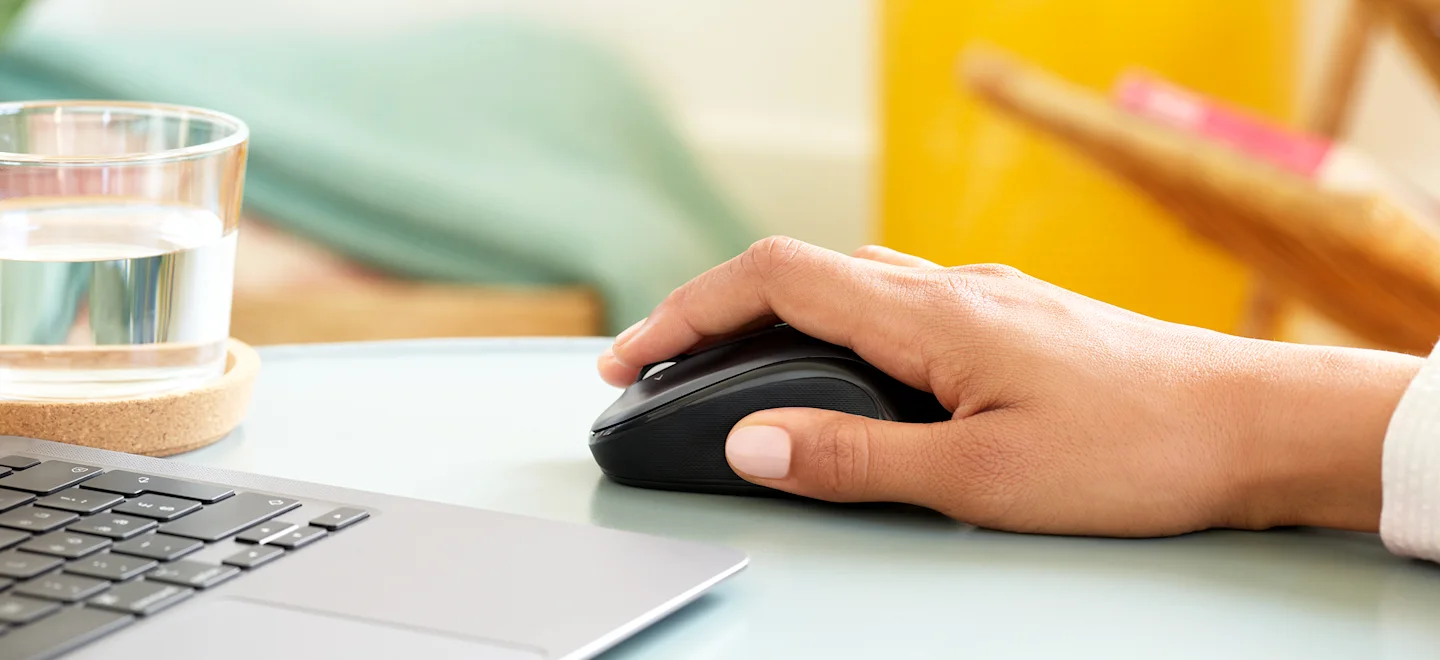
Logitech M325 Wireless Mouse (910-002974), Black
The original black M325 is a sensible fit for a portable computer when you prefer a small, symmetrical mouse, replaceable power and a receiver that stores inside it. Reviewers liked ordinary pointing and handling, but large
-
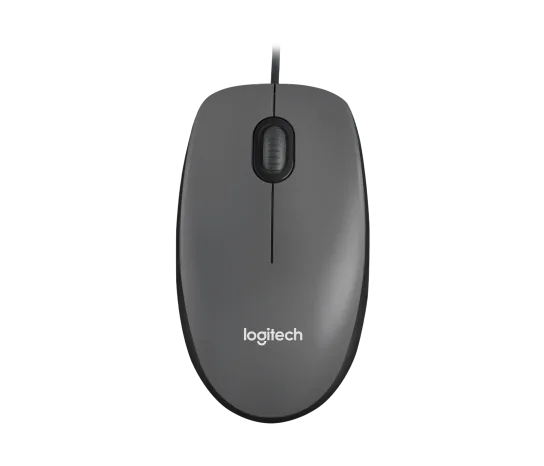
Logitech M100 Wired USB Mouse, Black/Grey (910-001601)
Choose the M100 if your priority is basic USB pointing and scrolling without a battery, pairing routine or configuration download. Its ambidextrous body accommodates either hand, but the three-button layout o
-
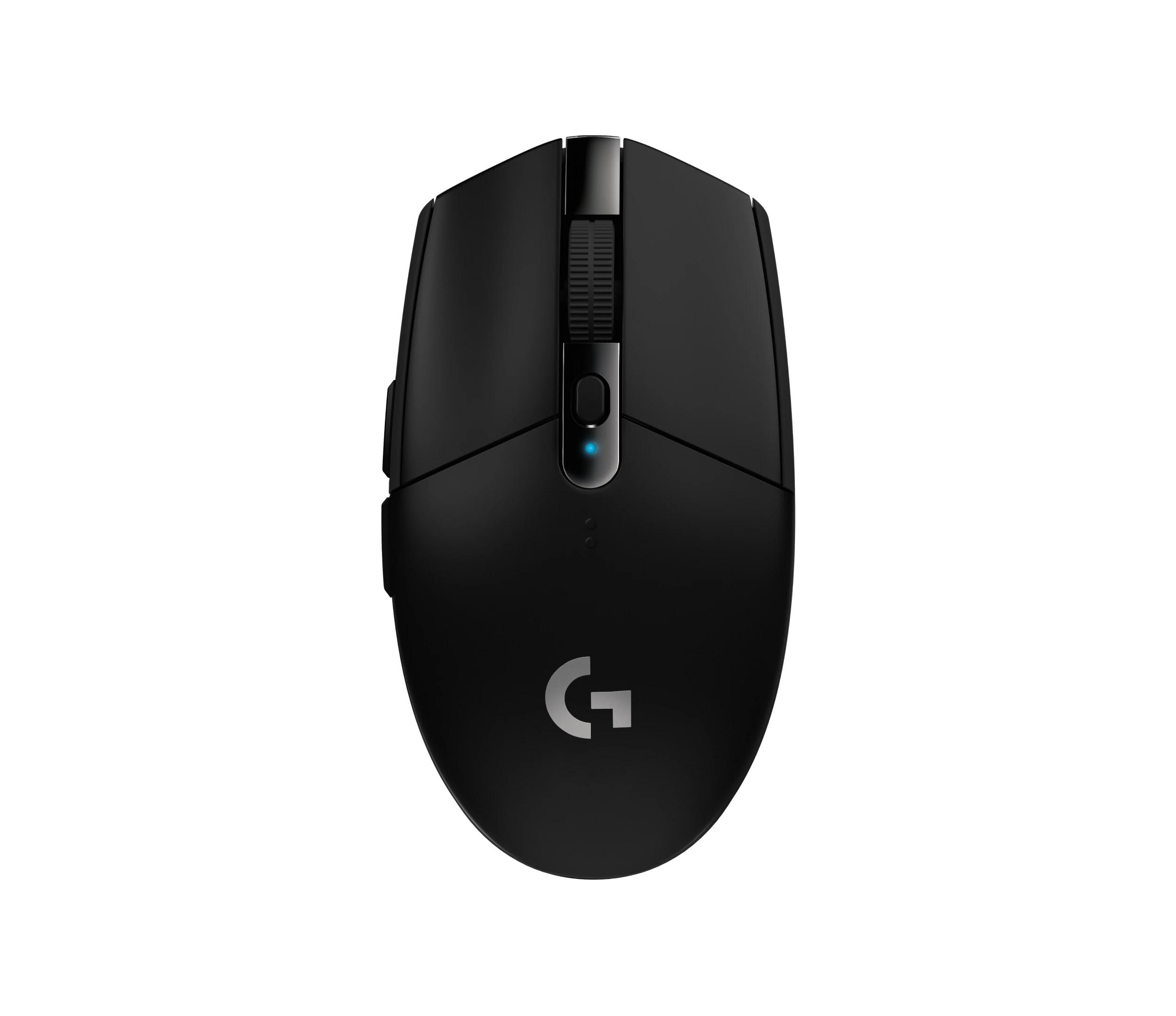
Logitech G305 LIGHTSPEED Wireless Gaming Mouse, Black (910-005280)
Choose the black G305 if you want receiver-based gaming with replaceable AA power and programmable controls. Its right-handed button arrangement and battery-powered design are
-
Logitech Signature M650 L LEFT Wireless Mouse, Graphite (910-006239)
Choose the graphite M650 L LEFT when you want a conventional large mouse with right-side thumb buttons for everyday work. Its replaceable battery and customizable controls are
-
Logitech G203 LIGHTSYNC Wired Gaming Mouse, Black (910-005790)
The G203 LIGHTSYNC suits a desk setup where a fixed USB cable and programmable controls are welcome. The strongest reason to choose it is the combination of configurable buttons, RGB and famil
-
Logitech G303 Shroud Edition Wireless Gaming Mouse, Black (910-006103)
The G303 Shroud Edition is a conditional choice for claw-grip players who want its angular support and LIGHTSPEED wireless connection. Try the shape before committing: Mouse P
Sources and method
- MX Vertical Advanced Ergonomic Mouse datasheetLogitech · retrieved 2026-10-04DatasheetPDF
- MX Vertical Technical SpecificationsLogitech · retrieved 2026-10-04Manufacturer support
- Logitech MX Vertical reviewTech Guide · retrieved 2026-10-04Editorial review
- Getting Started - MX VerticalLogitech · retrieved 2026-10-04Manual
- Logitech MX Vertical im Testconnect-living · retrieved 2026-10-04Editorial review
- Logitech MX Vertical im TestErgonomie am Arbeitsplatz · retrieved 2026-10-04Editorial review
- Logitech MX Vertical Mouse reviewCriticalHit · retrieved 2026-10-04Editorial review
- Logitech MX Vertical advanced ergonomic wireless mouse reviewThe Gadgeteer · retrieved 2026-10-04Editorial review